
Delightful_reporter5DDE
Participant
September 23, 2018
Answered

Can't preview fill/outline color before hitting OK

  • September 23, 2018
  • 3 replies
  • 1427 views

Hi. I want to preview a color while the color picker is open, however, the color does not change until I hit OK and the color picker is closed.

I was able to preview colors before confirming them, how do I get back to how it used to be?
This topic has been closed for replies.
Correct answer barbafrenzie

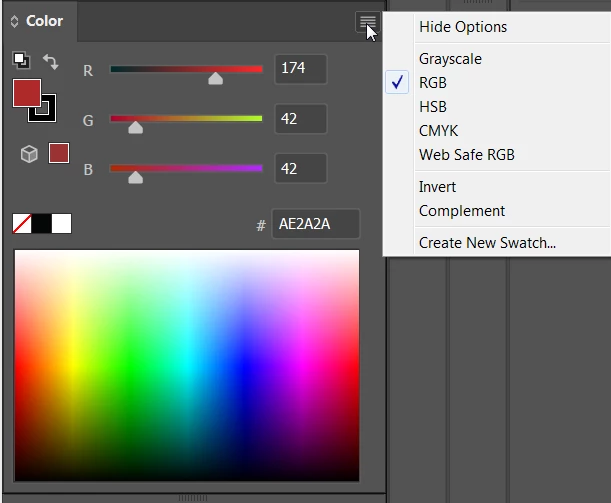
Color Picker does not have a preview function. However, you can use the Color Panel to get instant previews.

3 replies

Delightful_reporter5DDE
Participant
September 23, 2018

Thanks so much! I see now

cinziamarotta
Participating Frequently
September 23, 2018

Hi,

you can use Color panel as barbafrenzie suggested or could use EDIT > EDIT COLORS > RECOLOR ARTWORK (Edit tab) to get a preview on the object of a new color:

barbafrenzieCorrect answer
Inspiring
September 23, 2018

Color Picker does not have a preview function. However, you can use the Color Panel to get instant previews.