jcarch1000
Participant
September 28, 2018
Answered

Can't save arrowheads.ai file to create custom arrowhead

  • September 28, 2018
  • 2 replies
  • 1074 views

I'm creating a custom arrowhead, following the steps outlined here.

I open arrowheads.ai, create the arrowhead, add it to the symbols palette, name it, etc.

But when I go to save the file arrowheads.ai, I can't save the file, getting this error message:
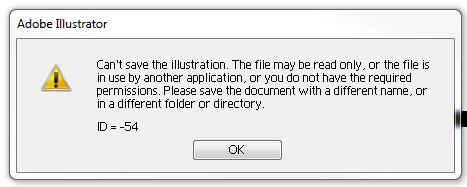
I'm working on AI CS5, on Windows 7.  Thanks for any help on this.

This topic has been closed for replies.
Correct answer mjbelt

Change the permissions options:

How to Change File Permissions on Windows 7 (with Pictures)

Other option change the name of ai. file and try opening up file.

https://superuser.com/questions/562421/win7-set-write-permission-for-user-without-read-access

2 replies

Ton Frederiks
Community Expert
Community Expert
September 28, 2018

Save it on the desktop, close Illustrator and replace the file?

mjbeltCorrect answer
Participating Frequently
September 28, 2018
jcarch1000
Participant
September 28, 2018

Thanks mjbelt, that did it.  Thought as an admin level user, I'd have all permissions needed, but I guess not.