
Inspiring
July 2, 2018
Answered

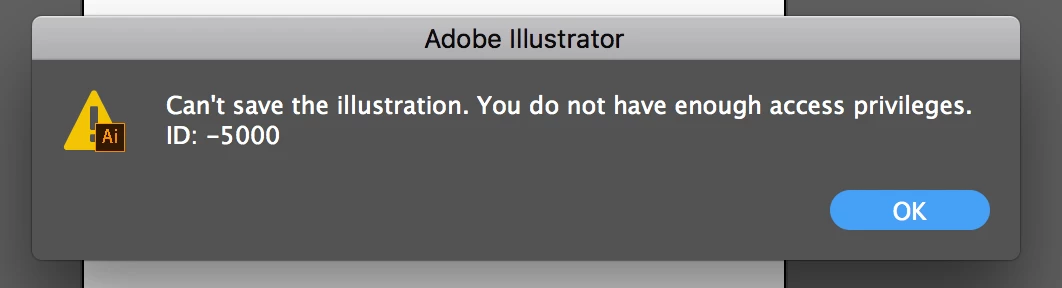
Can`t save the illustration. You do not have enough access privileges. ID: -5000

  • July 2, 2018
  • 8 replies
  • 36966 views

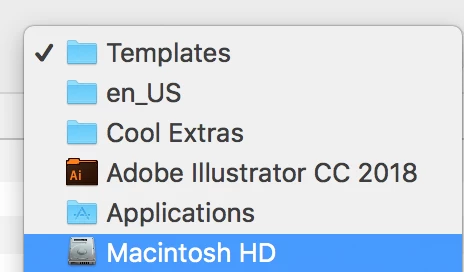
I`m getting this error when trying to save a template to my local drive (File > save as template...)  Using MacOS sierra 10.12.4

I`m ok with saving out a normal .ai file, but not the template...have restarted illustrator with same issue when trying to save as template.
This topic has been closed for replies.
Correct answer Anshul_Saini

Hi All,


We are sorry for the trouble this issue has caused. This generally happens when you don't have proper read & write permission to export/ save the file. We have created a small YouTube video to address permission issues in Illustrator.


Please perform the steps as showcased in the video on the folder you are trying to save and then give Illustrator "Full Disk Access" from the System Settings.


I hope this helps.


Thanks,

Anshul Saini

8 replies

Participating Frequently
June 16, 2023

Me too. Annoying much? I want to throw myself off a bridge. 

I tried a bunch of these work arounds and none worked.

Had to copy and paste into a new document and save to ANOTHER computer. 

oy vey.

Participant
August 21, 2023

I have tried all of these things, and still I get the error message. Any other tricks?

Anshul_Saini
Community Manager
Community Manager
August 22, 2023

Hi @Casey26949534ey4h,


I'm sorry to hear that you're facing issues with saving your illustration. The error message "You do not have enough access privileges. ID: -5000" typically indicates a permissions issue with the location you're trying to save the file to.


To assist you further, could you please provide the following details:

  1. The version of Adobe Illustrator & macOS
  2. The exact path or location where you're trying to save the illustration.


With this information, I'll be able to provide you with more specific guidance to help resolve the access privilege error you're encountering.


Best,

Anshul Saini

Anshul_Saini
Community Manager
Anshul_SainiCommunity ManagerCorrect answer
Community Manager
December 2, 2022

Hi All,


We are sorry for the trouble this issue has caused. This generally happens when you don't have proper read & write permission to export/ save the file. We have created a small YouTube video to address permission issues in Illustrator.


Please perform the steps as showcased in the video on the folder you are trying to save and then give Illustrator "Full Disk Access" from the System Settings.


I hope this helps.


Thanks,

Anshul Saini

Participating Frequently
November 16, 2022

These are great! I also found a quick solution for a Mac about error "ID: -5000"  direclty from Apple that worked!

Either go to support.apple.com and "maginfying glass" at top of page / Search for - "Control Access to files and folders on a Mac" or google - "apple support Control Access to files and folders on a Mac"

Participating Frequently
July 23, 2021

Goodness, I can't believe this is STILL a glitch a year later in a program that costs almost 300 dollars a year to use. Honestly floored. 

Monika Gause
Community Expert
Community Expert
July 23, 2021

As long as you don't tell us exactly where you want to save the file, we won't be able to help you.


Are you sure that you actually have enough access privileges on that Mac?

Participating Frequently
July 23, 2021

Like the person who posted, I own the mac I have the issue on and am using the administrator account. I had to jump through the same hoops as the user who posted to firure out how to save a template. As someone who is new to this program, the glitches I've been running into that add a hitch to every single tiny thing I try to do are truly infuriating and I find it interesting that for 300 bucks per user per year, things like this aren't fixed and I still have to come to a forum to do figure out what's wrong, adding hours to my project time. 


I just find it interesting that extremely high priced programs these days don't even bother to fix problems people post on these forums if there's an irritating, lenghty, workaround that falls on the user's time.  

Participant
April 17, 2021

Same problem. It's crazy this company has been around forever and still they cannot figure out how to make things easy. ... legacy, big data, an old school company cannot shrug off their past stuck in medoicracy 

Monika Gause
Community Expert
Community Expert
April 17, 2021

Your operating system wants to protect you from damage. If application software could easily circumvent its protection measures without the OS kicking in, then the OS would be a failure.


So in effect nobody can spare you from learning how to control your operating system.

Rusty E
Participant
January 8, 2021

Go to template folder. Right-click and choose "get info." At the bottom, click the lock, enter your password, then add "Administrators" along with "read and write" privelages. Done. Will then work to save templates to that folder. 

Participant
April 28, 2021

Awesome thanks, I think that solved it for me... although its taking quite some time... is that normal or should i relaunch my finder... 😄

Participant
August 12, 2020

I ran into this problem today (Aug 12, 2020) and my work around:
- Save the template to the desktop

- Open Finder
- Search for & open Templates folder in AI (there are 4 Template folders on my laptop in other apps)
- Drag the template icon into the Finder
- Input my password credentials to allow the move

Participant
October 3, 2022

This worked perfectly!! Thank you for posting this answer.

Monika Gause
Community Expert
Community Expert
July 2, 2018

Check your access privileges. Are you an admin?

Can you save the template somewhere else and then move it into that folder? Also: templates can be saved anywhere.

Inspiring
July 2, 2018

Yes under "users and groups" I am the logged in admin (and owner) of the mac.

ok I can save the template to the desktop...I prefer it in its default location though, but thanks Monika.

Monika Gause
Community Expert
Community Expert
July 2, 2018

Can you move it to that location later?

Can you check your access privileges on the computer? There is a check and repair tool in the Mac Utilities.