
Answered
Can't select items behind a locked item
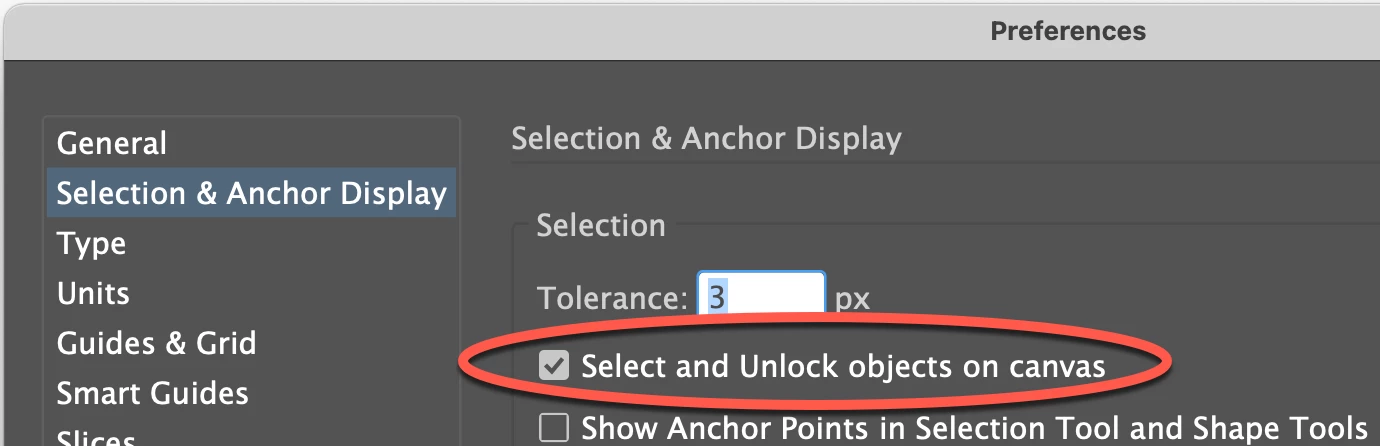
I have not used Illustrator on a regular basis for a couple of years, but now I'm working in Illustrator Legacy version. I have noticed that when I lock an image or text box, and try to click on a image/box behind the locked item, I am unable to. When I click the area, the locked item becomes "active", there's a lock on it, and I can't click anything below that box. These items are all on the same layer, and need to be. It used to be that when you locked an item, you couldn't click on it. This is frustrating. Has anyone else experienced this and know how to get around it?
 AdChoices