
Participant
July 6, 2023
Answered

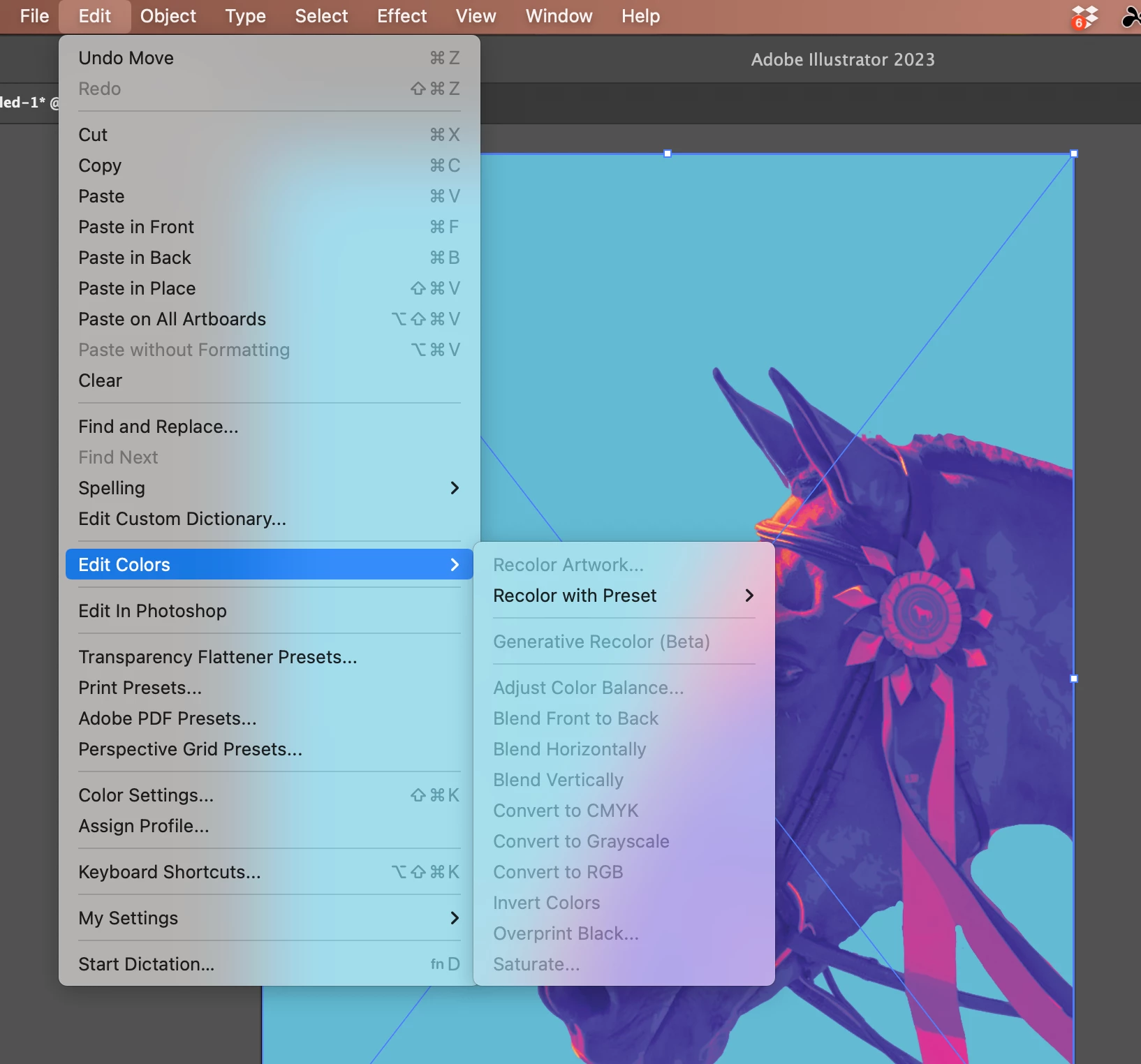
Can't Use Generative Recolor

  • July 6, 2023
  • 1 reply
  • 768 views

I was very excited to try the Generative Recolor feature but can't seem to get it to show up in the menu as an option. It's always greyed out, even when the artwork is selected. Any idea how to access this tool? The artwork being used was a PNG uploaded into the document.
This topic has been closed for replies.
Correct answer Bobby Henderson

I'm pretty sure the Generative Recolor feature works only on vector-based artwork. PNG images are pixel-based.

1 reply

Bobby HendersonCommunity ExpertCorrect answer
Community Expert
July 6, 2023

I'm pretty sure the Generative Recolor feature works only on vector-based artwork. PNG images are pixel-based.

Caroline Stafford
Adobe Employee
Adobe Employee
August 7, 2023

Hi @Tori30907758bol6 - I’m Caroline, a Product Marketing Manager at Adobe. 


I'm conducting some research on recoloring assets and think you'd provide some super valuable insights -  would you be interested in a brief interview? We'd also offer a gift card for your time! 


Let me know if you'd like to proceed and can send over a calendly link (or feel free to DM me)

Participant
August 7, 2023
Yes, gladly!