
Known Participant
July 26, 2018
Answered

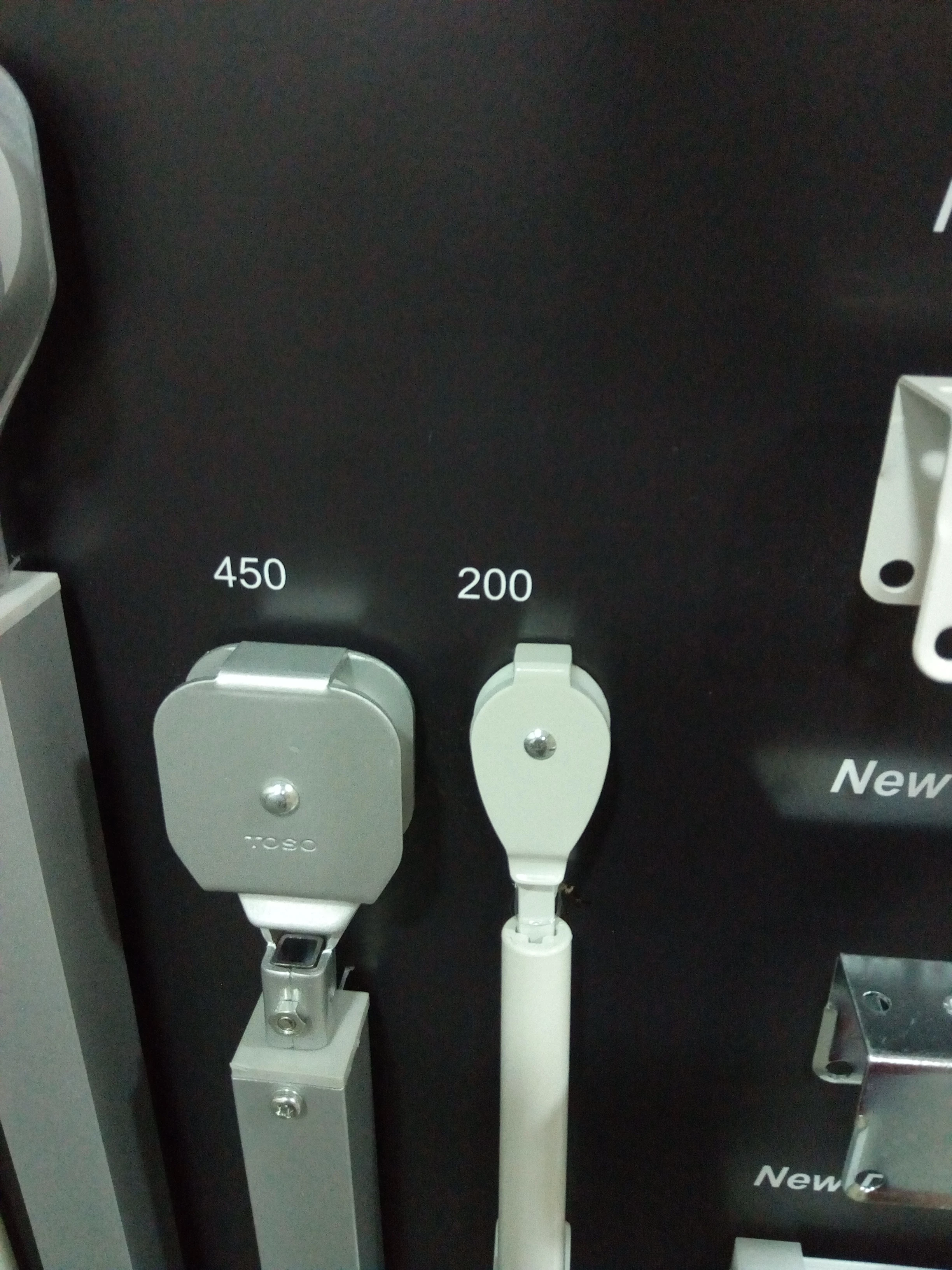
Can we make a reflected shadows as shown in the image?

  • July 26, 2018
  • 2 replies
  • 1512 views

Actually I have prepared one sample board for our products and I wanna have a reflection or reflected shadows for each products same shown in the image (Below 450 and 200) so, is it possible to have a reflection similar to the image?
This topic has been closed for replies.
Correct answer ceyhun_akgun

It gets faster in Photoshop.

A solution can be found in Illustrator for a single visual. For those visuals, Photoshop is a faster solution

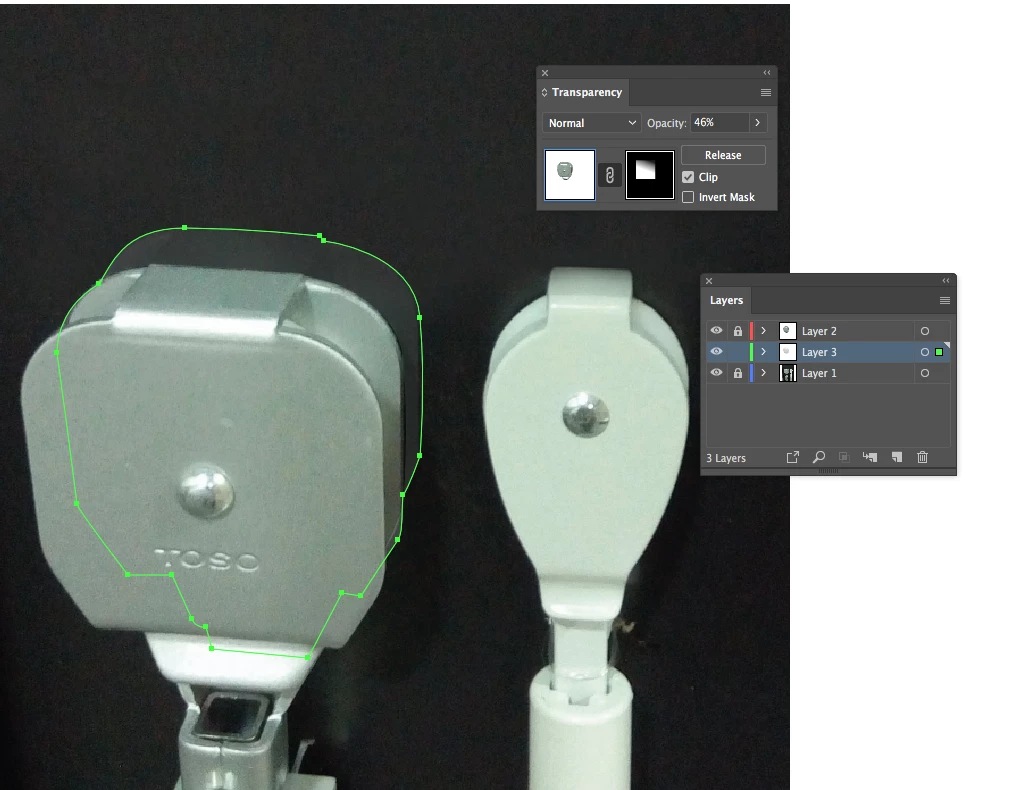
I masked part of the piece and dropped the opacity. It looks like a background reflection.

In Illustrator, I could do it like this.

2 replies

ceyhun_akgun
ceyhun_akgunCorrect answer
Legend
July 26, 2018

It gets faster in Photoshop.

A solution can be found in Illustrator for a single visual. For those visuals, Photoshop is a faster solution

I masked part of the piece and dropped the opacity. It looks like a background reflection.

In Illustrator, I could do it like this.

Graphic Designer Educator / PrePress Consultant
Known Participant
July 28, 2018

@ceyhun_akgun; Thank you so much for the help I tried that and it looks way better than a mirror reflect. Thank you everyone for the help and support ....

Monika Gause
Community Expert
Community Expert
July 26, 2018

Just draw it.

You won't be able to generate it using an effect.

Known Participant
July 26, 2018

I made a reflection of the original item as below but i wanna have something as the image above and it should be like a mirror reflection and also should be like drop shadow type same as the image above. can we make something like that?