


Answered
Can you select multiple non-contiguous text ranges in a single text box in Illustrator?
Hi all,
I’m working with a single text box in Illustrator and want to select multiple separate pieces of text at the same time (similar to holding Ctrl/Cmd in Word to select different words/phrases).
The goal is to apply formatting (e.g. bold, font change, size) to multiple non-adjacent parts of the same text object in one go.
See my example below: I want to highlight “Ingredients, EN | Important, Warning” so I can edit/adjust their formatting - without having to highlight each one separately, then editing the format one-by-one
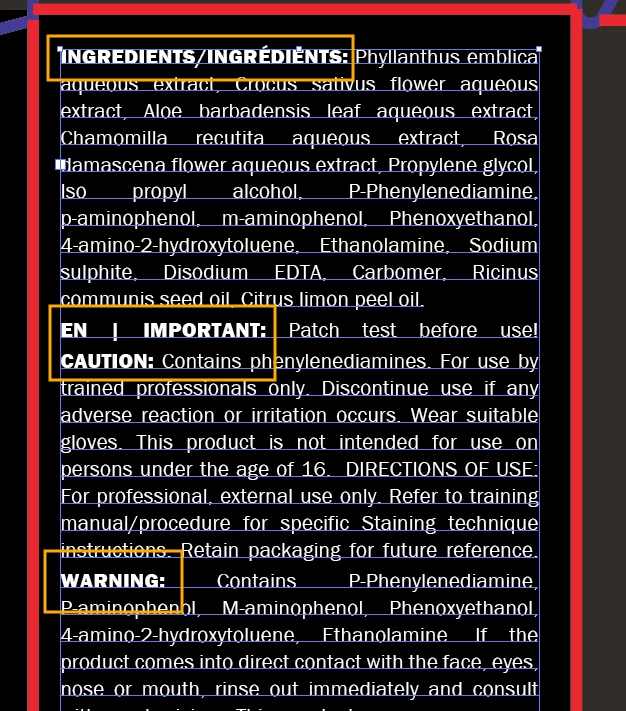
Is there a way to do this in Illustrator? Or is there a recommended workaround (e.g. styles, scripts, plugins)?
Thanks!

 AdChoices