
Łukasz Pogoda
Participating Frequently
July 2, 2025
Answered

Cannot export SVG files

  • July 2, 2025
  • 5 replies
  • 934 views

I prepared a few small logos and tried to export it (as usual) using Export for Screens workflow. I went over to artboards, click Export and this is what I get.

What's wrong? I even flattened the file, removed Symbols, and still nothing. Anyone?

Illustrator 29.6.1.
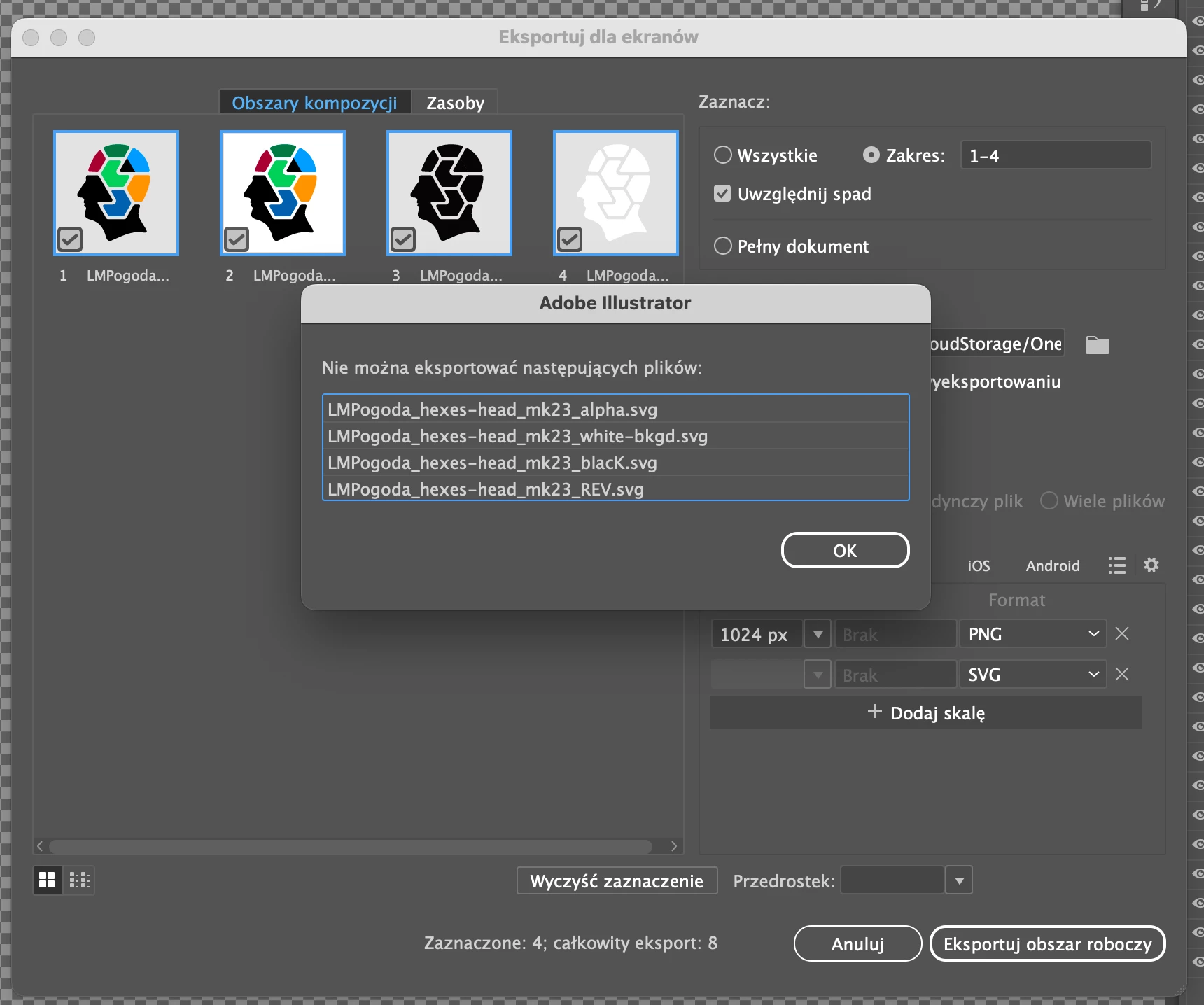
 

Thank you very much in advance!

Correct answer Anubhav M

Hello @Łukasz Pogoda,

I'm sorry to hear the suggestions didn't help. Could you share a link to a sample AI file along with screenshots of the export settings used after uploading it to a file-sharing service, so I can try to replicate this behavior on my end?


Also, try enabling Full Disk Access for Illustrator (https://adobe.ly/3Ib4gvt) and share your observations.

Looking forward to hearing from you.
Anubhav

5 replies

savagequest
Inspiring
September 21, 2025

I'm on Illustrator v 29.8.1

I'm getting these screens when trying to export SVG files, have done this for over a decade and, all of the sudden nothing is working for the SVG file format, will not save out no matter what I've tried.   

Very frustrating and I'm missing my deadline. 


Anubhav M
Community Manager
Community Manager
September 25, 2025

Hello @savagequest,

Kindly continue the conversation in this post to avoid confusion: https://adobe.ly/4gDg0DU

Note: In the future, please refrain from creating multiple duplicate posts for the same conversation.

Anubhav

savagequest
Inspiring
September 25, 2025

My apologies, I thought I was posting on a separate thread with a very similar issue and needed to see where I could get the quickest response, as deadlines and wait times do not play well together.


Thanks,
Mark Savage
Sr. Creative Director
<Personal Info Removed By Moderator>

Participant
July 16, 2025

I had the same problem and I solved it. Do this:


1) close Adobe illustrator

2) Update Adobe Illustrator within Creative Cloud

3) Open Illustrator

4) Export your file using File> Export > Export for screens > Choose "SVG"


5) Done!

I hope it helps you.  🙏


Łukasz Pogoda
Participating Frequently
July 16, 2025

Hi, thanks for sharing but it was the latest version of Ai 🙂 the platform was different though, I had this issue on macOS.

Participant
July 16, 2025

I had the same problem and I solved it. Do this:


1) close Adobe illustrator

2) Update Adobe Illustrator within Creative Cloud

3) Open Illustrator

4) Export your file using File> Export > Export for screens > Choose "SVG"


5) Done!

I hope it helps you. 🙏

Ton Frederiks
Community Expert
Community Expert
July 2, 2025

And check if turning Off Preferences > File Handling > Export in Background helps.

Anubhav M
Community Manager
Community Manager
July 2, 2025

Hello @Łukasz Pogoda,

Could you try exporting to a local folder directory instead of a removable/network drive or a cloud-synced folder like Google Drive/Dropbox/etc. to see if it helps?

Looking forward to hearing from you.
Anubhav

Łukasz Pogoda
Participating Frequently
July 2, 2025

Hi Anubhav,


Exporting to desktop doesn't work (and I was exporting to OneDrive many times without any hassle).

Switching off Export in Background doesn't help.


Best,

ŁMP 


Anubhav M
Community Manager
Anubhav MCommunity ManagerCorrect answer
Community Manager
July 2, 2025

Hello @Łukasz Pogoda,

I'm sorry to hear the suggestions didn't help. Could you share a link to a sample AI file along with screenshots of the export settings used after uploading it to a file-sharing service, so I can try to replicate this behavior on my end?


Also, try enabling Full Disk Access for Illustrator (https://adobe.ly/3Ib4gvt) and share your observations.

Looking forward to hearing from you.
Anubhav