Participant
July 25, 2018
Question

CANNOT TRANSFORM

  • July 25, 2018
  • 1 reply
  • 260 views

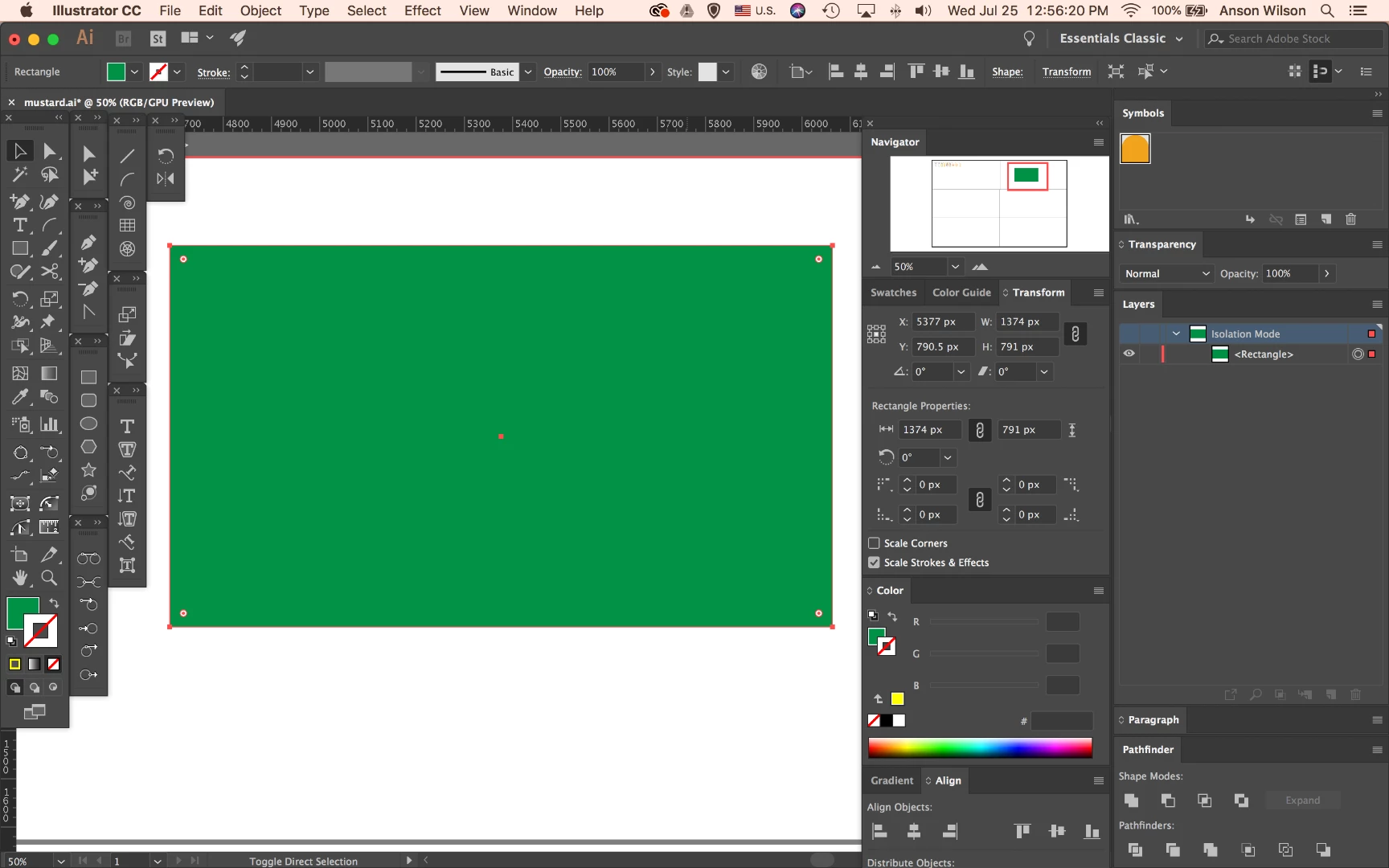
I keep trying to transform a simple shape (like pictured below) but I can't drag out the corners or sides to do so. Also my mouse just shows a dotted line box whenever I hover over a shape/object. And I can't figure out why my layer tags on the right are red and not blue. Any guesses on how to fix it?
This topic has been closed for replies.

1 reply

Mario Arizmendi
Legend
July 25, 2018

View /Show bounding box

Participant
July 25, 2018

thank you so much! what about the red colors around my images/the red tag in layers? Know what that would be?

Bill Silbert
Community Expert
Community Expert
July 25, 2018

Each layer in the layers panel has a different "tag color". Anything selected onscreen will show the selection in that color. This is for easy identification as to what layer objects are on. You can change the layer color by double-clicking on the layer and selecting a different color through the Color: pull-down menu you'll see in the Layer Options dialog that will appear after the double-clicking.