


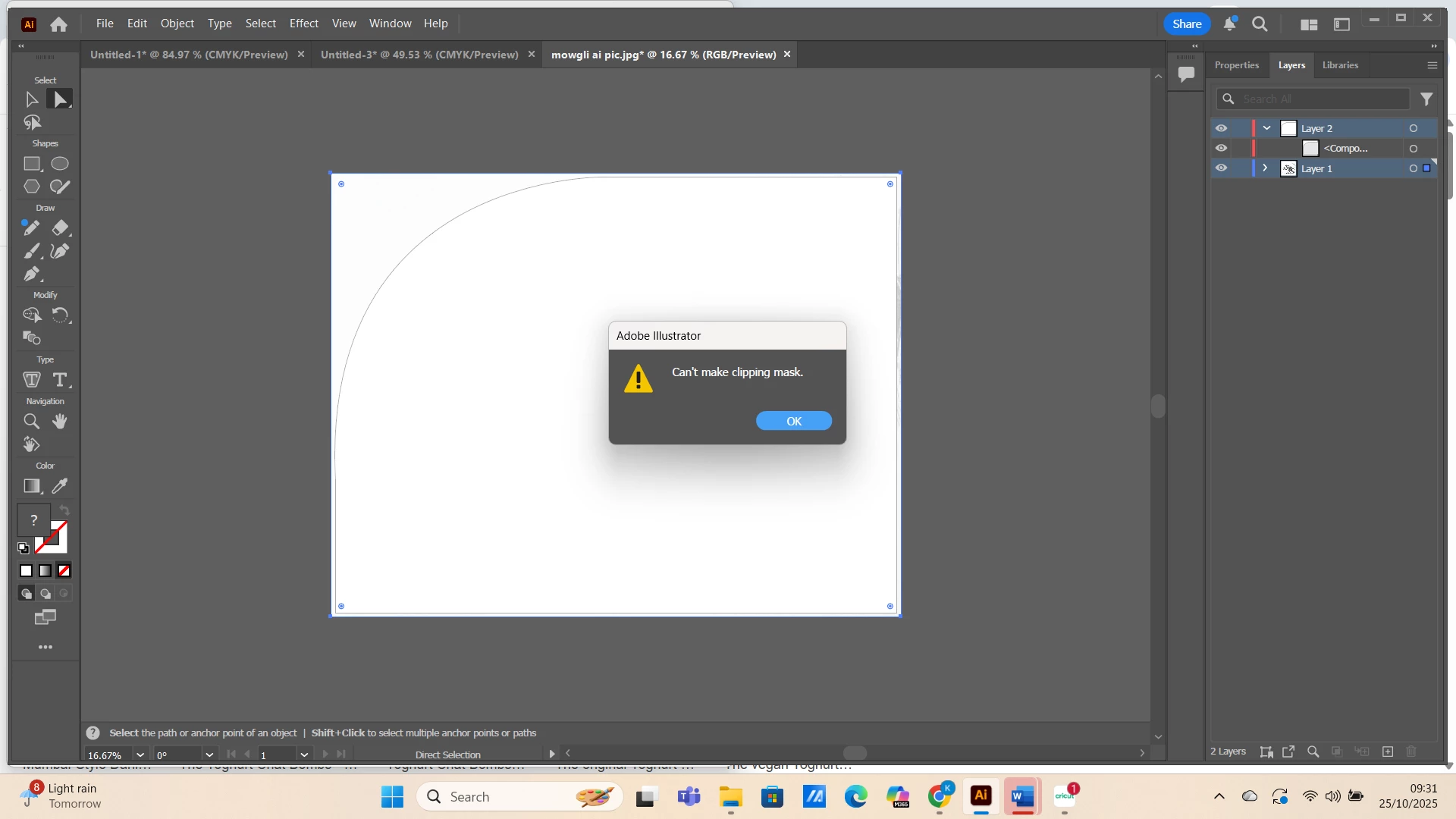
Cant make clipping mask
Same old, same old.
I'm new to illustrator, but seem to be having the usual problems with clipping masks.
I just want to crop one corner of an image so it is curved. It feels like this should not be so ridiculously hard, and I honestly don't understand why programmes only allow square crops of images. Anyway:
- I have uploaded my image
- I have drawn the shape I want for a clipping mask (rectangle with one corner curved)
- I have positioned that shape over my image
At that point, I was getting the error message 'can't create mask, more than one object must be selected'.
I looked through this community and found that I had not made my mask shape a compound path.
I corrected this.
Now, I just get the error 'can't make clipping mask'.
I just don't see what I am doing wrong- the image is below the shape, both are selected, the shape is a compound path.
Please please can anyone help?
 AdChoices