Participant
November 29, 2020
Question

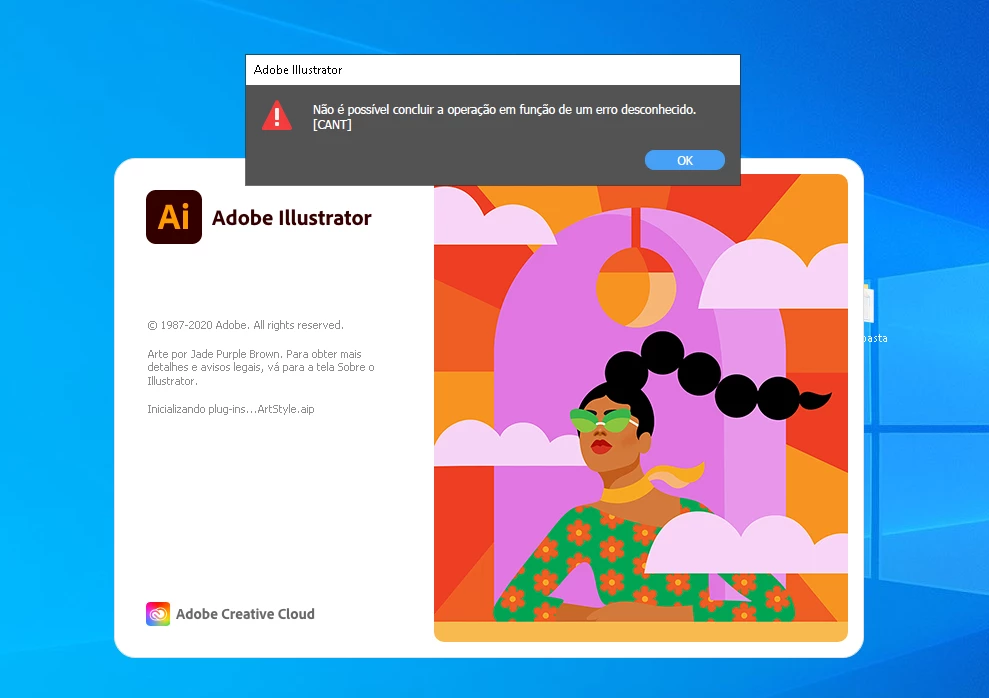
[CANT] STARTUP ERROR AI 2020.

  • November 29, 2020
  • 2 replies
  • 431 views

When i open my Illustrator 2020 i just have this error, and i press OK, he opens but i cant create a new file or do something in artboards.

This topic has been closed for replies.

2 replies

Ashutosh_Mishra
Inspiring
January 4, 2021

Hi there,


Sorry to hear about your experience. Please try following suggestions given on this help article(https://helpx.adobe.com/in/illustrator/kb/plugin-missing-issue.html) & let us know if it helps.

Additionally, please follow steps suggested on this community post(https://community.adobe.com/t5/illustrator/resolve-slow-performance-and-unexpected-behaviors-in-illustrator/td-p/11561981).

Let us know how it goes.


Regards,

Ashutosh

Omar.Fathy
Community Expert
Community Expert
November 29, 2020

This may help you:
- Make sure all adobe apps are closed
- Go to C:\Program Files\Common Files\Adobe
- Change the UXP folder name to 00UXP

Adobe Employee
December 1, 2020

Hi @Omar.Fathy I'm having the same issue. Renaming the UXP folder isn't working, nor is reseting preferences. I was informed 25.1 should have addressed this issue, but it hasn't. I downgraded Illustrator to 24.3, which still throws a CANT at startup, but at least I'm able to create a new document. 


Can you please advise?