
CC Libraries Losing Content Across Apps
Hey there,
CC libraries has been super dodgy over the past couple of days. Incredibly frustrating.
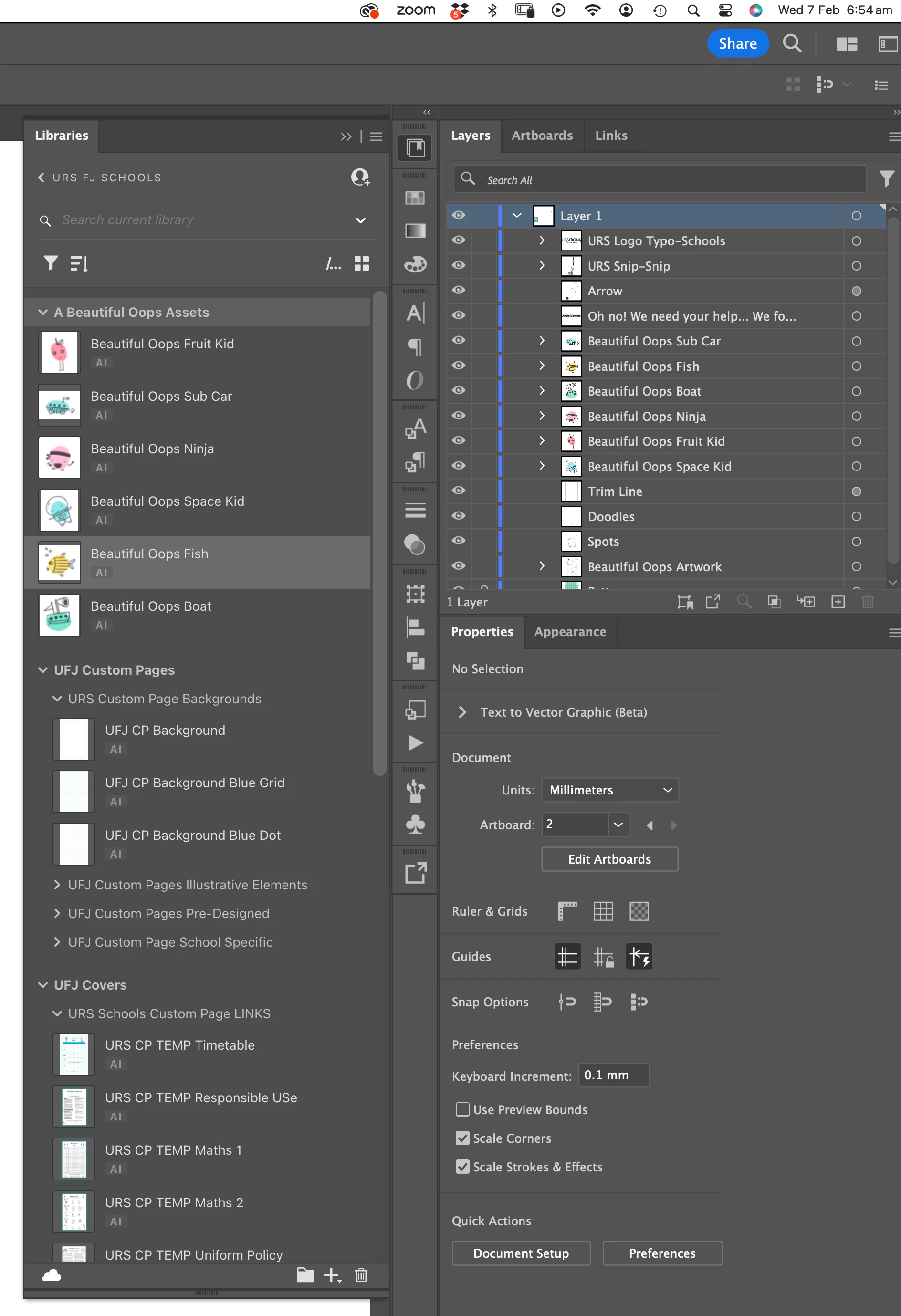
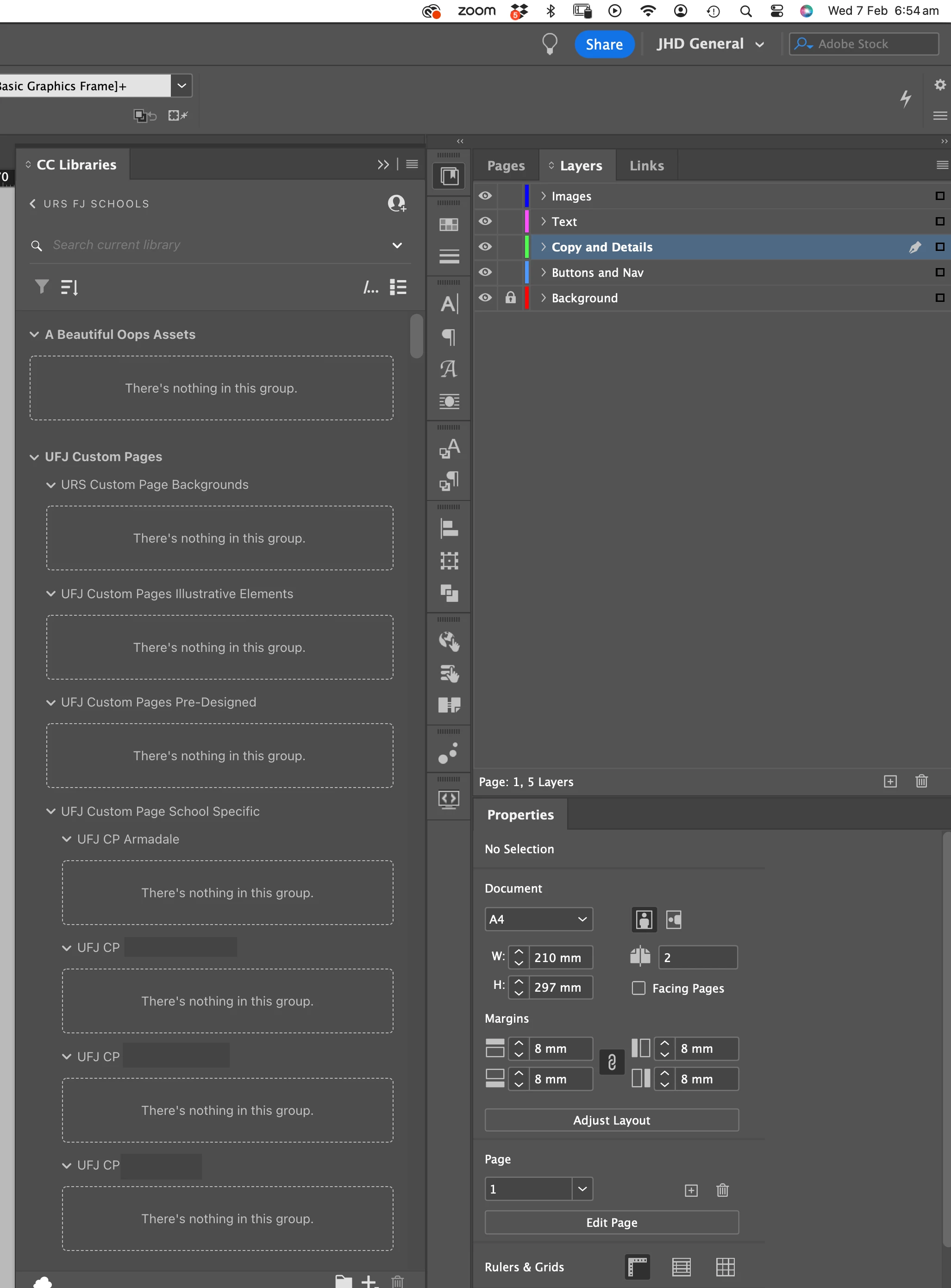
Assets are being lost between apps. Yesterday Illustrator was displaying 'There is nothing in this group', now it is InDesign. After a 3-5 minutes, the content appears again. Search function is not able to find assets. Loading new assets is incredibly slow and requires work arounds. Eg. Drag and Drop only works intermittently so need to right click and 'add to library' insted then find the apporpriate folder.
Please see screen grabs. Other things to note:
- IMac Sonoma 14.3
- Illustrator v 28.2
- InDesign v 19.2
- Only have one CC account
- Have restarted and done all the things except uninstall and reinstall. (In my experience, this has never worked and this issue is new to the previous update)
Adobe, please sort this out, it is so incredibly boring. Outside of the frustration of having a very expensive suite of programs unable to perform simple tasks, the interruption to workflow is detrimental.
Thank you,
Jane


 AdChoices