
Participant
November 8, 2017
Question

CC Library Color switching from Process to Spot

  • November 8, 2017
  • 9 replies
  • 4722 views

I created a cmyk color library in Illustrator. I made sure the colors were global and process colors.
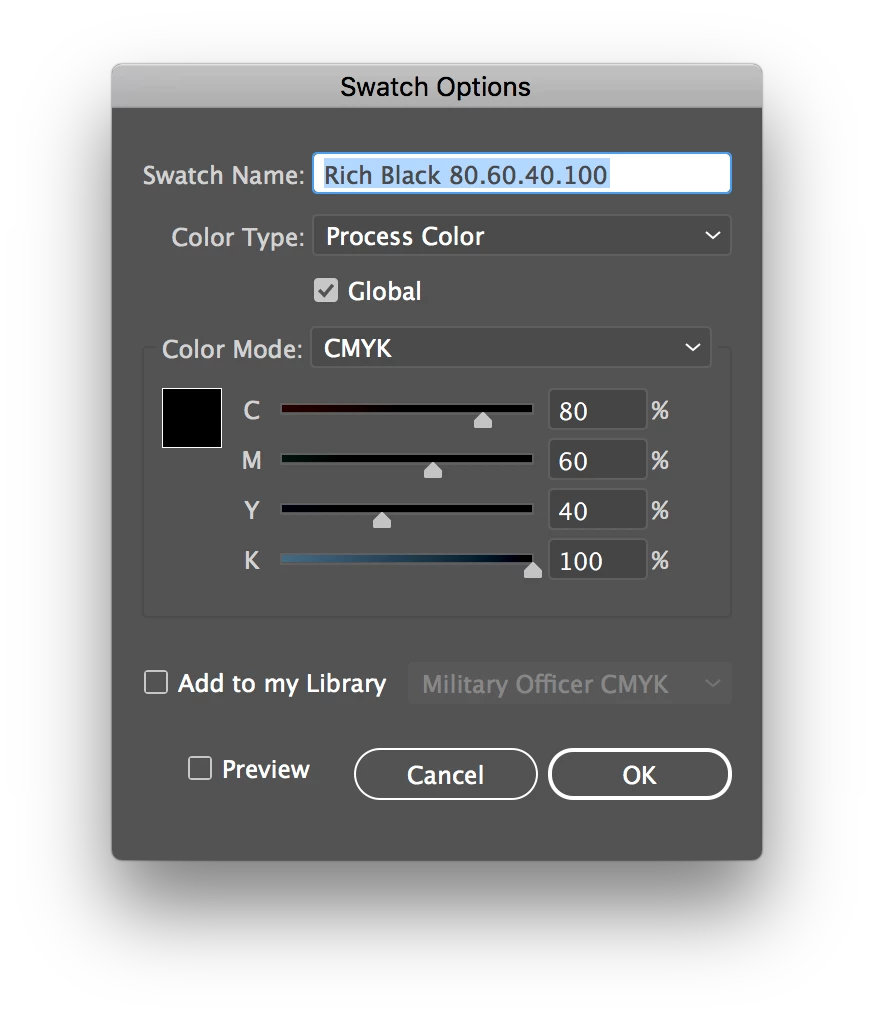
I saved the color library and opened up a new file.

When I use the color library in a new file, the colors are importing as spot colors, not process.
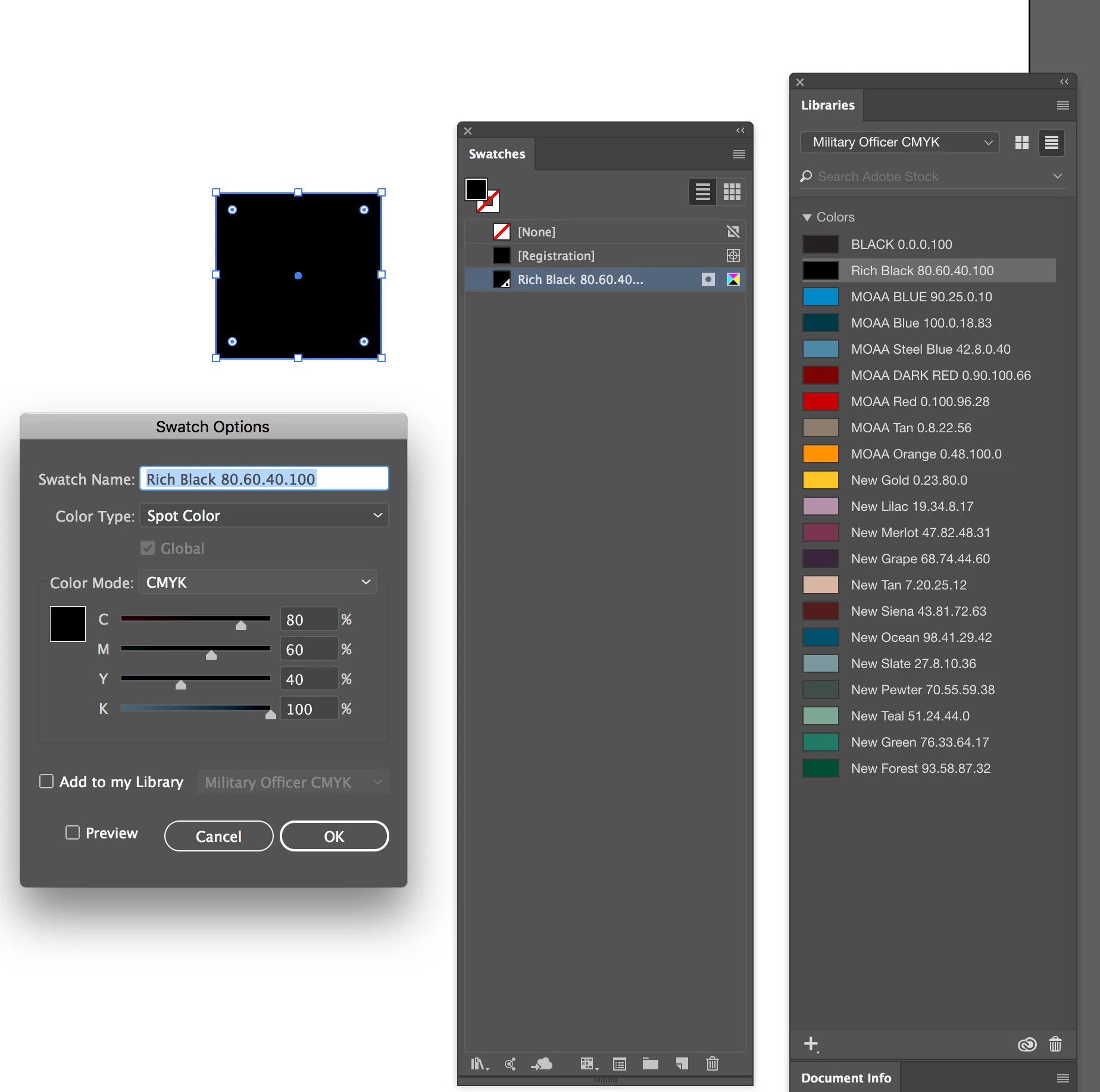
Does anyone else have this issue?

    This topic has been closed for replies.

    9 replies

    Ton Frederiks
    Community Expert
    Community Expert
    March 15, 2021

    Global colors, gradients and pattern swatches are not supported in CC libraries.

    But as a workaround you can drag an object filled with a pattern/gradient/global color to the CC Library 

    You can also drag multiple items filled with different patterns/gradients/global colors together into a CC library to simulate a library.

    The easiest way to add them to a new document is to hold down the Alt key when you drag them from the library and place them in a new document. The patterns/gradients/global colors automatically get added to your swatches panel.

    You can hit escape before you click to place the object(s) or delete the dragged library items because the swatches are now part of the document.

    MPJPollay
    Participant
    March 15, 2021

    It's March of 2021 and this bug still appears to be an issue.  Has anyone figured this out or has Adobe done something to fix it???  When I use the color library in a new file, the colors are importing as spot colors, not process.

    Community Expert
    December 4, 2020

    Hi Jenny,

    vote at Illustrator UserVoice for fixing the issue:


    Global Process Colors get added twice when added from a CC library, lose their name and become Spot colors.
    Ton, Oct 19, 2017
    https://illustrator.uservoice.com/forums/333657-illustrator-desktop-feature-requests/suggestions/31943515-global-process-colors-get-added-twice-when-added-f


    Regards,
    Uwe Laubender

    ( ACP )

    Participant
    December 4, 2020

    Still a bugin the Ai 2021 version

    Participant
    February 6, 2020

    Bug still exists in 2020..
    Adobe really doesn't give a crap since they have no real competitors.

    b3achouse
    Inspiring
    March 29, 2020

    This is still a bug!  I think we are starting to see some real competitors in the web/mobile arena

    matta9349376
    Participant
    April 25, 2019

    Yes, bug still exists in 2019!

    Monika Gause
    Community Expert
    Community Expert
    April 25, 2019

    Please post bug reports to http://illustrator.uservoice.com

    Known Participant
    December 20, 2018

    Hey Adobe, how long do we need to wait for this bug to be fixed? It's great that you give users new tools but if they're buggy and unreliable, needing double-checking, what's the point? All the time I just spent creating a colour library to share between files and programs was a waste.

    Doug A Roberts
    Community Expert
    Community Expert
    November 8, 2017

    i see the same thing.

    someone seems to have already reported it as a bug:

    Global color swatch changes Color type from Process to Spot – Adobe Illustrator Feedback

    Participant
    November 8, 2017

    thanks.

    I recreated the color palette in InDesign and remade the CC Library from the InDesign file.

    That seemed to solve the issue.

    kglad
    Community Expert
    Community Expert
    November 8, 2017