Flawless_life5C4D
Known Participant
February 10, 2018
Question

Center image inside Circle

  • February 10, 2018
  • 5 replies
  • 1585 views

Hi there,

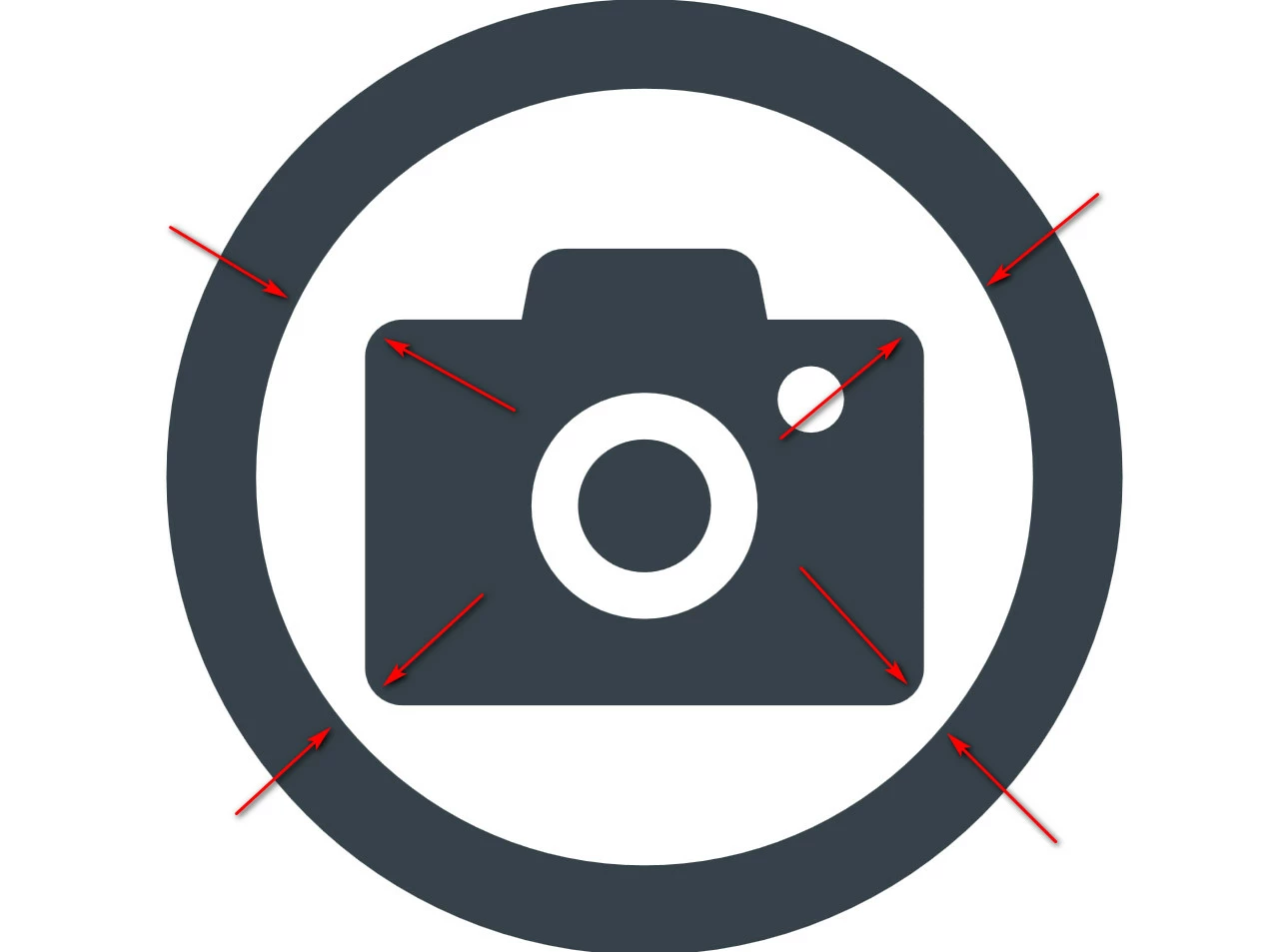
I want to center this image inside a circle so all corners will have the same distance.

Could someone please help me?

Thanks,

Nico
    This topic has been closed for replies.

    5 replies

    Jacob Bugge
    Community Expert
    Community Expert
    February 11, 2018

    Nicola,

    If you actually wish to have the same corner distances, you may:

    A1) Copy the camera to the front, then remove the top part (you may Delete Anchor Points) so you just have the rounded rectangle as the outer shape, then centre inside the circle;

    A2) Select both camera versions, then click the copy, then bottom align in the Align palette, then delete the copy.

    If you wish a visual centring, you may either just move upwards until it looks right (keeping the horizontal position), or centre the lens circle (which seems to be (roughly) visually centred in the camera).

    Flawless_life5C4D
    Known Participant
    February 10, 2018

    Hello everyone,

    thank you for your information.

    Is there a link where I can find more Information about eyeballing alignment? I did not find information about it..

    tromboniator
    Community Expert
    Community Expert
    February 10, 2018

    All the information there is about eyeballing it is to put it where it looks good to you.

    Peter

    Theresa J
    Community Expert
    Community Expert
    February 10, 2018

    The center of the camera icon is not the center of the lens circular shape as you have drawn with your red arrows. You are probably better off eyeballing it. Sometimes when eyeballing alignment in helps to change the view of the first shape to preview. In the preview mode you will see a small crosshair at the center of the shape. You can use that as a guide to align to.

    Put the circle on it’s own layer. Change the view with CMD-Y(Mac) or CNTRL-Y(PC). Now move the camera icon until the center of the lens sits over the center of the circle.

    ceyhun_akgun
    Legend
    February 10, 2018
    Graphic Designer Educator / PrePress Consultant
    Doug A Roberts
    Community Expert
    Community Expert
    February 10, 2018

    or just eyeball it. the geometric centre isn't always going to look right on irregular shapes

    Monika Gause
    Community Expert
    Community Expert
    February 10, 2018

    Make a rectangle that has the size of the body of the camera.

    Align to the circle.

    Then move the actual icon to the position of the helper object.
