
Participant
March 4, 2020
Question

Change brightness of white?

  • March 4, 2020
  • 2 replies
  • 238 views

I guys!


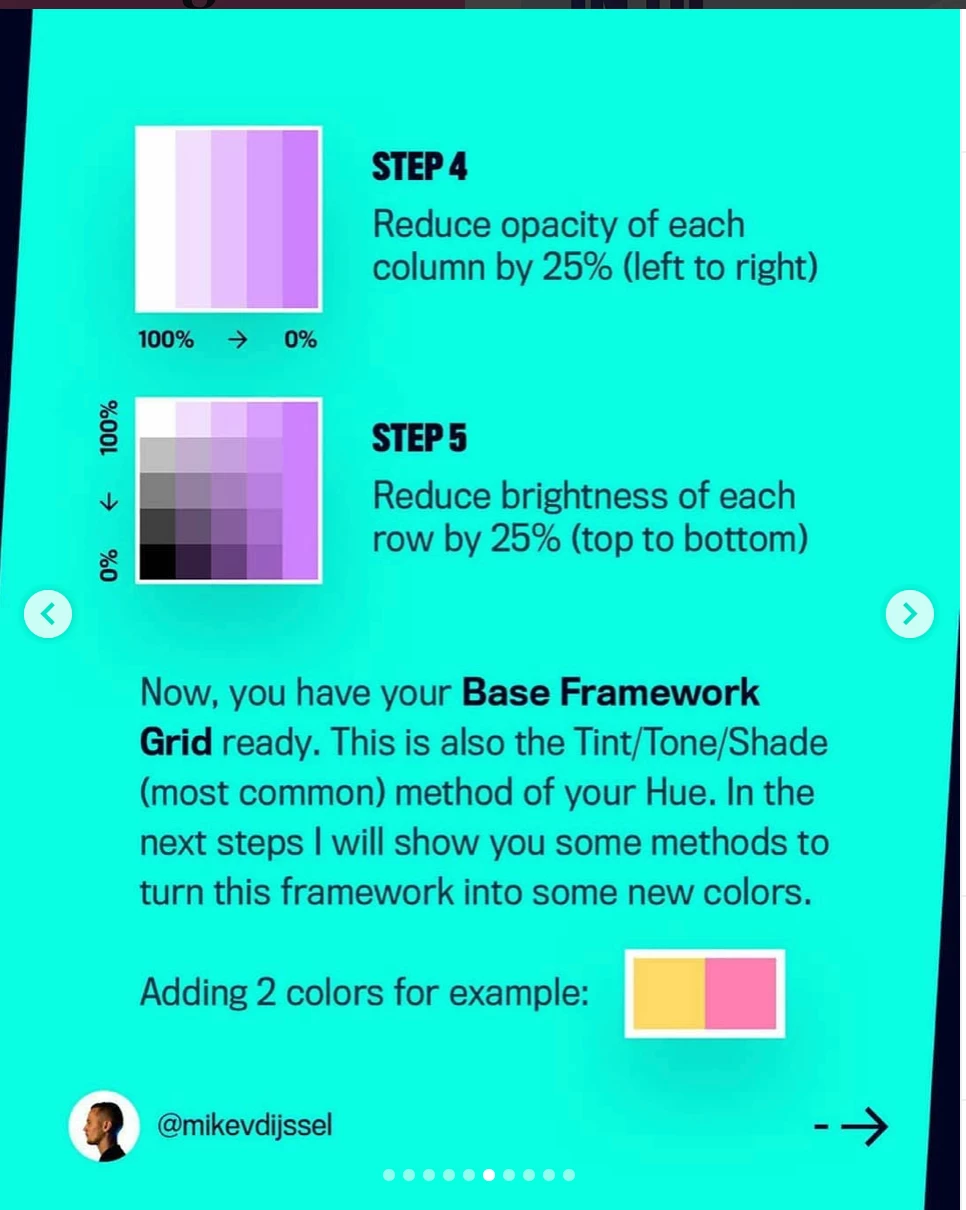
I have a question. I tried to follow this step by step tutorial a few days ago, but I hade some problem. I don't understand, can you change the brightness of white? I could do it on colour, but not on white. Is it even possible? I have tried to Google this but I can't find anything.


I upload the link and the page of the tutorial I'm having trouble with.


https://www.instagram.com/p/B8jIwQggmMp/?utm_source=ig_web_copy_link


Thanks!


Best regards, 

Alex

This topic has been closed for replies.

2 replies

Jacob Bugge
Community Expert
Community Expert
March 4, 2020

Alex,


As I (mis)read the greenish cyan page, there is a solid mid (neither reddish nor bluish) purple in the whole square, overlaid with small white squares with the decreasing opacity and brightness stated, thus fully covering the purple in the leftmost column (so the purple is invisible/absent) and fully uncovering it in the righmost column (so the white (to black) is invisible/absent).

Ton Frederiks
Community Expert
Community Expert
March 4, 2020

"I don't understand, can you change the brightness of white?"

Use black instead of white?

Or switch to HSB sliders in the Color panel.

Participant
March 4, 2020

I did use the HSB slider in Color panel, nothing happened. I wanted to do a tint/tone/shade with this method, that's why I wanted to do it on white since that's what I understood it from the tutorial.