
Participating Frequently
February 25, 2018
Answered

Change Gradient Direction

  • February 25, 2018
  • 2 replies
  • 28015 views

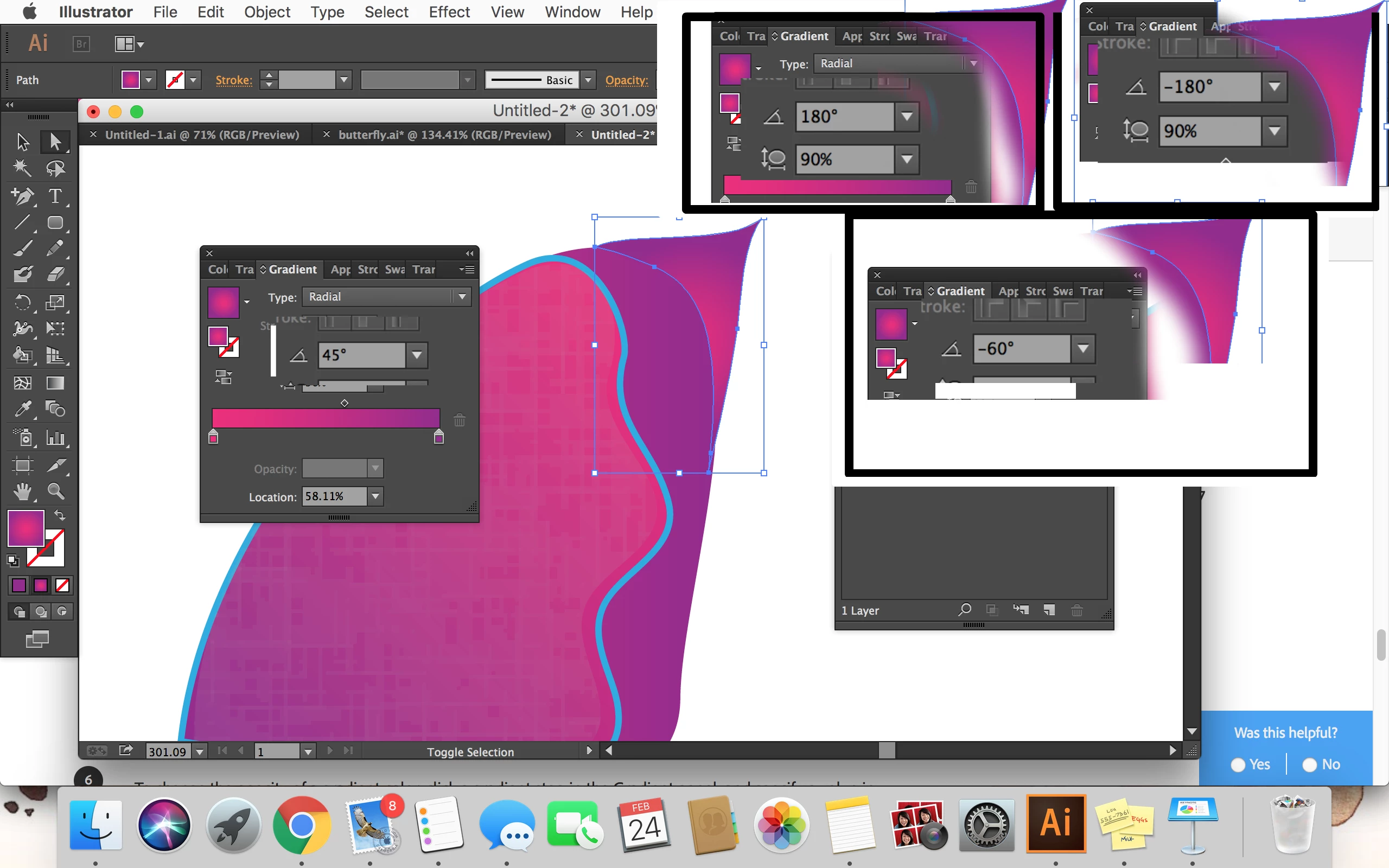
I'm trying to change the direction of the gradient in the tip of the wing. I want the pink to be a the very tip instead of in the corner. I tried to change the direction 4 times and it makes no difference! What did I do wrong
    This topic has been closed for replies.
    Correct answer Monika Gause

    THat is the angle, not the direction of the gradient.

    You might want to read the documentation.

    Gradients in Illustrator

    And then click on the button "Reverse gradient"

    It's marked as E in the docs

    2 replies

    Participant
    February 25, 2018

    I suppose you should to try use gradient tool (G on keyboard) to move your gradient to place you prefer. When you trying to rotate your gradient now you just rotate pink ellipse, and because it have form very similar to circle (90% round on the screenshot) - it doesn't make really visual difference.

    Monika Gause
    Community Expert
    Monika GauseCommunity ExpertCorrect answer
    Community Expert
    February 25, 2018

    THat is the angle, not the direction of the gradient.

    You might want to read the documentation.

    Gradients in Illustrator

    And then click on the button "Reverse gradient"

    It's marked as E in the docs