Inspiring
July 9, 2017
Answered

Change one of the shapes in a scatter brush

  • July 9, 2017
  • 1 reply
  • 2289 views

I want to take one of the scatter brushes that comes with Illustrator and replace just one of the shapes in the brush with another shape that I made myself, but leave the other shapes as is.

By editing an existing scatter brush I wouldn't have to create the brush completely from scratch.

Is there a way to copy one of the scatter brushes to the pasteboard, edit one of the shapes in it, and then make it into a new brush?
    This topic has been closed for replies.
    Correct answer Ray Yorkshire

    Have the panels open  and ready.

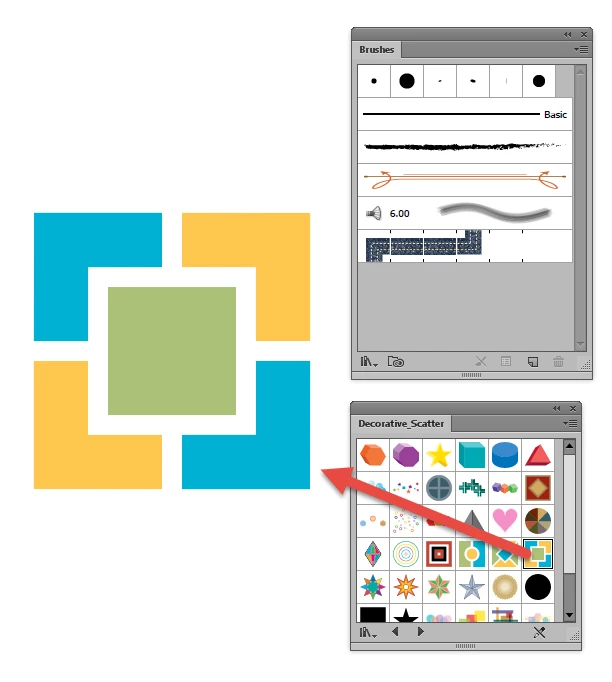
    Drag the  scatter brush into the Artboard

    Deselect .

    Next - use the Direct selection tool (white arrow)

    to select a part and alter it.

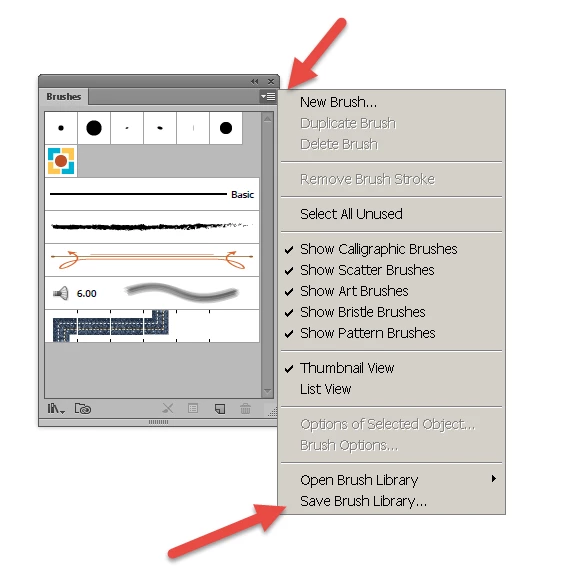
    Then  select all the brush drag into Brushes

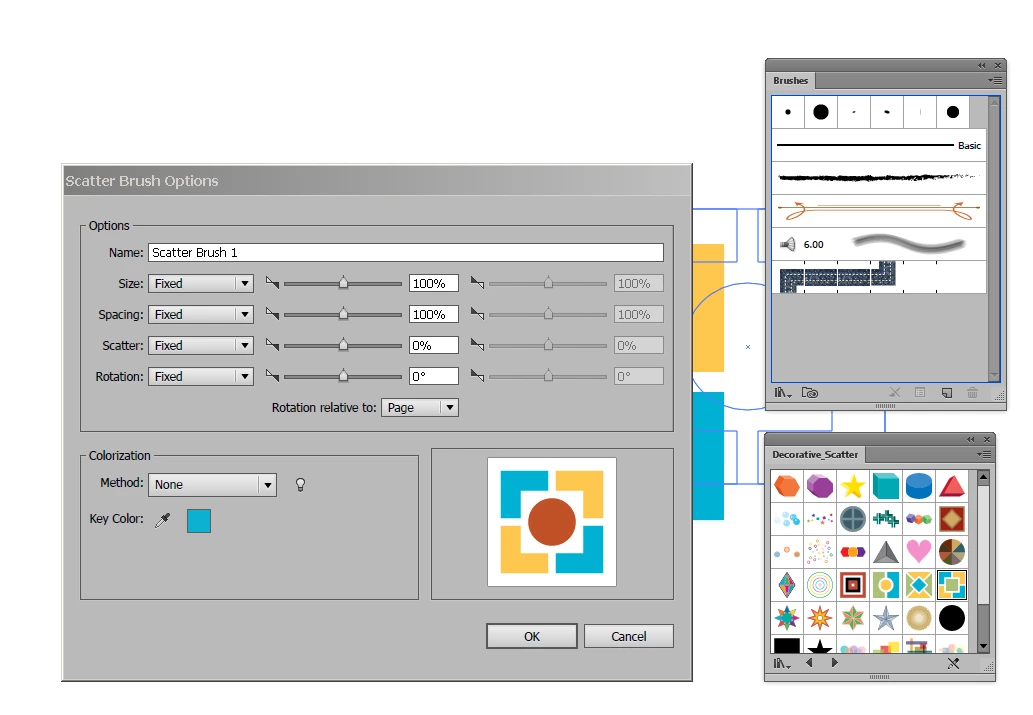
    Choose Scatter Brush , OK

    And it the dialog box give it a name etc

    Click Ok

    save if you wish

    1 reply

    Ray Yorkshire
    Ray YorkshireCorrect answer
    Participating Frequently
    July 9, 2017

    Have the panels open  and ready.

    Drag the  scatter brush into the Artboard

    Deselect .

    Next - use the Direct selection tool (white arrow)

    to select a part and alter it.

    Then  select all the brush drag into Brushes

    Choose Scatter Brush , OK

    And it the dialog box give it a name etc

    Click Ok

    save if you wish