kryschell
Participant
August 15, 2017
Answered

Change the color of a line as it crosses a shape.

  • August 15, 2017
  • 1 reply
  • 3090 views

I am a beginner to illustrator so please dumb it down if possible..

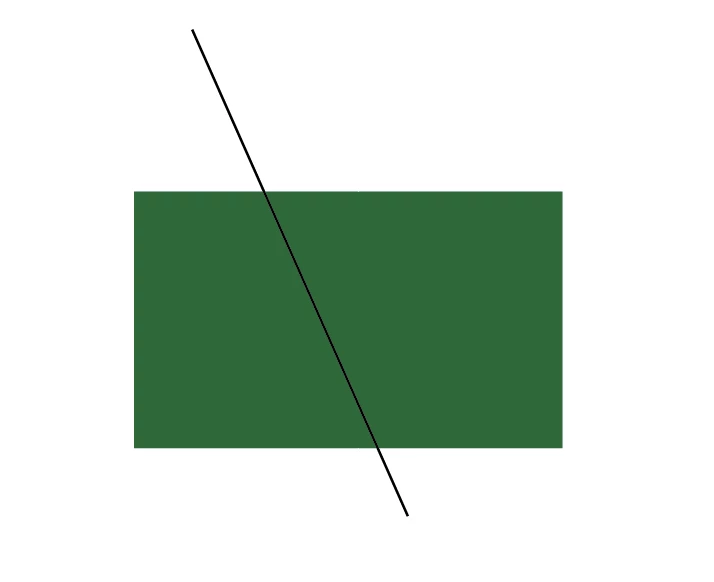
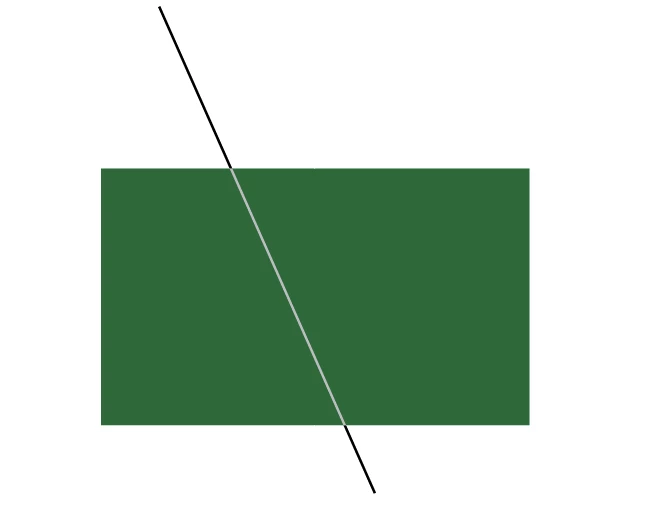
So I am trying to change the color of a line when it crosses a shape. I've tried the color dodge setting in the transparency toolbar and that is the closest I have come to getting the effect I want. The only problem with this setting is that I can't pick the color within the shape. Just to give an idea of what I'm trying to do Ive included a couple screen shots. The first is what I start with the second I used the color dodge effect and is the closest I can get to the effect I'm looking for but I want to choose the color that is inside the rectangle. Is this possible?
This topic has been closed for replies.
Correct answer gökhanyaka

H​i,

first, you can duplicate line and rectangular object and then only select and change the second line's colour what you want.

in the second section, you will bring to front (under object Menu-Arrange tab) duplicated rectangular object to make clipping mask. Now at the top of objects there is a green rectangle. And only select this rectangle and the second line and apply make clipping mask (under object Menu-Clipping Mask tab).

1 reply

jane-e
Community Expert
Community Expert
August 15, 2017

Live Paint

How to create and work with Live Paint groups in Illustrator

Make a Live Paint Group, then use the Live Paint Selection tool to change the stroke colors of the line.

kryschell
kryschellAuthor
Participant
August 15, 2017

Okay so that works to change the color and everything but it automatically cuts the line like this.. It doesn't follow the edge of the rectangle which is what I'm looking for.

gökhanyaka
gökhanyakaCorrect answer
Participating Frequently
August 15, 2017

H​i,

first, you can duplicate line and rectangular object and then only select and change the second line's colour what you want.

in the second section, you will bring to front (under object Menu-Arrange tab) duplicated rectangular object to make clipping mask. Now at the top of objects there is a green rectangle. And only select this rectangle and the second line and apply make clipping mask (under object Menu-Clipping Mask tab).