Known Participant
January 26, 2017
Question

Change the color of a mesh

  • January 26, 2017
  • 2 replies
  • 1624 views

Hi,

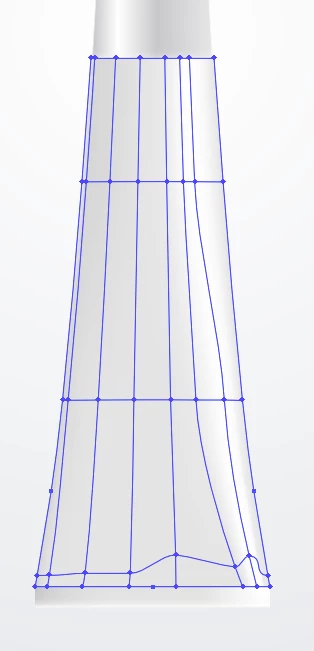
How can I change the color of what appears to be a mesh? I want to make it whiter. Thanks!
    This topic has been closed for replies.

    2 replies

    Inspiring
    January 26, 2017

    Three ways to do it:

    1) white arrow pointer and select each anchor point and change the colours with the color palet

    2) eyedropper: choice your color in the colour palet and holt on the alt-key so you reach the eyedropper filler and clic on anchor points or surfaces.

    3) Select your object and use Recolor artwork circle.

    Good luck.

    Doug A Roberts
    Community Expert
    Community Expert
    January 26, 2017

    you could select individual points in the mesh by clicking on them (white arrow) and adjust the colour, or select the whole thing (black arrow) and use edit > edit colours > recolour artwork.
