Participating Frequently
December 3, 2021
Answered

Changes in Classic 3D isometric Presets in AI 2022 new Presets do not correspond with the old ones

  • December 3, 2021
  • 1 reply
  • 315 views

Hello,

I am having some troubles with the AI 2022 3D Tool – I was basing my project on the Classic 3D Bevel&Emboss tool, which had a certain angles setup. Now, after the release of the new 3D tool, those angles have changed in the AI Isometric presents (Off-Axis Left). Is there any way to go back to the previous settings? I attach some screenshots to illustrate the problem (the black lines are made using the old preset, the pink ones are the new preset, mirrored).

This topic has been closed for replies.
Correct answer Doug A Roberts

You could use the old effects. Effect > 3D & Materials > 3D (Classic)

There isn't a way to change the preset angles. However, I see no difference between the Off-Axis Left setting in the old & new versions (red is old, green is new):
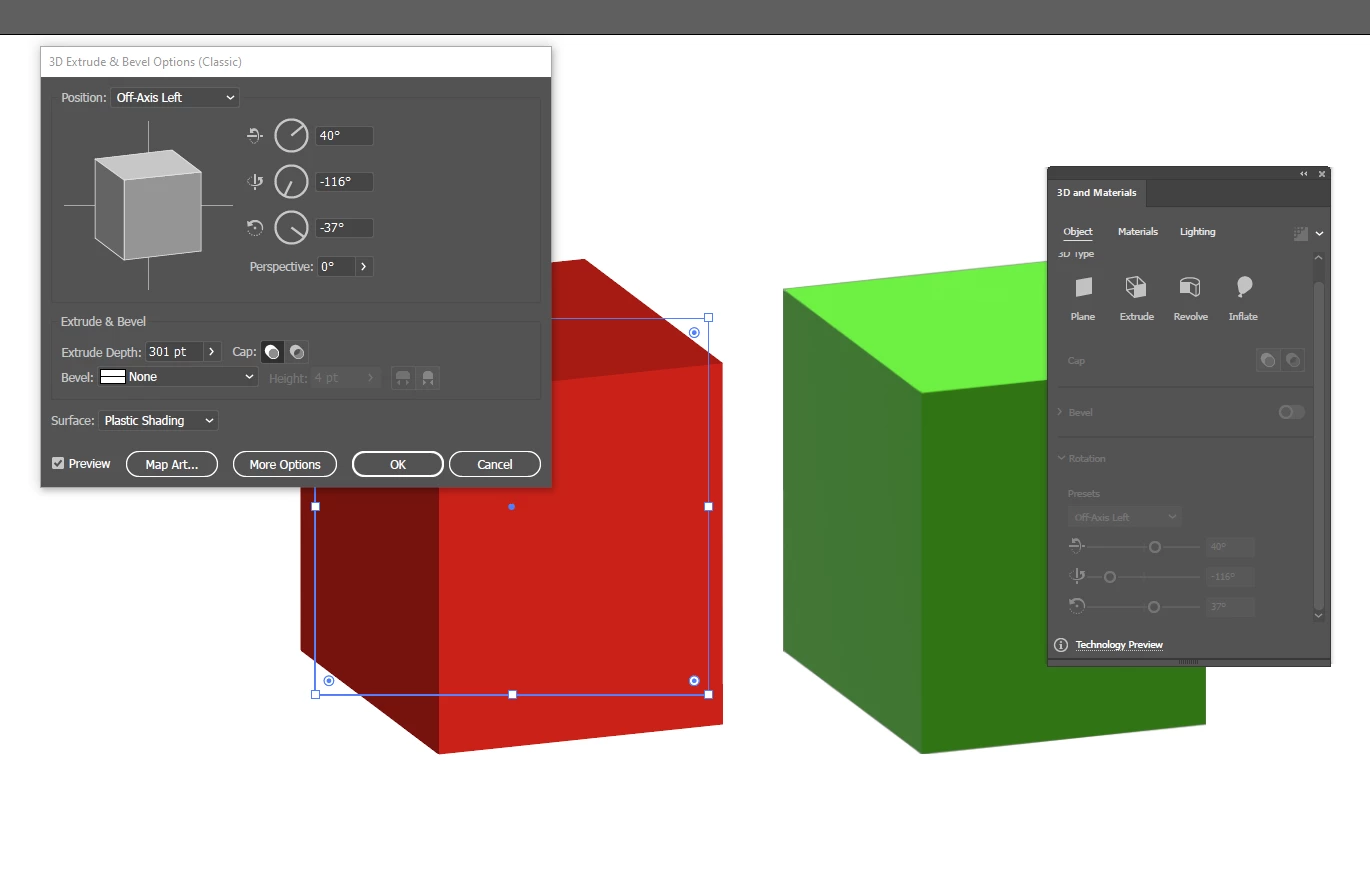
I checked version 25 too and saw no difference there either.

Some of the isometric presets have changed in the new tool (they are more accurate), but not the off-axis ones.

1 reply

Doug A Roberts
Community Expert
Doug A RobertsCommunity ExpertCorrect answer
Community Expert
December 3, 2021

You could use the old effects. Effect > 3D & Materials > 3D (Classic)

There isn't a way to change the preset angles. However, I see no difference between the Off-Axis Left setting in the old & new versions (red is old, green is new):

I checked version 25 too and saw no difference there either.

Some of the isometric presets have changed in the new tool (they are more accurate), but not the off-axis ones.

duplobuszAuthor
Participating Frequently
December 3, 2021

Thank you so much for your answear!

It's true, I've just compared it with a colleague of mine. I must have slightly changed the angles in the first place.