
Participant
February 6, 2019
Answered

Changing a Shape to Isometric Breaks the Shape

  • February 6, 2019
  • 4 replies
  • 610 views

Hi there,

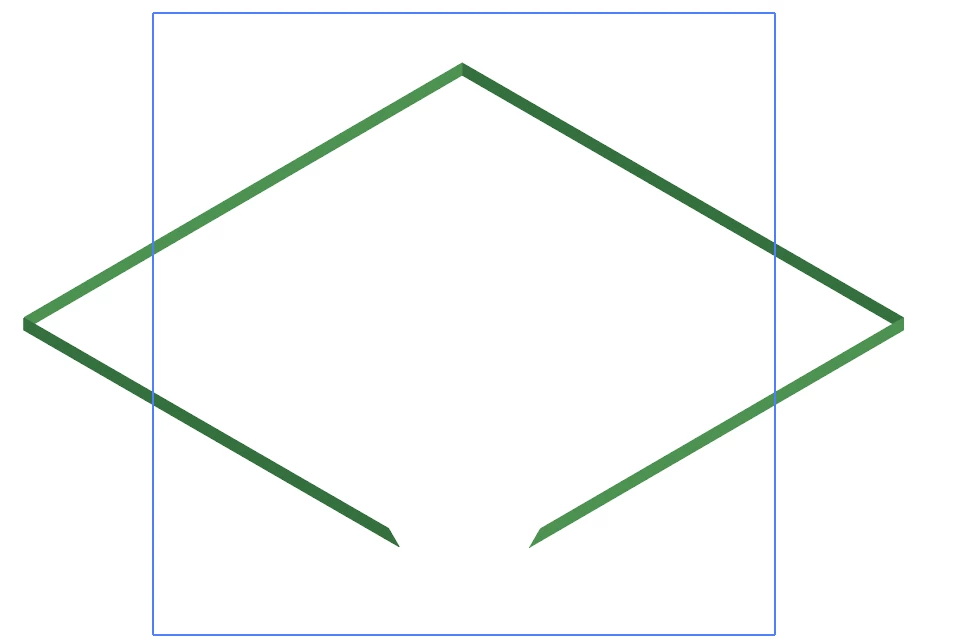
I could be missing something basic, but each time I apply an Extrude and Bevel effect to change a shape to isometric, the fill and some of the stroke of the shape disappears (as pictured below). Does anyone have any idea why this happens?

Thank you!
This topic has been closed for replies.
Correct answer Jacob Bugge

ShayeHayes,

You may try Ctrl/Cmd+E.

4 replies

G_Man
Inspiring
November 10, 2023

I also have this problem. A simple rectangular compound parh works perfect in Isometric top, but when I draw the sahpe in much larger measurments, the exact same thing happens as ShayeHayes' example. VERY weird and annoying. 

Ton Frederiks
Community Expert
Community Expert
November 10, 2023

How large is much larger? Do you use the Classic 3D effect?

Srishti Bali
Community Manager
Community Manager
February 8, 2019

Hi Shaye,

Sorry about this issue. I tried but could not reproduce this issue at my end. I would like to know if toggling GPU performance as suggested by Jacob worked for you. If not, then please share a small video of the issue along with the version of Illustrator you are using.

Regards,

Srishti

Monika Gause
Community Expert
Community Expert
February 6, 2019

How large is this?

Can you show before and after? And a screenshot of the appearance panel & 3D effect settings

Jacob Bugge
Community Expert
Jacob BuggeCommunity ExpertCorrect answer
Community Expert
February 6, 2019

ShayeHayes,

You may try Ctrl/Cmd+E.

rcraighead
Legend
February 9, 2019

I just learned a new AI key command!