Participant
October 7, 2020
Answered

changing background color of an image

  • October 7, 2020
  • 2 replies
  • 422 views

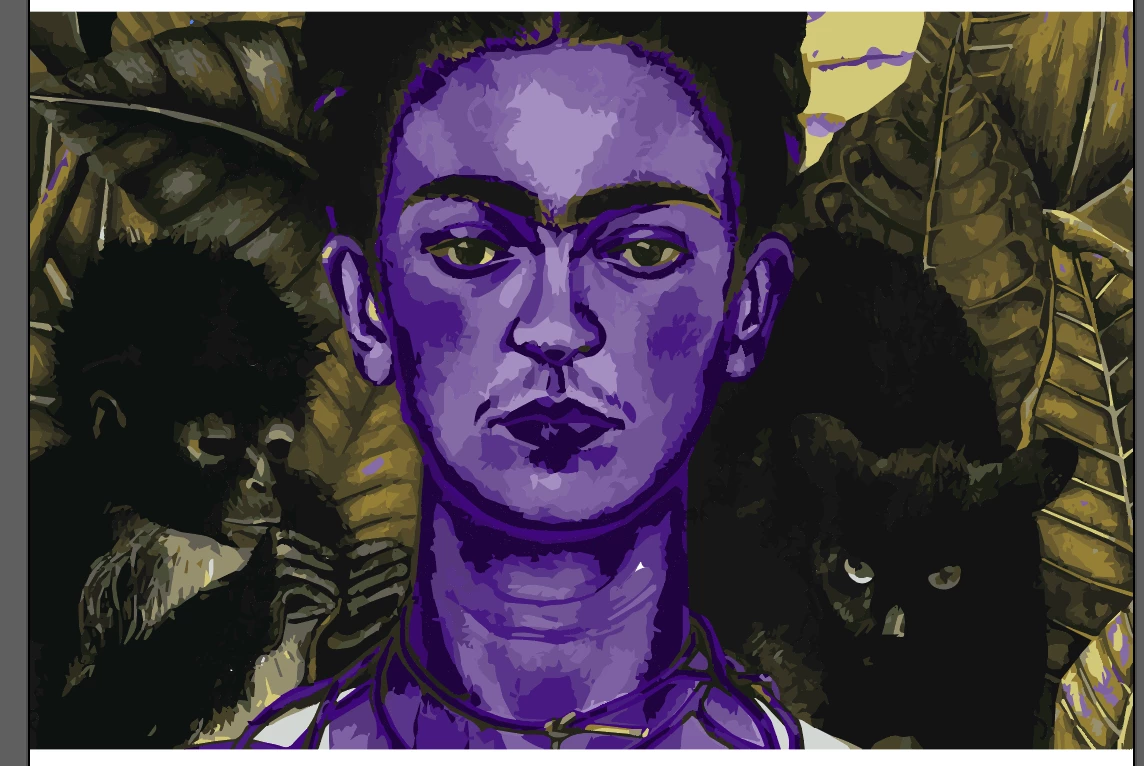
I am currently trying to change the backgorund color of this image to a solid color. When i use the recolor tool to select certain colors some of them also show up on the face and i dont want to change those colors. How do i just work with changing the background color??
This topic has been closed for replies.
Correct answer Monika Gause

You might want to do that before autotracing the image.

In animage editor such as Photoshop.

2 replies

Monika Gause
Community Expert
Monika GauseCommunity ExpertCorrect answer
Community Expert
October 7, 2020

You might want to do that before autotracing the image.

In animage editor such as Photoshop.

Mylenium
Legend
October 7, 2020

Long and short: You likely would have to start by cleaning up and consolidating the color swatches. Auto-trace can produce hundreds of colors that look teh same to the human eye, but technically have different values. especially your purple-yellowish-greys look conspicuous ahnd may need some attention. The recoloring tool only can do so much automatically. Of course actually organizing your paths in the layer palette would also not be a bad idea...


Mylenium