Participant
May 7, 2023
Question

Changing colours on Trajan Color Font to Black and White

  • May 7, 2023
  • 2 replies
  • 7199 views

Hi guys, 


As the title suggests, I am currently trying to change the colour on the Trajan Color font. I am doing this, as I see it as a shortcut to create the depth to the text. 


I have been watching a guide on youtube, which shows how to add colour to SVG text, which has worked up to the stage where I am trying to create a white and black balance on the colour balance window.


What combination on the red, green, and blue mixer should I use to get me what I want? 
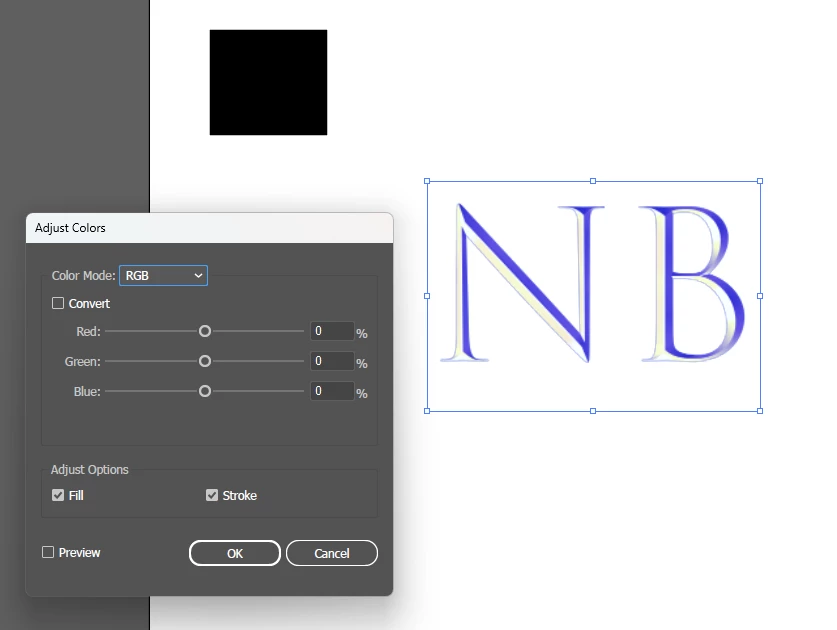
 

Any help will be greatly appreciated!


Cheers,

NB

2 replies

Community Expert
May 8, 2023

The Trajan Color SVG Concept typeface has 20 pre-defined color styles built-in. Usually I open the Glyphs palette, scoll to Trajan Color and then select the color style I want. I'll type a dummy character with that style out on the artboard and then use the eyedropper tool to copy that style onto other text objects. Or I just start typing out a new point text object based on that selected style. I haven't found a more simple way to do that in the Character palette or the font menu. All I see is "concept" from the drop down menus. The Glyphs palette shows all the style sets.

Participant
May 8, 2023

is that the standed Trajan Color on Illustrator? or is this a seperate one I need to download?

Community Expert
May 8, 2023

The Trajan Color typeface included in Illustrator has all the features I described. You have to open the Glyphs palette in order to access the 20 different color styles. Trajan Color is also available to sync via the Adobe Fonts service; that can make the typeface available to other non-Adobe applications that support SVG Color Fonts.
https://fonts.adobe.com/fonts/trajan-color

pixxxelschubser
Community Expert
Community Expert
May 7, 2023

Short answer - even if it is unsatisfactory:
The Trajan colour font was not designed with the possibility of colour matching.

Sorry about that.


The only thing you can do is to use a blend mode to achieve a grey tone, or a combination of a new fill colour in the Appearance panel and a blend mode. But even with this you cannot achieve the desired result.

Participant
May 8, 2023

What would you then suggest? Maybe using a different font and using the gradient tool to create what I want? I also have Photoshop not sure if thats any better at creating text intended for logos? 


What I ideally want is just create an NB text logo for a company

Ton Frederiks
Community Expert
Community Expert
May 8, 2023

If you want to make a logo, it is probably useful to create outlines from the font. After that you can use Edit Colors to convert to greyscale.