
Known Participant
February 12, 2025
Answered

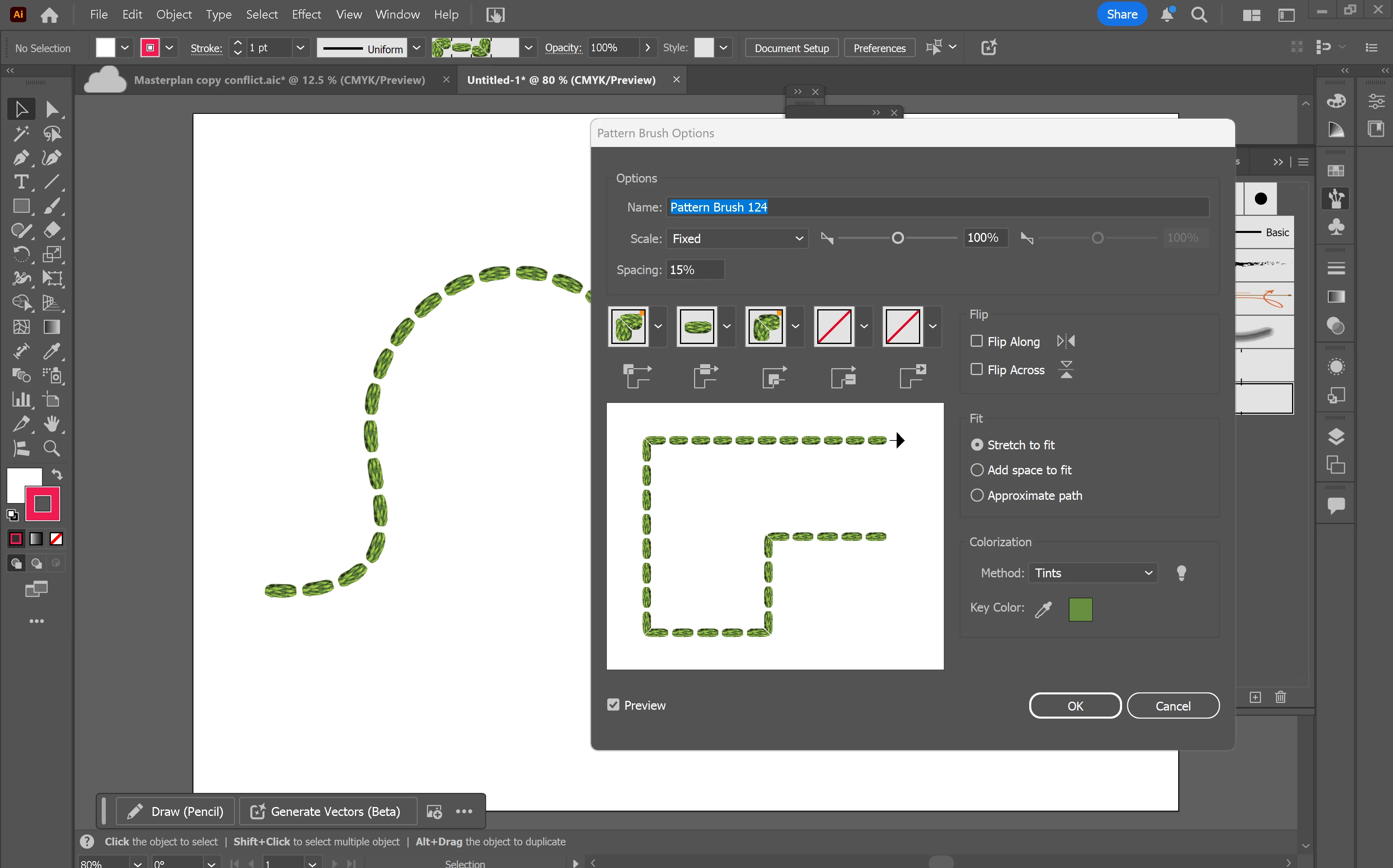
Changing the colour of a pattern brush which uses images

  • February 12, 2025
  • 2 replies
  • 594 views

Hello. I am looking for help with how to change the colour of a pattern brush which seems to be made up of images. I have used all of the colourization tools but none seem to allow me to change the colour from green and gone through every tutorial I can find but the colour doesnt want to change. Any help would be much appreciated! Thanks
Correct answer Monika Gause
PatternBrush.pdf

Yes, that is a raster image.

You can drag the brush outof the brushes panel onto the artboard to inspect it.

Also: when you do that you can somewhat edit it with Edit > Edit colors > Color balance.

Photoshop will give you better results though.


But using Image Trace on the brush also fails because the quality is not sufficient. So you're in a tight squeeze there.

2 replies

Ton Frederiks
Community Expert
Community Expert
February 12, 2025

I don't think you can color images in a brush.

Monika Gause
Community Expert
Community Expert
February 12, 2025

So this is a pixel image in that brush?

Known Participant
February 12, 2025

Yes. I belive so but not sure how to get into the image and check as its a brush I downloaded from a forum 

Monika Gause
Community Expert
Community Expert
February 12, 2025

Can you share the AI file?

Rename the file extensions to .pdf, then you can upload it here.