
September 19, 2024
Answered
Changing the fill color
- September 19, 2024
- 12 replies
- 1873 views
I want to change the fill color of this text [white to red] but it does not come. How to fix it? video is attached

How to change the fill color of the text partilly? video is attached
After removing the fill at object level, select the characters you want to change with the type tool and select a fill.
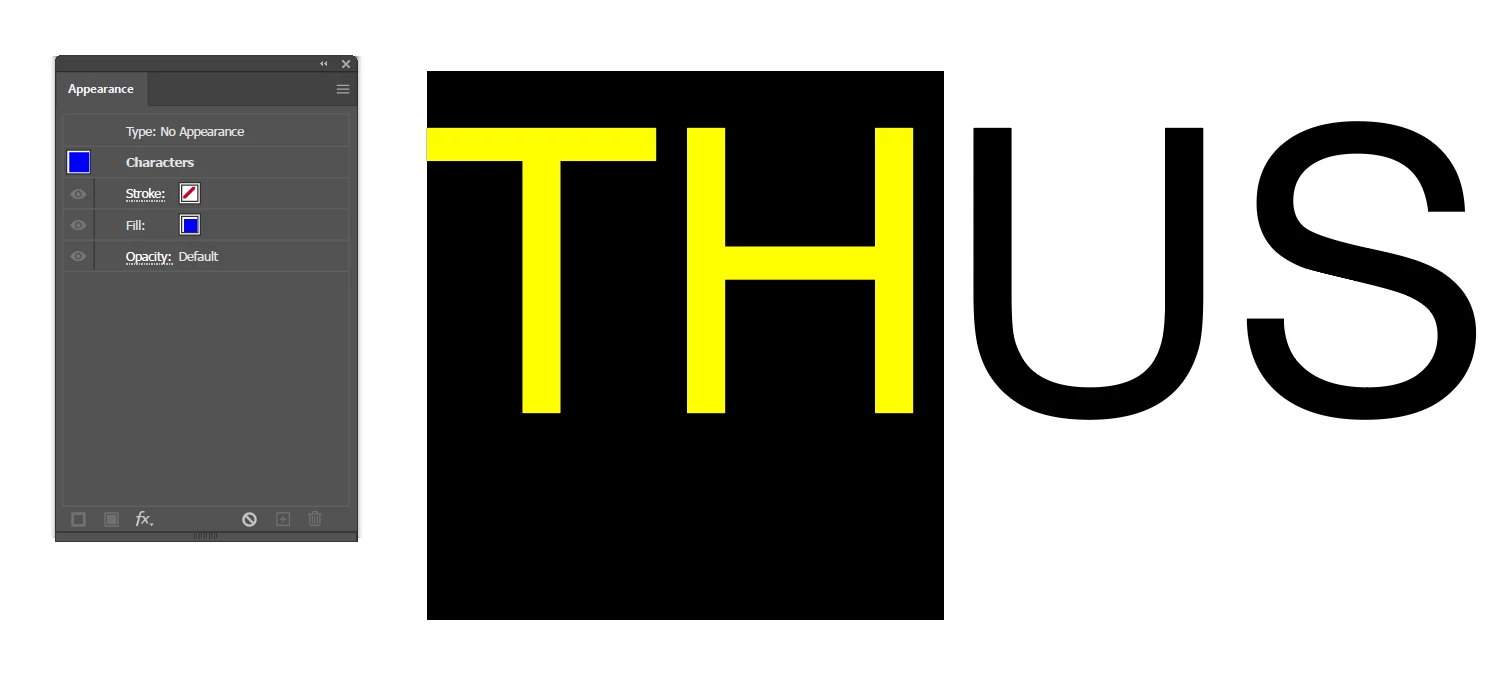
Use the appearance panel to switch between character and (Type) object level. It will make things much clearer.
Already have an account? Login
No account yet? Create an account
Enter your E-mail address. We'll send you an e-mail with instructions to reset your password.


 AdChoices