

Answered
Changing the order number of artboard (Illustrator CC)
Hello,
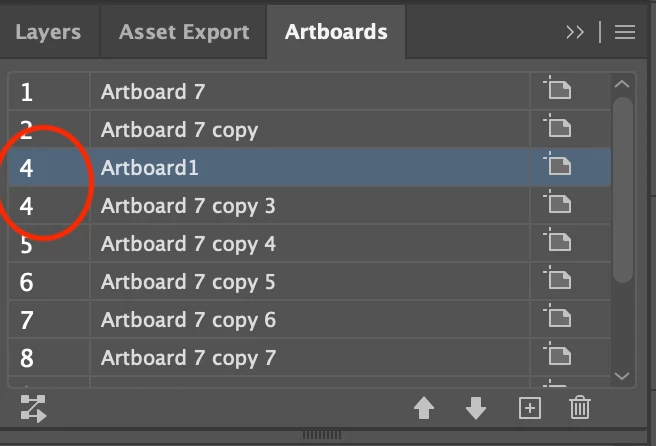
I have 12 artboards set up--each copied from the previous artboard to give variations. In the process of it, I somehow ended up with two artboards both numbered "4," somehow skipping "3." When I'm exporting the files using "Use Artboards > All," everything else BUT the true artboard 3 gets exported. When I'm exporting it separately after indicating "Artboard 3," it's recognized and exports the right file.
I tried cntrl+shift+o to reorder the artboard, but didn't change the actual numbering. Is there an extra step I need to take in order to change the numbering? Is there a custom way to renumber the artboard?
Please help! Thank you!
 AdChoices