

Changing the origin of a custom brush stroke.
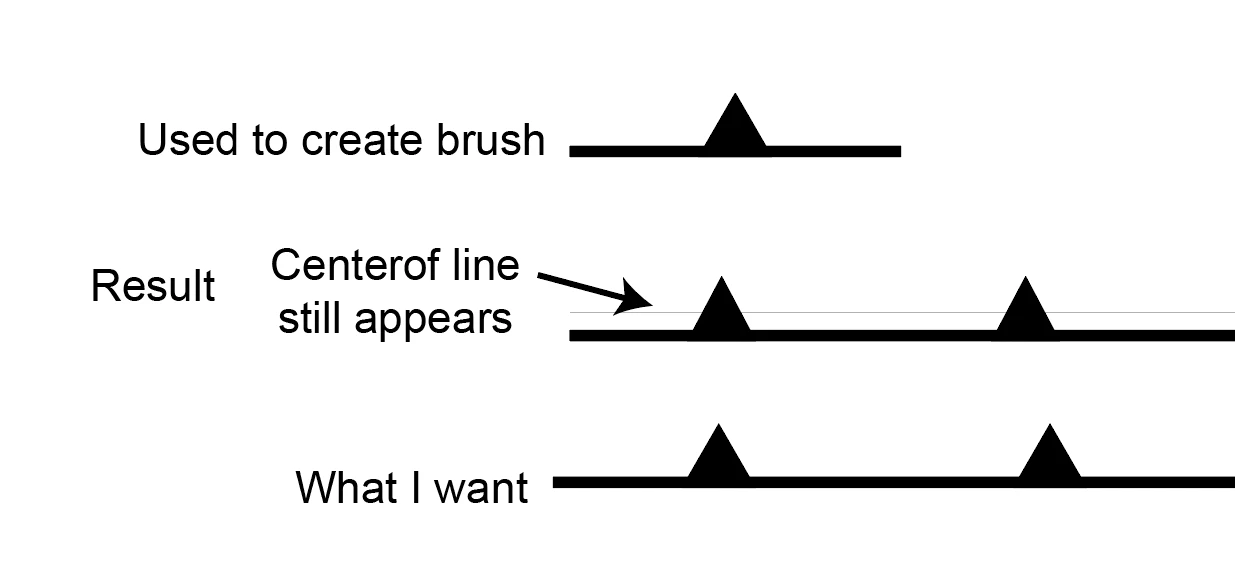
I am looking to create a "toothed" line, which is a geologic symbol representing a thrust fault. Thy symbol is simply a line, with triangles on one side to distinguish between up-thrown and down-thrown blocks. To create my custom brush, I placed an equilateral triangle on a line and dragged them into the brushes panel. The attached imaged shows the objects used to create the brush (top) and the result (below).
This works reasonably well, however, Illustrator takes the origin of these two objects to represent the origin of the line, whereas I'd like to have the origin of the line stay the same and simply add the "teeth" on top. This is fine for now, and if I really want, I can just add the teeth manually...
Is there ay way to change the origin of these two objects to create this brush style?


 AdChoices