

Xingdong - Esri
Inspiring
February 27, 2024
Question

Character lost spacing when opening PDF file in Illustrator

  • February 27, 2024
  • 1 reply
  • 718 views

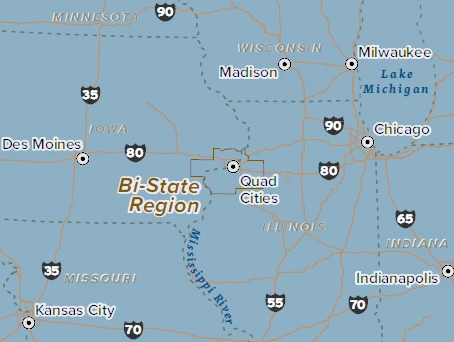
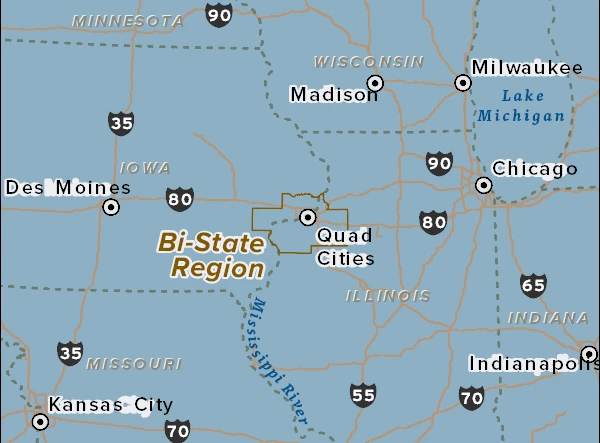
When I open the attached PDF in Illustrator, characters in the label/text lose their original spacing. The issue is likely caused by the fonts used in the map. The map below uses Proxima font. Our tests show that tracking was preserved in many other fonts except certain ones (Adobe Caslon Pro; BellTopo Sans; Proxima). 


PDF file opened in Acrobat
PDF file opened in Illustrator
This topic has been closed for replies.

1 reply

Monika Gause
Community Expert
Community Expert
February 27, 2024

In which app has the PDF been created in?

If not Illustrator, then you will be out of luck. Illustrator is not a general purpose PDF editor.

Xingdong - Esri
Inspiring
February 27, 2024

The PDF was generated from Esri's flagship desktop app ArcGIS Pro. I understand Illustrator is not a general-purpose PDF editor, but it has great value for Illustrator to consume/import design assets from the PDF ecosystem, and unleash its potential.

Monika Gause
Community Expert
Community Expert
February 28, 2024

Perhaps you can share a document that uses a font that everyone can sync from Adobe Fonts?


And if this only happens on some fonts, then maybe the people at the Font forum have an idea as well? https://community.adobe.com/t5/adobe-fonts/ct-p/ct-fonts?page=1&sort=latest_replies&filter=all&lang=all&tabid=discussions