tisac67965308
Participant
December 22, 2017
Answered

Clip group? Editable?

  • December 22, 2017
  • 3 replies
  • 11163 views

Hi all,

I've been at this a while and can't figure out what to do (or if I can do something).  I'm fixing an image for someone, and I'm trying to get it to where I can edit individual pieces with the direct selection tool.  No matter what I try, though, it doesn't work.  Everything moves together, like it's been flattened somehow.

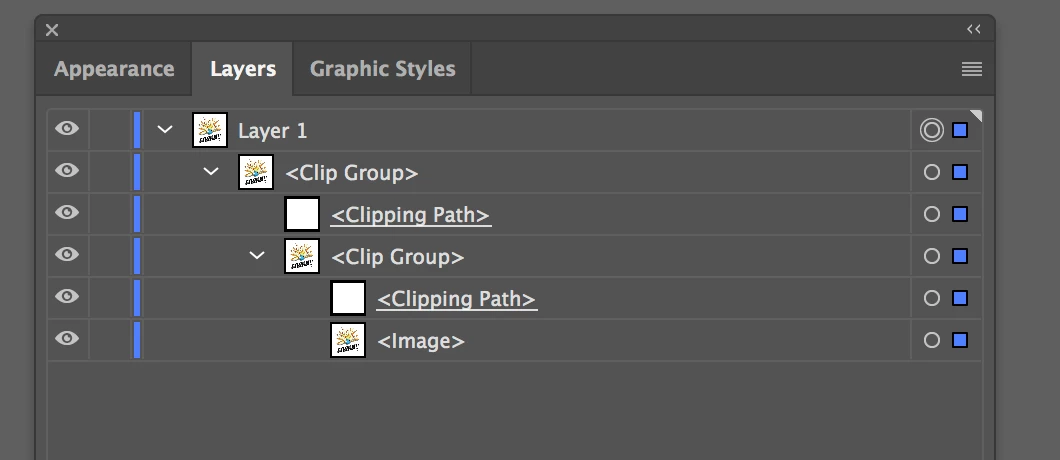
I've tried to release clipping masks, expand, etc. and no luck.  Here's all that's in my layers panel:
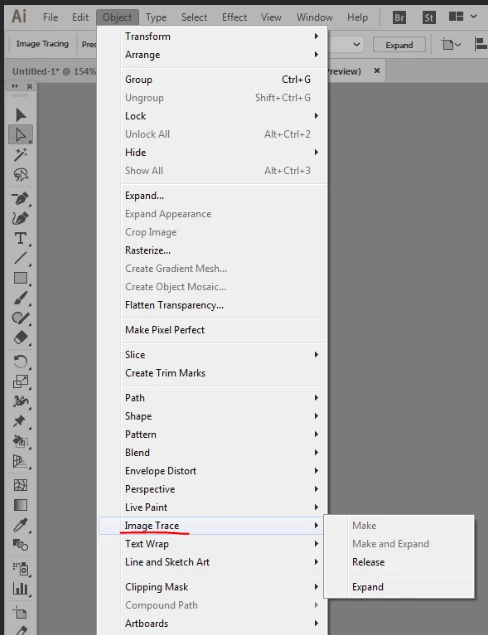
It's worth noting that the file isn't just a plain .AI file.  See below:

So the question is, am I able to get this to an editable vector state, and if so, how?  Or has it been rasterized/flattened beyond repair?

Any and all help is greatly appreciated.  Thank you!
This topic has been closed for replies.
Correct answer redwards_

It appears like you are editing a pdf... and that pdf just has raster images embedded in it (very common really for stuff on the web)

Not too many options from that scenario... but,

1) You can try to trackdown who made the pdf... maybe they have an associated vector file that they kept a copy of after rasterizing for the pdf you have) ...potentially it is even stock art from a site that may offer an .ai version (can't tell from the sceenshot in your post)

2) Depending on the level of detail in the art.. if simple shapes...

--you can rotoscope them in photoshop (though you are now tied to the original resolution... and won't get much play with scaling art up) and take this new file into illustrator to play with further.

--or do the paths in illustrator.. just some way to isolate areas of the art, to make it somewhat editable (hue shift shirt color seperate from hat color.. that sort of deal)

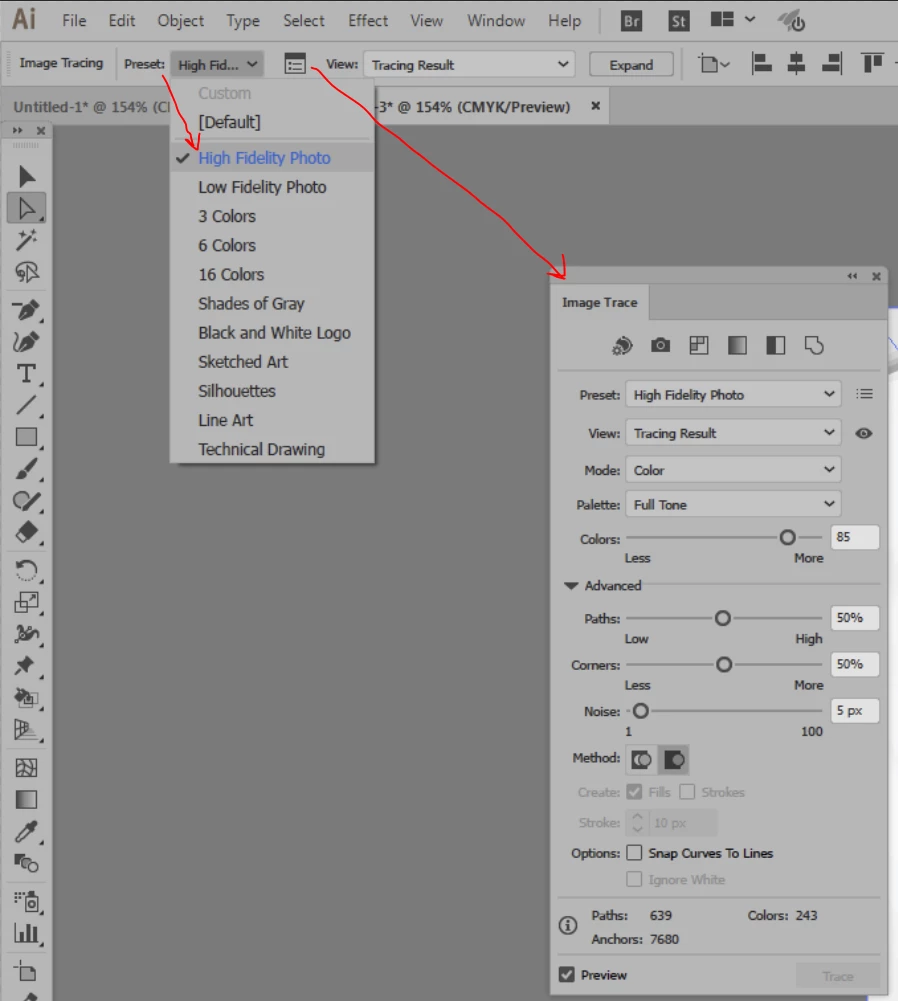
3)You can try to use 'Image Trace' in Illustrator ... something along the lines of 'High Fidelity Photo' (its going to trace more 'detail' ... this effect may take some playing with... a lot of the times it isn't 'exact' ... but if you are out of options, it can be a god-send

they do give a lot of options and you can try to 'frankenstein' something that works, and it will be vector art in the end of this process.

Hope that helps out, let me know if that gets you closer.

3 replies

JETalmage
Inspiring
December 22, 2017

I'm trying to get it to where I can edit individual pieces with the direct selection tool.

As your Layers palette shows, all you have in that file is a single raster image inside two nested clipping paths. The nested clipping paths are probably unnecessary.

But regardless, there are no "individual pieces" (separate objects) for you to select with the white pointer, other than those two clipping paths and the single raster image. A single raster image does not contain multiple separate objects, and Illustrator does not edit raster images; the white pointer cannot select a subset of the colored pixels in a raster image. The raster image is a single object.

Unnecessary nested clipping paths  do frequently result from conversion to PDFs, because the conversion often creates additional clipping paths for page borders, group bounds, etc. (From an illustration standpoint, it's usually kind of a sloppy practice.) And you can select and delete the clipping paths. But that really has nothing to do with the issue you are having.

JET

redwards_
redwards_Correct answer
Inspiring
December 22, 2017

It appears like you are editing a pdf... and that pdf just has raster images embedded in it (very common really for stuff on the web)

Not too many options from that scenario... but,

1) You can try to trackdown who made the pdf... maybe they have an associated vector file that they kept a copy of after rasterizing for the pdf you have) ...potentially it is even stock art from a site that may offer an .ai version (can't tell from the sceenshot in your post)

2) Depending on the level of detail in the art.. if simple shapes...

--you can rotoscope them in photoshop (though you are now tied to the original resolution... and won't get much play with scaling art up) and take this new file into illustrator to play with further.

--or do the paths in illustrator.. just some way to isolate areas of the art, to make it somewhat editable (hue shift shirt color seperate from hat color.. that sort of deal)

3)You can try to use 'Image Trace' in Illustrator ... something along the lines of 'High Fidelity Photo' (its going to trace more 'detail' ... this effect may take some playing with... a lot of the times it isn't 'exact' ... but if you are out of options, it can be a god-send

they do give a lot of options and you can try to 'frankenstein' something that works, and it will be vector art in the end of this process.

Hope that helps out, let me know if that gets you closer.

Ton Frederiks
Community Expert
Community Expert
December 22, 2017

It looks like an image with a clipping path.

The image cannot be edited in Illustrator.