


Question
Clipping Mask Help
When creating a clipping mask, there is a shape that appears where there should be nothing but transparency. But when I open the file on another computer, the shape is gone. I think it might be a setting or a bug that makes it impossible to clipping mask anything.
For example, this white shape is the top object that will mask the green objects. When I use the clipping mask, the swoop on the left should be empty. But when I clip it, theres a random grey box that appears. That is not supposed to be there. It happens with any shape I use clipping mask. A random solid shape takes place of the transparency.
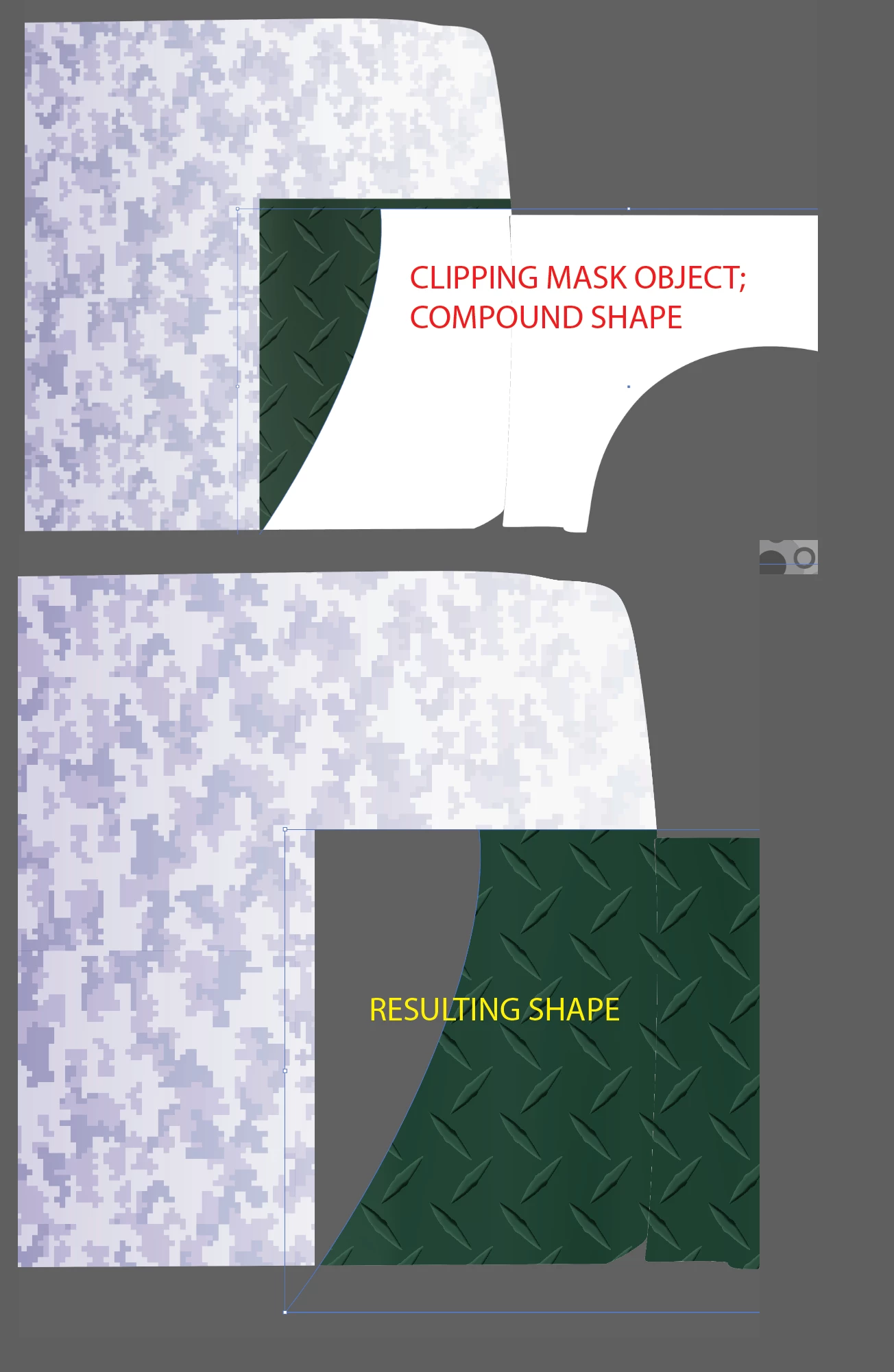
I have reinstalled illustrator, updated, made new files, no fix. Any help is appreciated.
 AdChoices