
Known Participant
November 16, 2023
Answered

Clipping Mask Issue

  • November 16, 2023
  • 2 replies
  • 1231 views

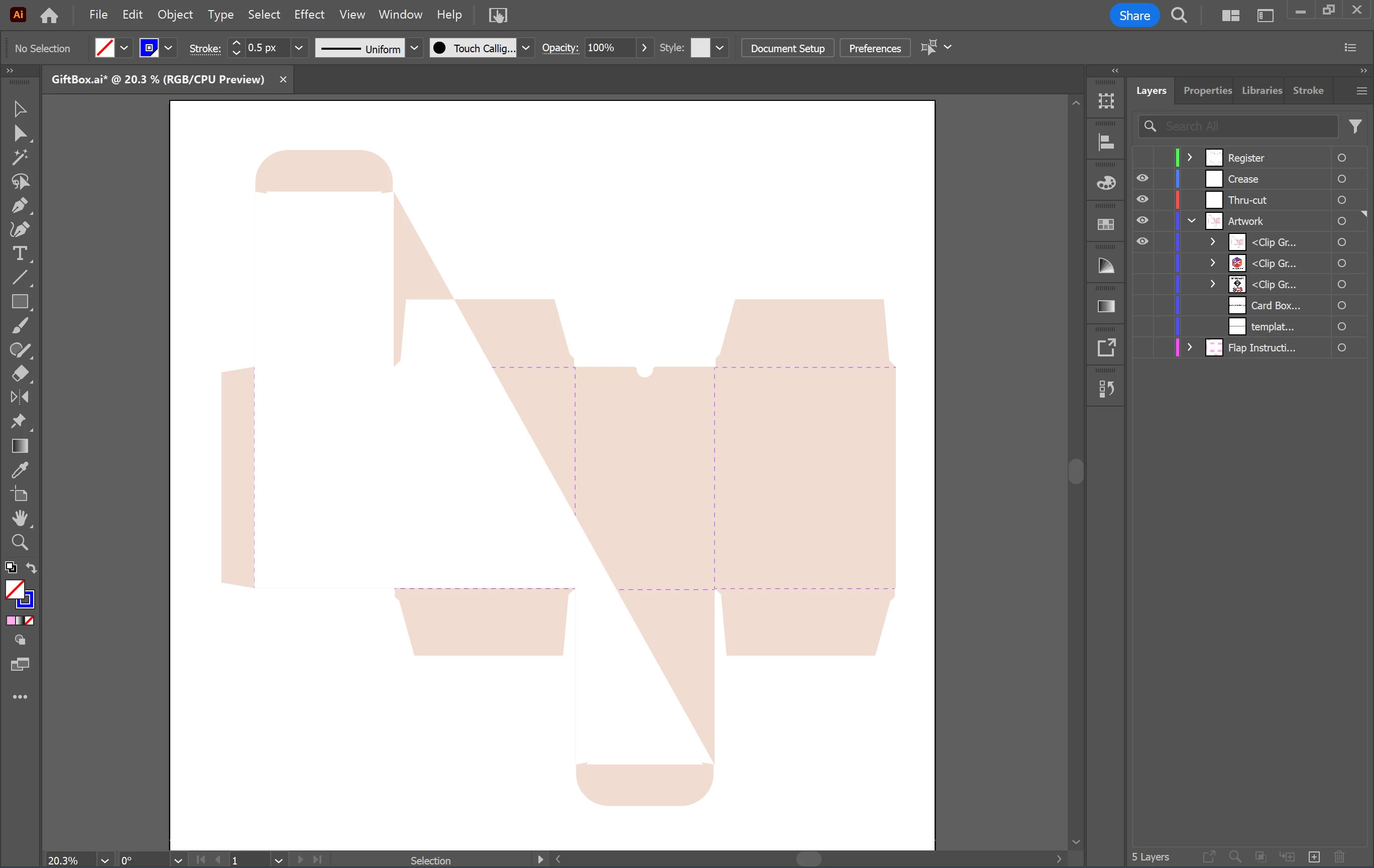
This is a screenshot of what happens when I try to use the clipping mask in Illustrator for my die-line and obviously, I want the background image to cover the whole thing so if anyone has any solutions please let me know ASAP! Thanks!


This topic has been closed for replies.
Correct answer Monika Gause

I just tried to do it with my layers locked anf off and I still got the same result


Use the shapebuilder tool. Just select all the paths that belong to this shape and then clic into that area with the shapebuilder tool. 

You might also try and just Join those paths with Object > Path > Join

2 replies

Ton Frederiks
Community Expert
Community Expert
November 16, 2023

Is the path closed?

Known Participant
November 16, 2023

what do you mean and how do I figure that out?

vevegirl13
Ton Frederiks
Community Expert
Community Expert
November 16, 2023

Select your clipping path and choose Window > Document Info > Objects

Monika Gause
Community Expert
Community Expert
November 16, 2023

Is that one closed path surrounding everything? Or multiple paths?

Known Participant
November 16, 2023

what do you mean and how do I figure that out?

vevegirl13
Monika Gause
Community Expert
Community Expert
November 16, 2023

With the direct selection tool click on one of the corner points. Do all edges  get selected?