


Inspiring
October 9, 2025
Answered

Clipping mask on multiple layers of map import

  • October 9, 2025
  • 1 reply
  • 67 views

Hi,


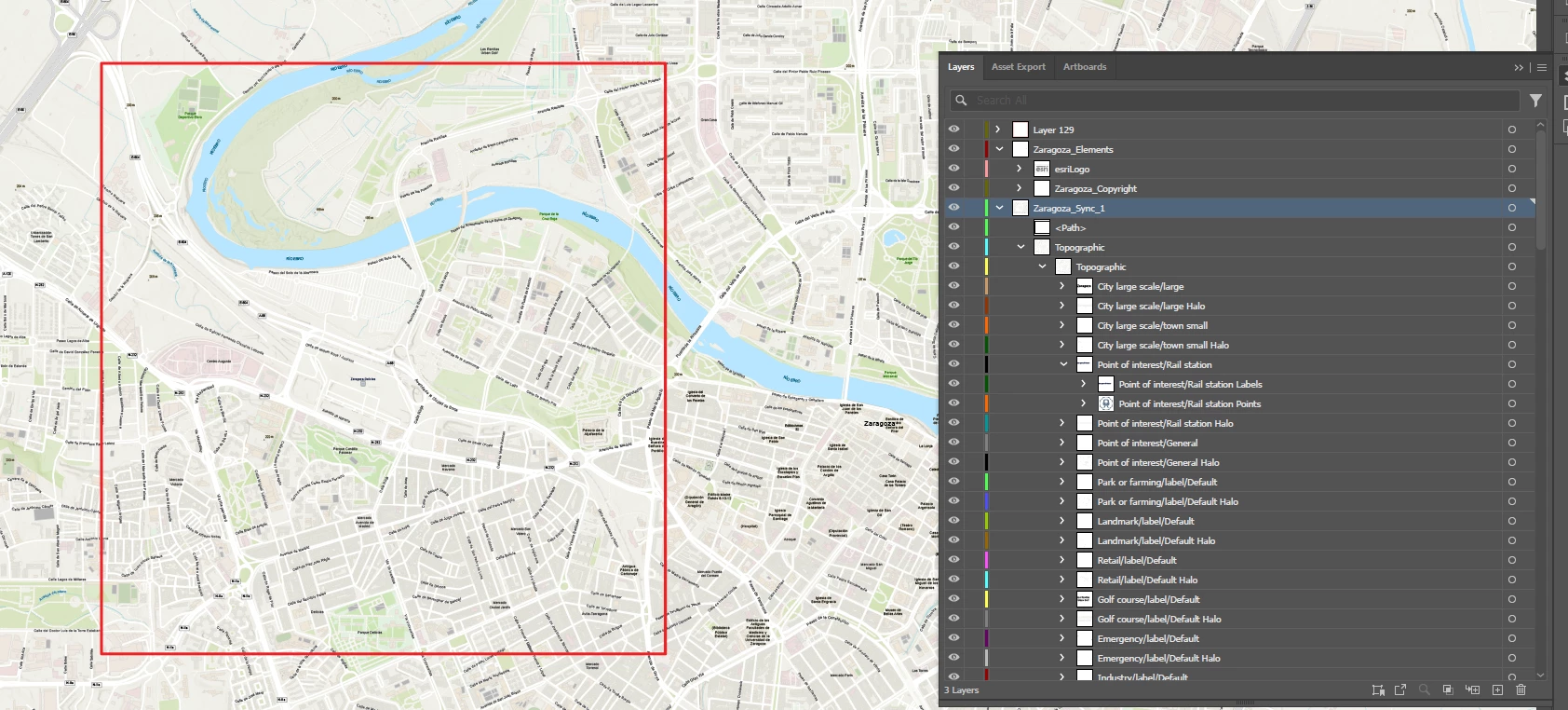
I am trying to use the red rectangle to clip / crop the map so that I can export a selected portion of it. I am not sure how to apply the clipping mask to all of the sublayers of "Zaragoza Sync 1" 


Correct answer creative explorer

@Charlie329572228uvx it needs to be the on the top layer and select all, Command 7 (MAC) or Control 7 (PC) to mask within the red square. Or Go to Object > Clipping Mask > Make 

https://helpx.adobe.com/illustrator/using/clipping-masks.html

1 reply

creative explorer
Community Expert
creative explorerCommunity ExpertCorrect answer
Community Expert
October 20, 2025

@Charlie329572228uvx it needs to be the on the top layer and select all, Command 7 (MAC) or Control 7 (PC) to mask within the red square. Or Go to Object > Clipping Mask > Make 

https://helpx.adobe.com/illustrator/using/clipping-masks.html

m
