Participant
March 21, 2021
Answered

Clipping will not work for me...CC 2021

  • March 21, 2021
  • 1 reply
  • 263 views

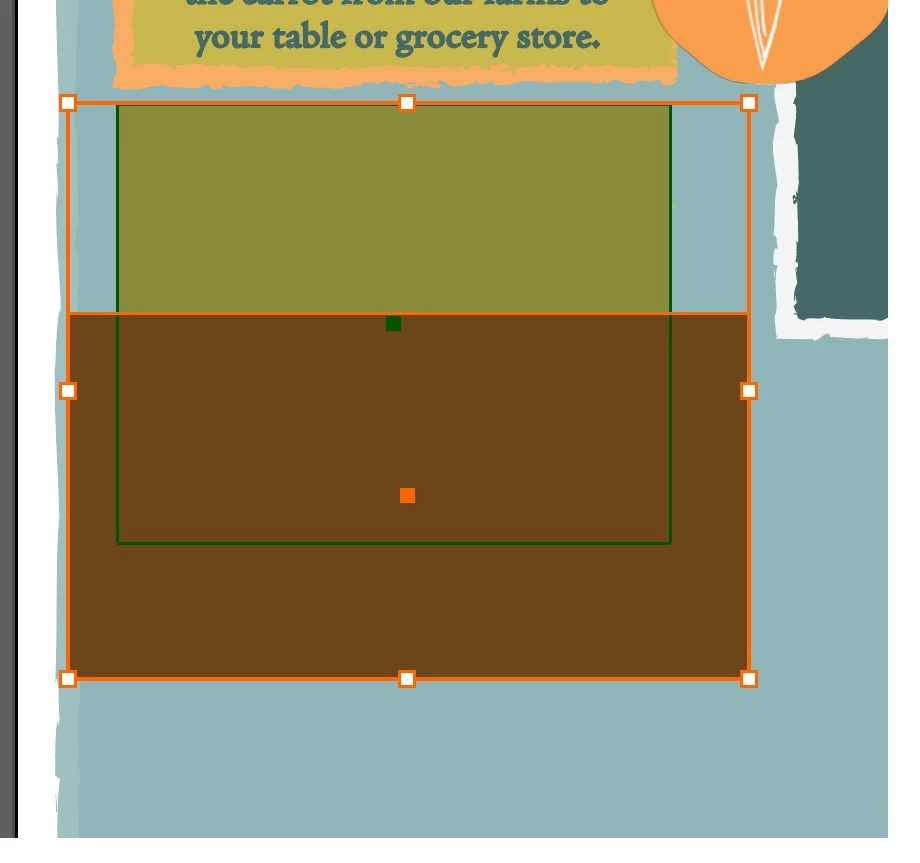
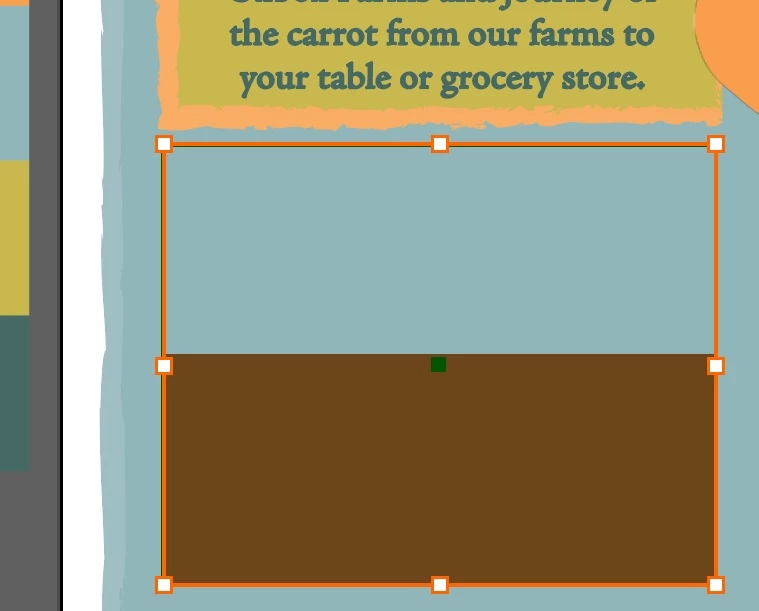
I have a square that is one color on 1 layer and another sq a different color on a different layer. I want the second squard thats oversized to fit in the fit with some of the 1st sq showing above..basically a field ith the background . when I go to clip, The oversized square is clipped by the boundry of the first box, but the 1st box disappears and I dont want that. 

What am I doing wrong?
This topic has been closed for replies.
Correct answer Bill Silbert

The first box appears to disappear because it has become the clipping object. If you switch to the Outline mode (Command (Mac)/Control (PC)-Y toggles between the Preview and Outline mode) you will see that the rectangle that you used to create the mask is still there. Select it with the Direct Selection tool (white arrow) and apply a stroke and/or fill to it and it will once again appear in Preview.

1 reply

Bill Silbert
Community Expert
Bill SilbertCommunity ExpertCorrect answer
Community Expert
March 22, 2021

The first box appears to disappear because it has become the clipping object. If you switch to the Outline mode (Command (Mac)/Control (PC)-Y toggles between the Preview and Outline mode) you will see that the rectangle that you used to create the mask is still there. Select it with the Direct Selection tool (white arrow) and apply a stroke and/or fill to it and it will once again appear in Preview.

Participant
March 22, 2021

That worked ...BUT...lol I lost the outside white stroke to the green box which I want to keep