Matt Cass
Participating Frequently
November 4, 2022
Answered

CMYK values changing - colour management

  • November 4, 2022
  • 3 replies
  • 2990 views

Hi,

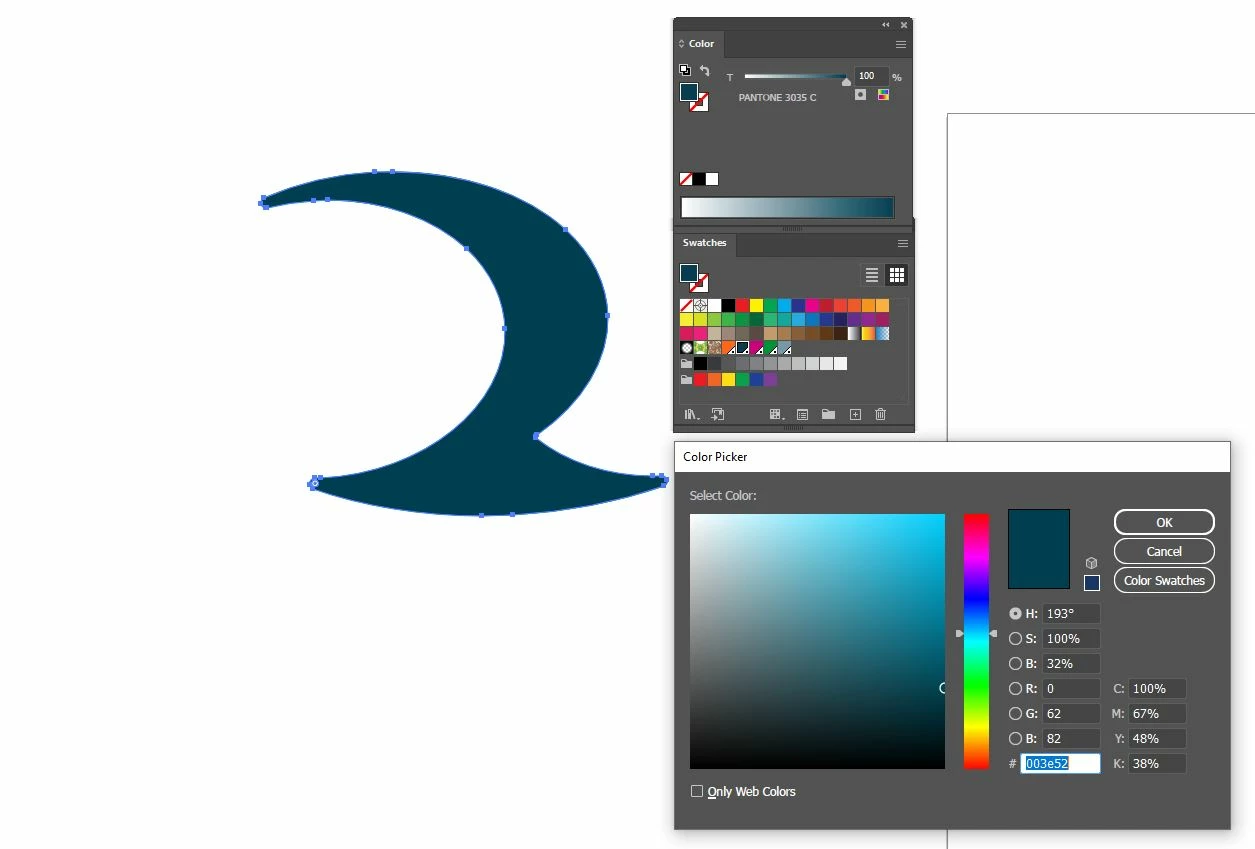
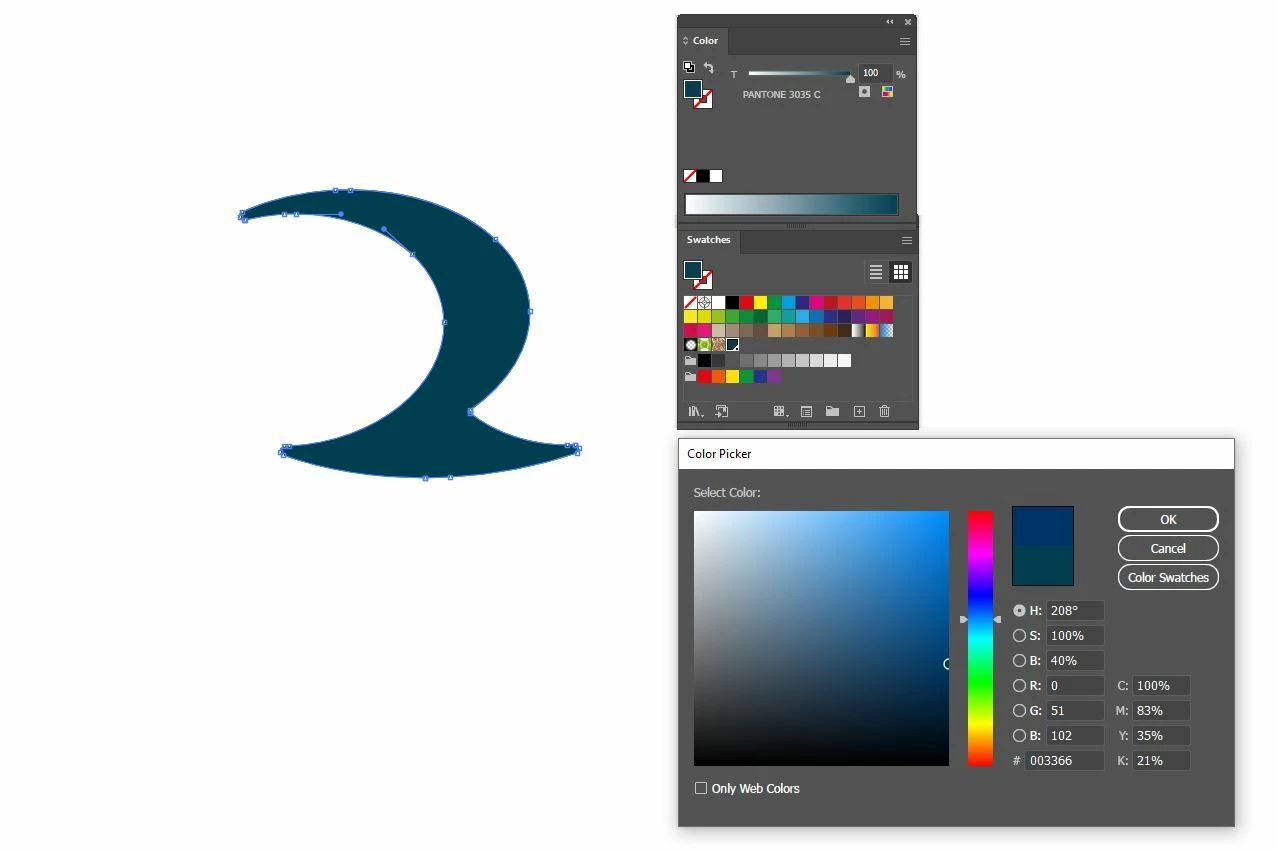
I'm struggling to work out what variable is changing here and hoping someone here can help isolate my issue. I've got a illustrator document with some logos in, their colours are all set to pantone references. When I copy and paste the logo into a new illustrator document, the CMYK values presented are different between the two documents and I can't work out why they are changing.


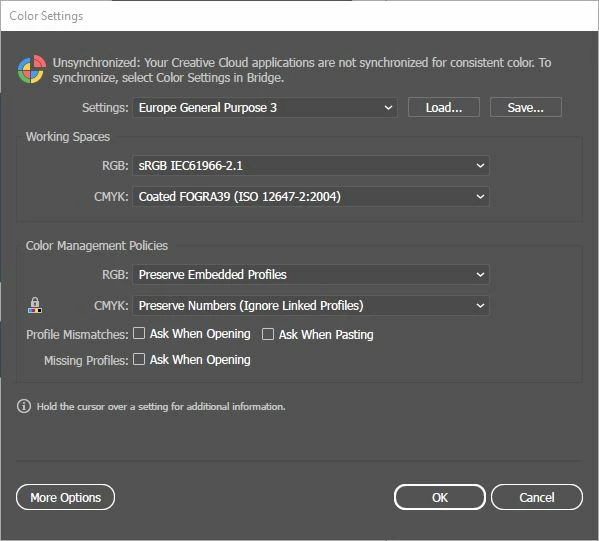
Global color settings:


Document 1:

Color mode: CMYK
 

Document 2:

Color mode: CMYK
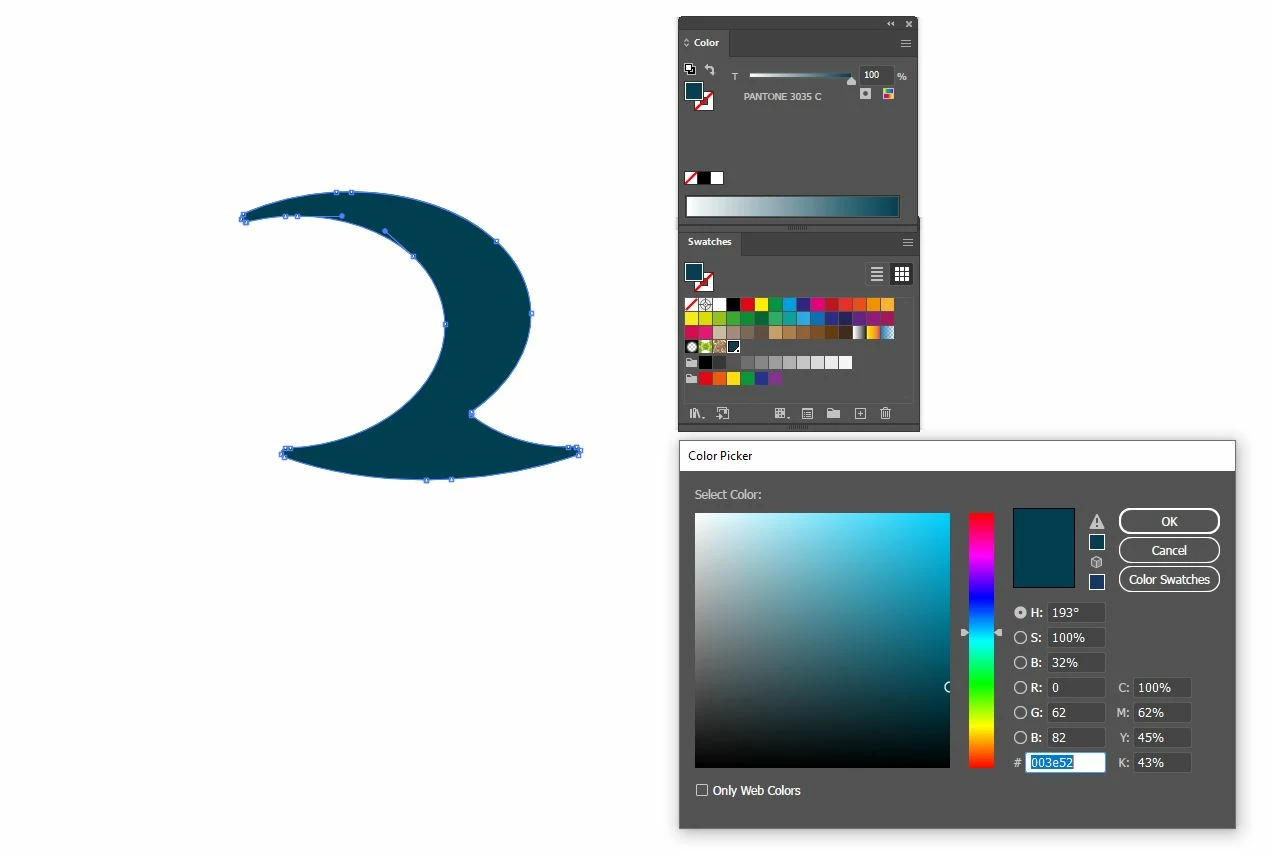
 

I can see in document 2 the color picker is now presenting an 'out of gamut' warning but I don't understand why this has appeared? When I 'correct' this warning, the CMYK values change again:

 

This topic has been closed for replies.
Correct answer Ton Frederiks

Yes, correct, as long as is still a spot, the CMYK numbers are just a preview of the conversion that would take place when changed to process colors.

The document color profiles can be seen at the bottom of your document window:

3 replies

Ton Frederiks
Community Expert
Community Expert
November 4, 2022

Are you copying and pasting between CMYK documents? Preserve numbers should not change numbers.


Matt Cass
Matt CassAuthor
Participating Frequently
November 4, 2022

Yes both documents are CMYK documents.

Jacob Bugge
Community Expert
Community Expert
November 4, 2022

Matt,


The HSB values are the same in the first two.


What happens if you use the Color panel?


https://helpx.adobe.com/illustrator/using/selecting-colors.html


Matt Cass
Matt CassAuthor
Participating Frequently
November 4, 2022

Hi, I'm not entirely sure what you mean to do?


If I convert the pantone to CMYK from the color panel, I get the same results as above. The CMYK values are different between documents.

Mylenium
Legend
November 4, 2022

It would probably help if you turned on the warning options in the CM dialog and then tried to do the copy & paste routine again. This could get you on the right track.


Mylenium

Matt Cass
Matt CassAuthor
Participating Frequently
November 4, 2022

Thanks,

So i've turned the warnings on and it now gives me the option to select what I want to do. When I ask it to preserve numbers the CMYK is still changing though between documents?


Met1
Legend
November 4, 2022

Your 2.jpg has the answer right there...