

Tintart
Inspiring
December 9, 2016
Question

Collapsed interface panels

  • December 9, 2016
  • 3 replies
  • 1525 views

Hey

I do have a problem that is very annoying. Every time I launch the Illustrator, all the panels are collapsed. They are visible, but the content of them is hidden. I have to click on every group name to see it's content again. Selecting any other function from tool menu, hides the content again. Also the right menu is always changing the size, so it is very random how the items are displayed. I've tried to reser preferences, reintall program, create interface profiles, and so on. Nothing helps.

Any idea, how to make the interface always visible?
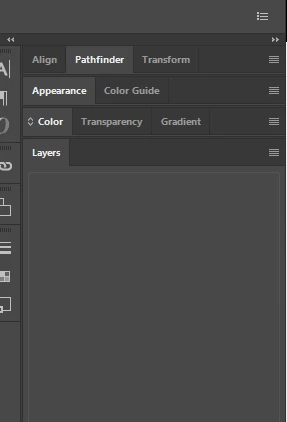
In addition I can say, that it does not matter if I am working on my or on predefined layout:
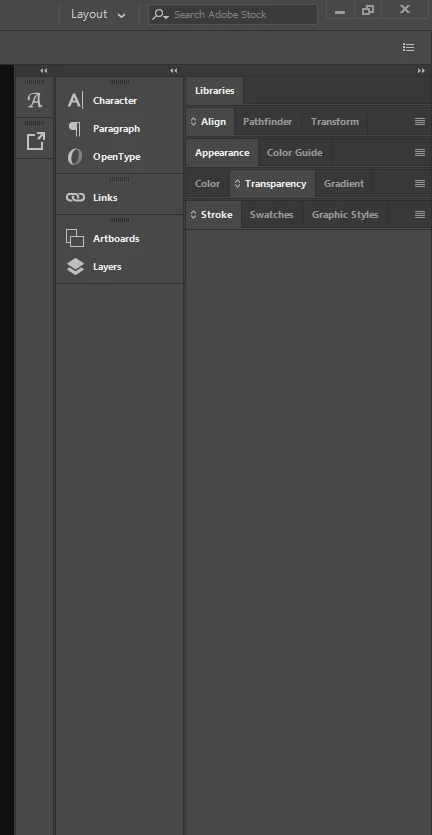
This topic has been closed for replies.

3 replies

hammer0909
Community Expert
Community Expert
November 29, 2017

It looks like you have a workspace crated called "Layout". What happens if you click on the workspace button and choose "reset workspace". This is not normal behavior obviously but there's something unique to your system that is causing this. If resetting the preferences didn't solve it, we need to look elsewhere.

Tintart
TintartAuthor
Inspiring
December 4, 2017

Nothing happens then, I mean it is swithing back and forth to the collapsed panels.

o-marat
Inspiring
November 29, 2017

This problem occurs on different versions of Windows operating systems (7-10),

on different versions of Illustrator CC (CC-CC2018),

it seems that it is chaotic.

It is unclear why this happens, on what it depends.

This is very unpleasant and uncomfortable ((

Jacob Bugge
Community Expert
Community Expert
December 9, 2016

Tintart,

Can you change the width of the panel, and if so, what happens if you do?

Tintart
TintartAuthor
Inspiring
December 9, 2016

Yes, I can resize them, no problem. Nothing changing then unfortunately in terms of their content - they stay empty.

Om Nath Jha
Legend
December 12, 2016

Hi Tintart,

Did you try resetting the preferences? If not, please do and then check. See : How to set preferences in Illustrator

Regards,

Om