
Answered
Color control
Hi Experts
I’m trying to vary the intensity of color for objects in a set. Like this:
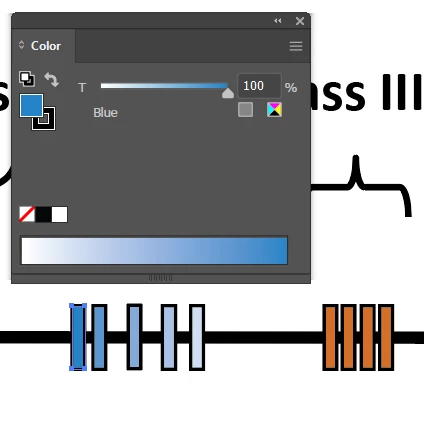
When I select the blue color I get this box which does allow me to select the intensity of the blue. Maybe intensity is the wrong term, but as you see in above I can vary the intensity for the set of blue bars.
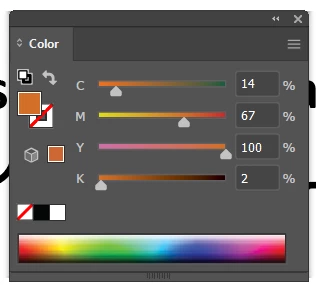
But when I try to do the same with the orange bars, I don’t get the same control box. When I click on the orange and go to the Color panel I get this panel. How to I switch the Color panel back to be like the one above?
Thanks!
 AdChoices