
Color Issues - I don't even know how to explain
I create digital paper. I have a set of colors I am working with. I've created 2 sets today with these colors and now I am working on a third.
Some of the colors are fine but I've got a couple that are doing something odd...
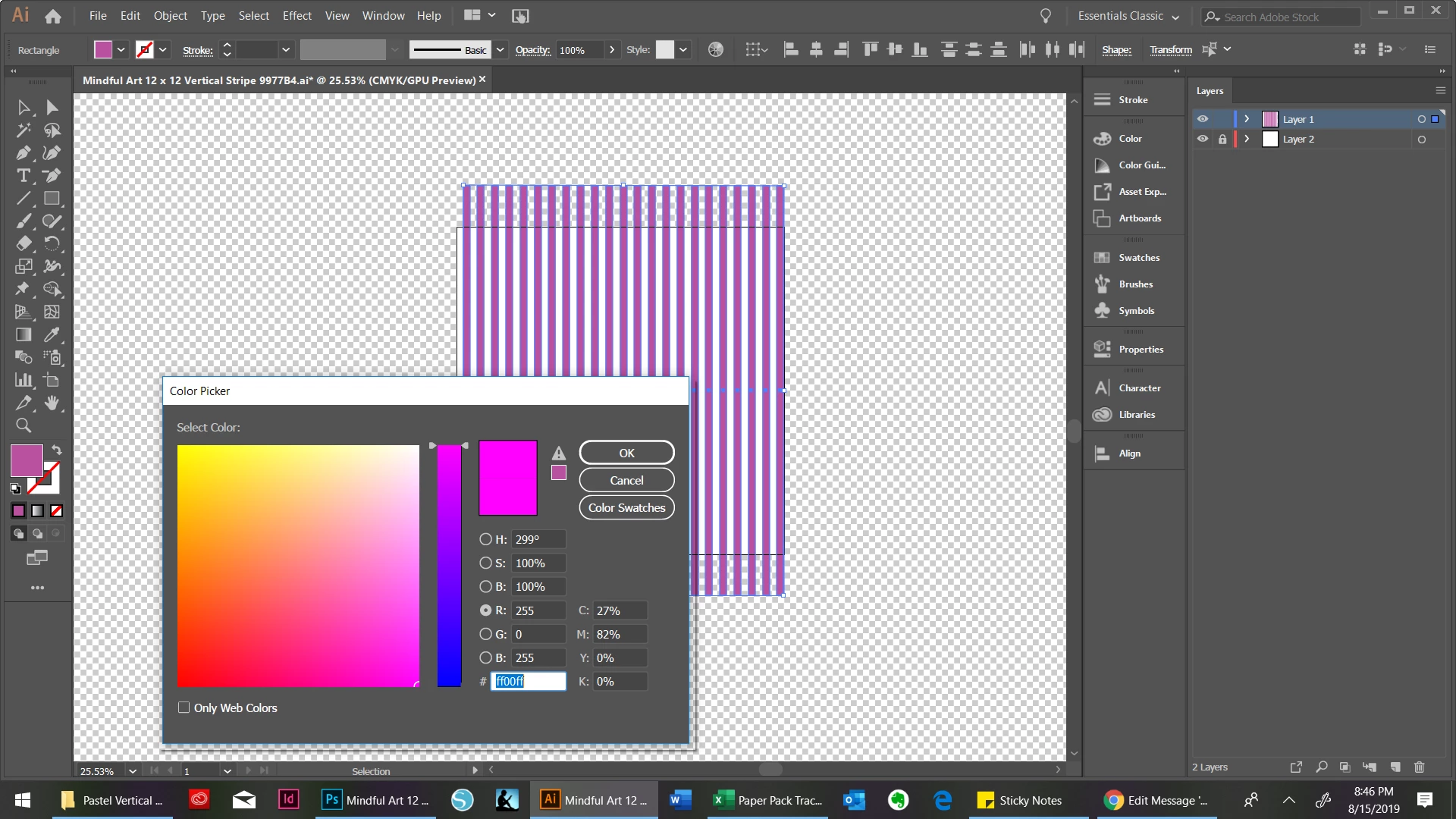
I've got this color code FF00FF - it should look like the chevron print below, but instead, this (vertical stripe) is what I get... . No matter how many times I enter FF00FF, it SHOWS this color. When I'm changing the color, it will show the old and new as the correct color, but I still get this funky color. THEN, as if that's not enough, sometimes when I go in to change the color, it has this code instead: b9529f. That is nowhere near any color I am using and I can't figure out why it reverts to this color. I'm not an Illustrator genius, obviously, but I can do what I need to do...usually... I don't know why this is happening but any help (dummed down) is greatly appreciated! I'm also providing the screen I see when I change the color code. You can see that the color I'm shooting for, and the color Illustrator says it's delivering is NOT what shows on the screen.
 AdChoices