courtneyh72522051
Participant
November 6, 2018
Question

Color Mode Issues - Ilustrator & InDesign

  • November 6, 2018
  • 1 reply
  • 429 views

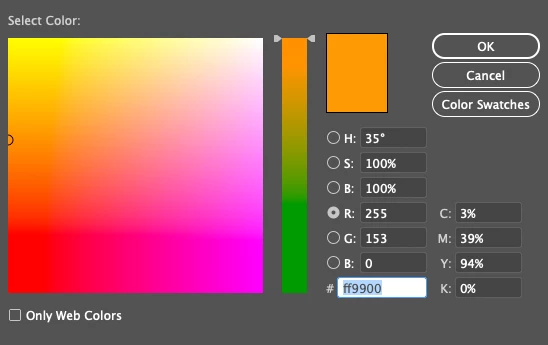
Hello. I have been having issues with my color modes in both Illustrator and InDesign. I have worked in both for years but recently seem to keep running into this issue. I have read a couple forums but changing the color mode to RGB doesn't make a difference. I thought perhaps there was a gradient or transparency but that is not the case. It is extremely frustrating and i have tried everything. Any assistance would be great. I have added a photo so you can see what I mean. I have added another photo as well so you can see there are no issues with the color in the picker.  I have had colleagues stand over my should and watch as I select a Colbalt  blue and and the fill of the object is a purple!?! Any help would be greatly appreciated!!  thank you all!

.

This topic has been closed for replies.

1 reply

Monika Gause
Community Expert
Community Expert
November 6, 2018

The color picker is not color managed, but the artboard is.

Have you checked yur color management settings? Maybe you ran into the issue where color management is automatically set to "Emulate Illustrator 6"

courtneyh72522051
Participant
November 6, 2018

Thanks Monika for getting back to me. I just checked and it is set to Emulate Adobe Illustrator 6.0. What should I change this too? Appreciate your help!

Options are below:

• Custom

• Monitor Color

• North America General Purpose 2

• North America Newspaper

• North America PrePress 2

• North America Web/Internet

Monika Gause
Community Expert
Community Expert
November 6, 2018

You need to set it in a way that is appropriate for what you are doing.