Participant
November 21, 2016
Question

Color panel: autoselection of the hexadecimal code field of the color

  • November 21, 2016
  • 3 replies
  • 480 views

Hello,

The new version of CC illustrator 2017 is great, but there is one little detail that make me loose time every time I play with color. For many years, when I selected an object and then clicked on the color panel, the hexadecimal code was selected by default. So that was really convenient: I could just open the the color panel, press Ctrl+C and directly close it. And now I have a new action to perform : since this new version, it is the ligne T that is selected by default.

My question is simple: is it possible to change that detail?
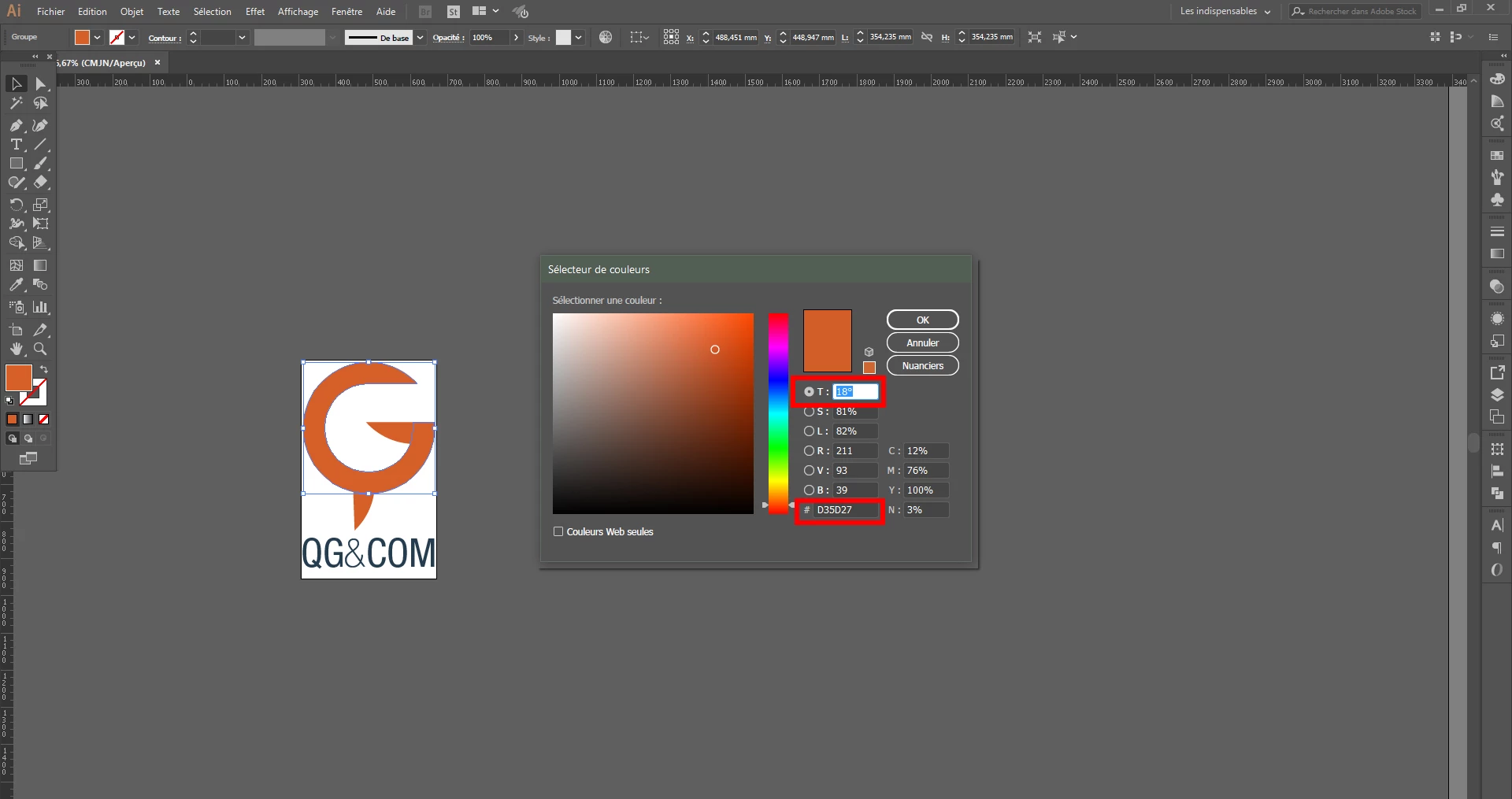
Thanks!

    This topic has been closed for replies.

    3 replies

    Ton Frederiks
    Community Expert
    Community Expert
    December 11, 2016

    It has been reported a couple of times on this forum. It is a problem introduced in CC 2017.

    Please report it here:

    Illustrator Feature Request/Bug Report Form

    DavidMatos
    Inspiring
    December 10, 2016

    Totally agree! Hexa is the entry you need to paste as it sets the color with a single value! It's either a mistake or an idiot update.

    Kurt Gold
    Community Expert
    Community Expert
    November 21, 2016

    Are you sure about that default selection thing?

    I don't know any version of Illustrator that selects or highlights this input field by default. I'm using Illustrator CS5.

    What am I overlooking?

    Participant
    November 21, 2016

    I think I've started using Illustrator with CS6. And with CS6 and later versions, yes I'm 100% sure: the hexadecimal code used to be selected by default ; and with CC 2017 it's now the T field.

    I still have the reflex: if I copy an hexadecimal code in After Effect, go to an object in Illustrator, and open the color panel, I still do Ctrl + V and then press Enter. Result now: this hexadecimal code is pasted in the T field... because it wasn't selected by default.

    It's a subtle change, but it's really annoying when I'm working: I realise now how much that detail was saving clicks and time.

    Participant
    November 21, 2016

    By the way, I just realized that After Effect CC 2017 is still doing it. Only Illustrator CC 2017 changed. Indeed, if you select a rectangle and click to change the background color of the rectangle, the hexadecimal code is still selected by default.