
Inspiring
January 21, 2023
Answered

Color picker inaccurate for reds

  • January 21, 2023
  • 3 replies
  • 627 views

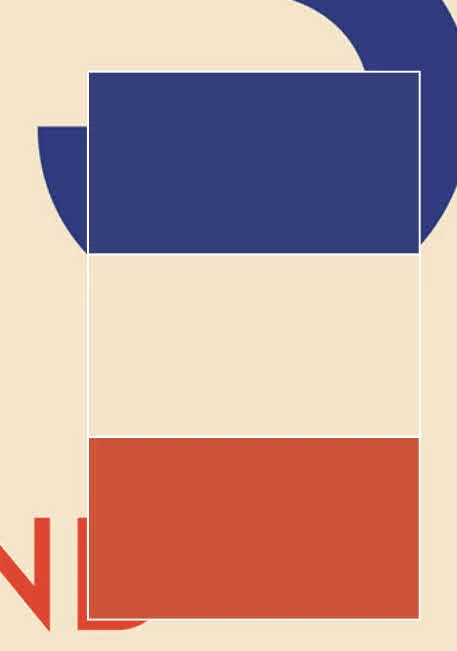
I am having a strange problem.  The color picker is not showing the accurate colors for reds/oranges.  It seems to be working for other colors.  In the screenshot you can see the rectangles are shapes with colors applied via picker from the jpg.  Note that the beige and blue look accurate, but the red looks desaturated.  I've tried this with several other red/orange images with a similar result - always desaturated.


I can manually adjust the color to (nearly) match, but that's a really cumbersome process.


Working space is set to AdobeRGB and changing profiles makes no difference.  These are all rgb images.


Any idea what the problem is?  


I am taking the colors from a jpg (and have done this for decades without issue).
This topic has been closed for replies.
Correct answer Ton Frederiks

Can you embed the jpeg? Illustrator can than pick up the colors from the file, otherwise it will use the linked preview.

3 replies

Mike_Gondek10189183
Community Expert
Community Expert
January 22, 2023

What ai version are you running, you used to have to SHIFT eyedropper in older versions.


Where exactly are you determining your working space (edit >> assign profile, or the show > flyout > profile at bottom middle of the app window ), is your document color mode RGB? 

Ton Frederiks
Community Expert
Ton FrederiksCommunity ExpertCorrect answer
Community Expert
January 21, 2023

Can you embed the jpeg? Illustrator can than pick up the colors from the file, otherwise it will use the linked preview.

Inspiring
January 22, 2023

That did it!  So bizarre.  I've never had a problem before the latest versions and it's only the reds/oranges that are a problem.


Thanks!

Ton Frederiks
Community Expert
Community Expert
January 22, 2023

Good to hear that helped.

Monika Gause
Community Expert
Community Expert
January 21, 2023

And the document color mode is also RGB?

Can you please show the values of the color picker window and then the values that actually get applied to the object in the color window? Thank you.