

creativecontrasts
Participating Frequently
October 31, 2024
Question

Color picker not working on Grouped Objects

  • October 31, 2024
  • 2 replies
  • 404 views

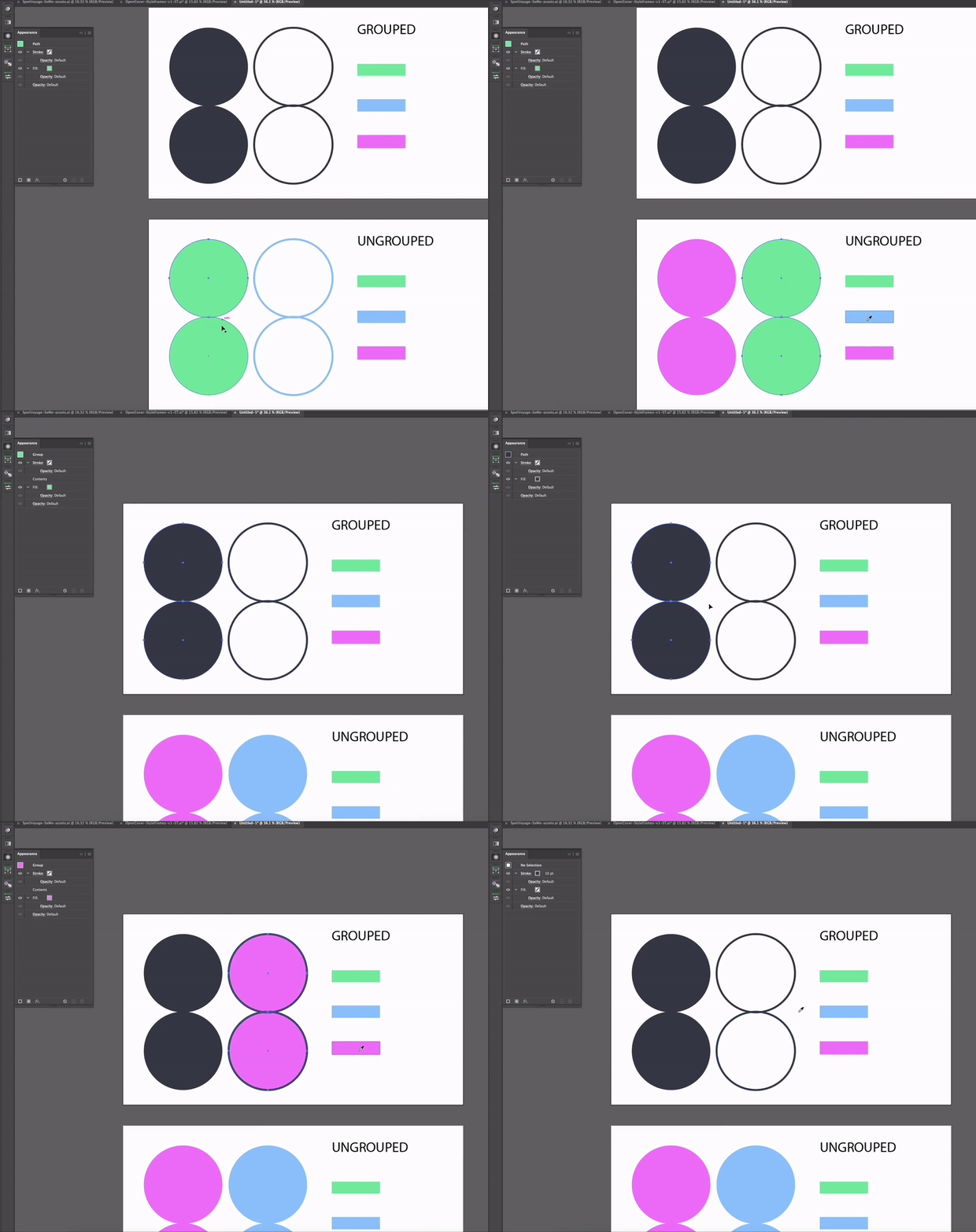
This and the last version (24, 25) have a bug where I
cant use the color picker on grouped objects. Even shift clicking
doesnt work. It is very frustrating and used to always work
fine for me. (I am on MacOS Ventura, but as I said I have
the problem for a while now...)
/
Attached a GIF for further explanation.
/
any help would be highly appreciated.
Thanks
This topic has been closed for replies.

2 replies

Monika Gause
Community Expert
Community Expert
October 31, 2024

With grouped objects you have to hold down Shift when picking up colors for groups.

creativecontrasts
Participating Frequently
October 31, 2024

Thanks but as I mentioned SHIFT clicking does nothing for me.
I use Adobe Illustrator since more than 20 years and really depend
on it to work stable - an BUG like that reeeeaaallly bugs me, because
I slows me down so much.
/
Deleting preferences didnt help unfortunately

Monika Gause
Community Expert
Community Expert
October 31, 2024

Sorry. I thought I had read that in your post but then couldn't find it when writing my answer.

I have just tried it and it works (Mac OS 14.6, version 29.0.1)


What could happen: there are several apps that interfere with the modifier keys. Can you Reboot and then launch only Illustrator and check again?

If that still doesn't work: try and boot into Safe Mode and check again.

creative explorer
Community Expert
Community Expert
October 31, 2024

@creativecontrasts by any chance did you reset your preferences? Clear the cache on your profile? Library - Cache


I had some Chrome and Adobe applications that kept on crashing my MacBook Pro. I had uninstalled my Chrome, and then I selected every single folder in that Cache folder and deleted. The Apple tech staff told me to do that. And it worked wonders! 


m