
Participant
October 3, 2022
Question

Color profile changes to "6000 White" randomly

  • October 3, 2022
  • 3 replies
  • 150 views

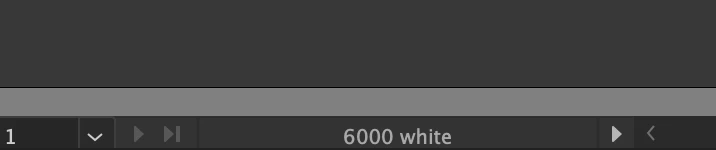
My AI docs keep suddenly changing from standard (sRGB IEC61966-2.1) to "6000 White." To change it back I have to go to Edit > Assign Profile > select Working sRGB...

This is really annoying and happens constantly and changes my colors slightly. I can't figure out if I'm doing something to trigger the change or what. See attached screenshot for proof! Help please, thanks.
 

This topic has been closed for replies.

3 replies

Ton Frederiks
Community Expert
Community Expert
October 3, 2022

Do you Open an image in Illustrator instead of Placing it? Open will use the color profile of the image as the document color profile.

Mike_Gondek10189183
Community Expert
Community Expert
October 3, 2022

Make sure your colleagues do NOT have convert to working space enabled.  If you are using assign profile > select working RGB to fix, sounds like someone else is opening your files. 


If you do not work with anyone else, let us know where this 6000 white came from? That path will likely lead you to the issue.


Monika Gause
Community Expert
Community Expert
October 3, 2022

How is your color management set up?

Do you create new files based on some custom templates? Or how do you create a new file?

Or does that happen to existing files?