


Color settings in Illustrator: Common settings unavailable to me
Colors in Illustrator don’t match colors elsewhere. I go to color settings and this is all I have:
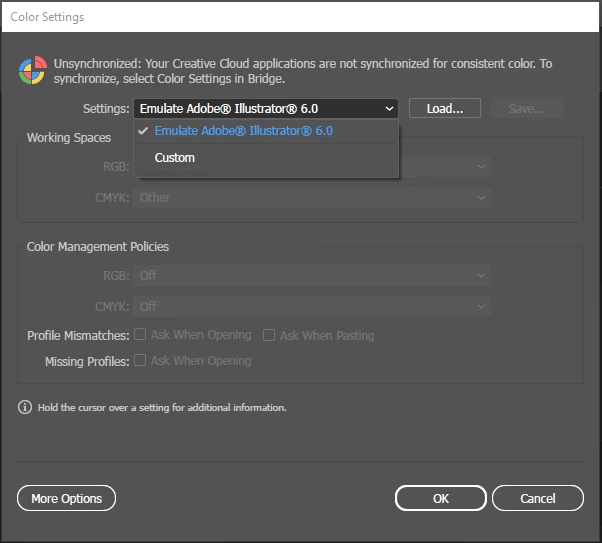
I tried to follow the instructions at the top of the dialogue box. Bridge crashes when I try to do this. I’ve already uninstalled/re-installed Bridge; it still crashes when I try to follow these instructions.
Side note: Why can’t I select “North America General Purpose,” as I’ve seen others have selected?
From the settings drop down, I go to custom:
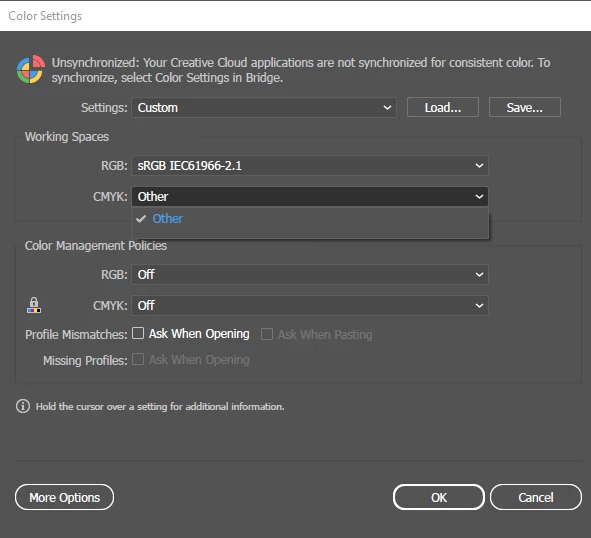
Now, my previous version of Illustrator had an option called US Web Coated (SWOP). As you can see, that is no longer available to me.
I have tried to download the ICC Color Profiles from Adobe.
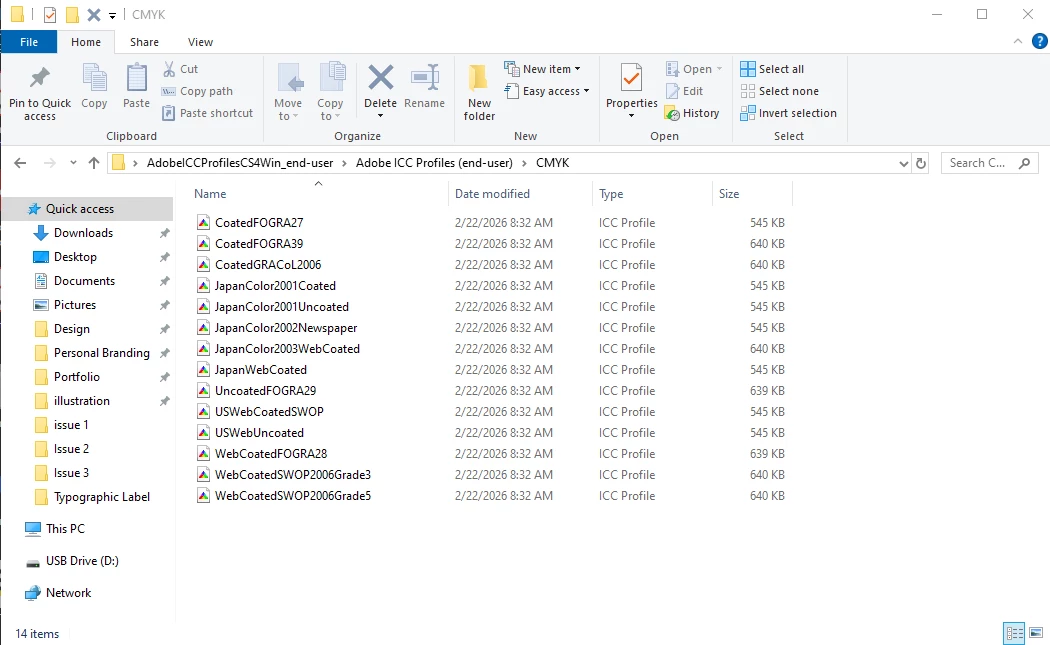
These options do not appear when I try to load them via “Load,” per my 1st screenshot.
What can I do? Thanks.
 AdChoices