
Color settings on text is STILL bugged
Currently, if you try to change the color of text, it applies to the "box" of text, but not to the text itself. In order to change the color of text, you must select the text, adding an unnecesary step.
Right now you can effectively have 2 different fills on a single text object, the text itself, and the frame.
I have attached screenshots to show what is happening. I typed text, then added color by selecting the text frame with the Selection Tool, and applying a color. When the text is selected, it is shown to have a different fill color. This is the same piece of text with no changes made between screenshots.
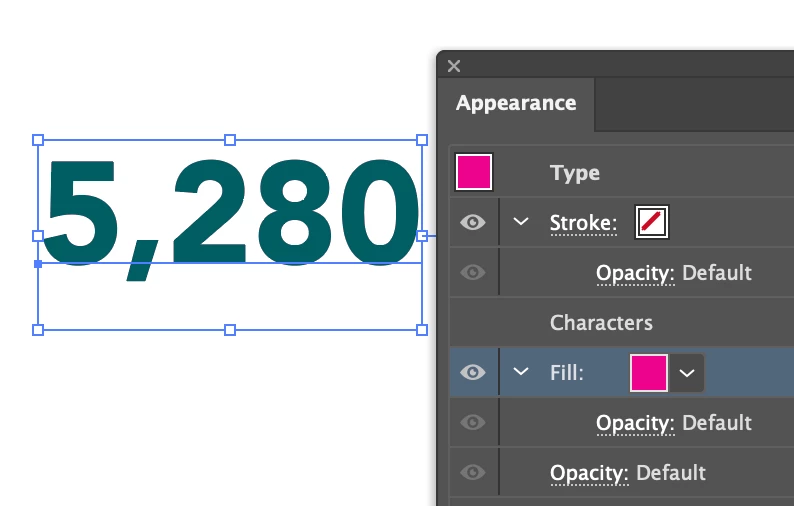
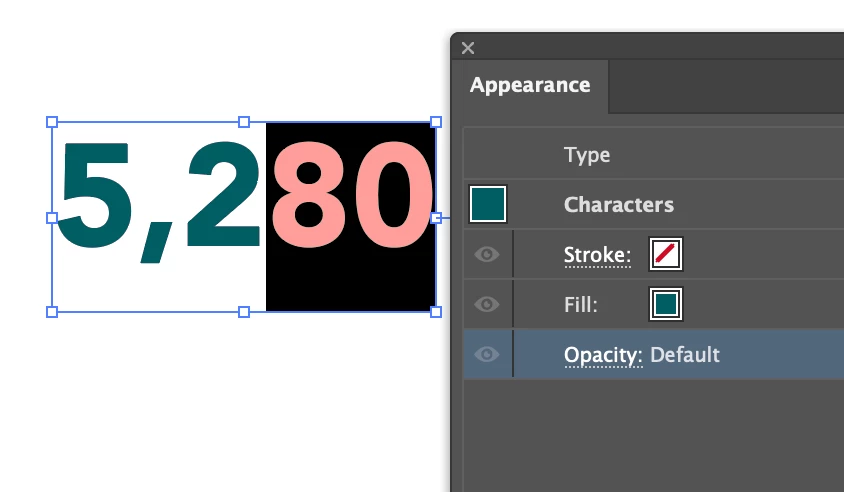
The major issue here is editing text becomes a huge pain when you have to differentiate between 2 fill states that are not obviously linked together. This issue also means that the Eyedropper Tool can't apply color properly either.
This has been a critical bug in Illustrator for several months at the very least. Any assurance that Adobe is aware of the issue is greatly appreciated, this is a huge headache.
 AdChoices