rays79248022
Participant
July 31, 2019
Question

Color transparency issue with ai file in indesign

  • July 31, 2019
  • 3 replies
  • 723 views

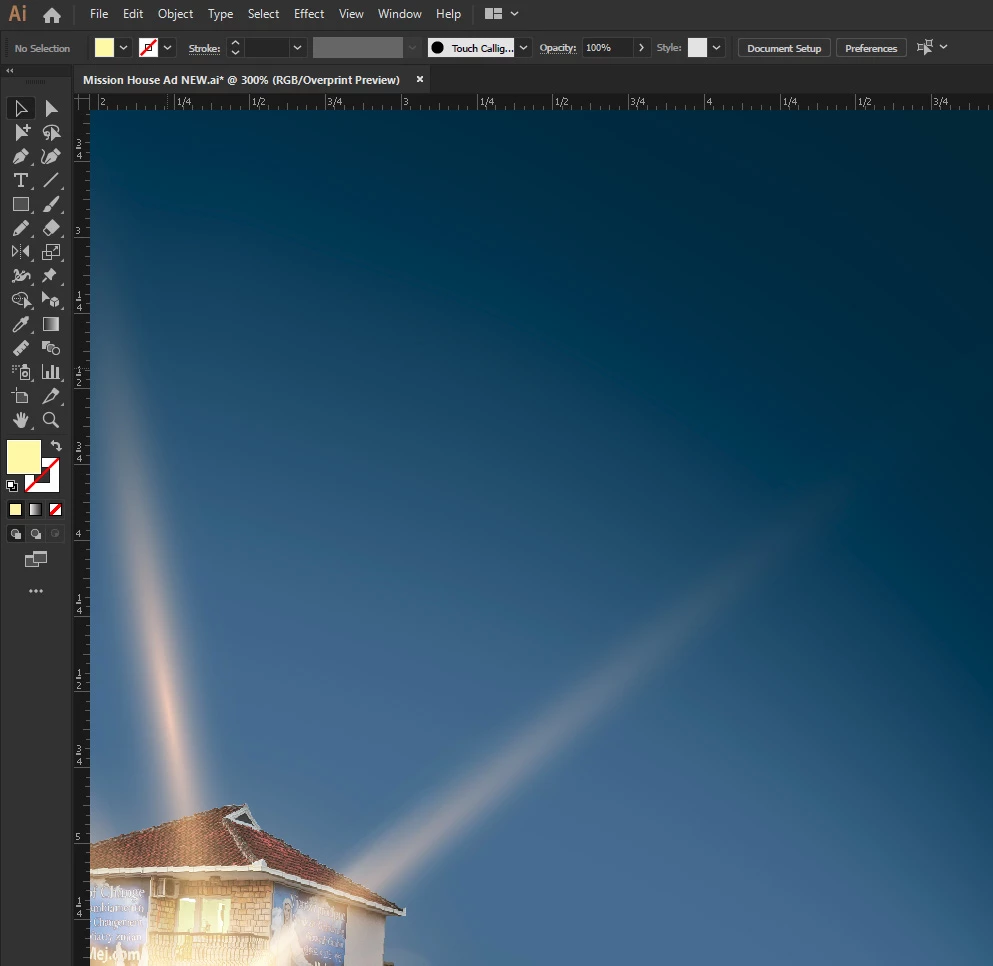
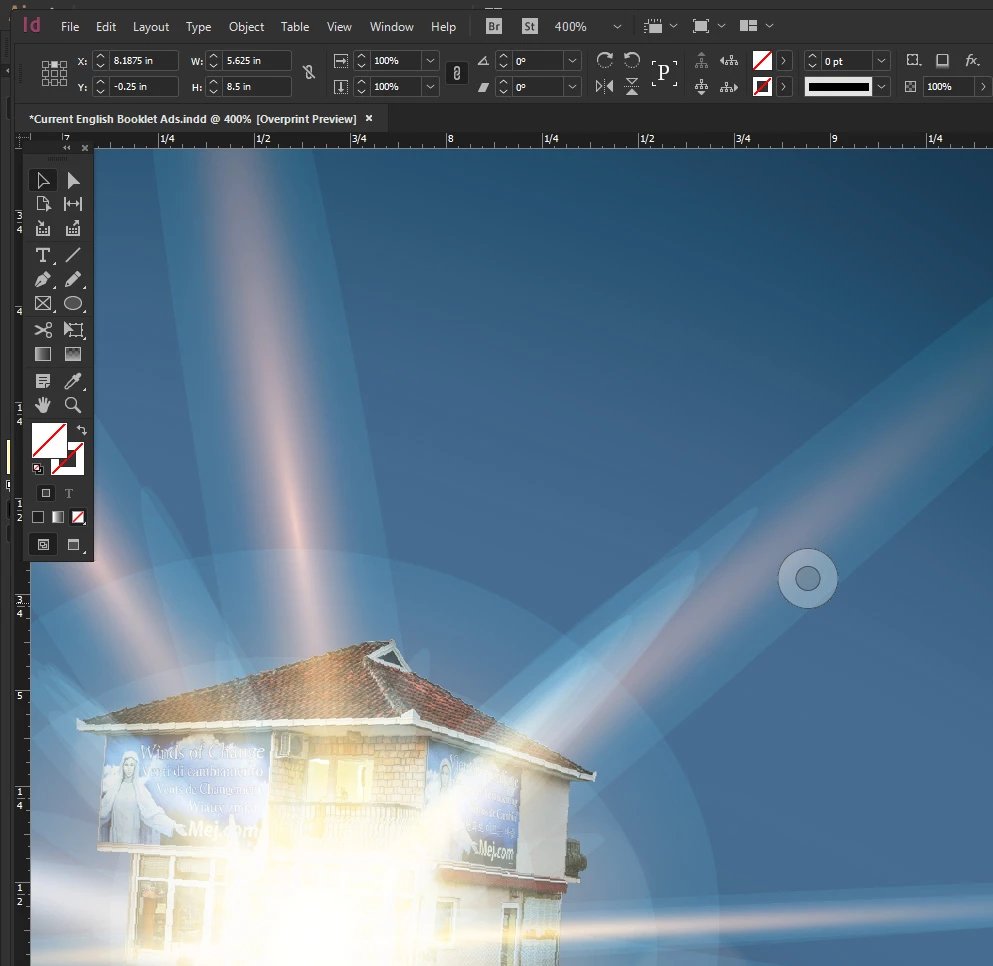
I have an advertisement that I designed in illustrator using rgb color mode.  It has gradients that use layer modes that only fade correctly in rgb mode.  I placed this illustrator native document into indesign and indesign destroyed all of the blending of the layers.  I believe that this was due to color mode conversion.  I use indesign to convert all of my images into CMYK for offset press printing.

Illustrator\Overprint preview
Illustrator file placed in Indesign/Overprint Preview
This topic has been closed for replies.

3 replies

marliton
Community Expert
Community Expert
August 1, 2019

Hi. You can export as PDF to maintaining the vectors and import that PDF in InDesign.

Marlon Ceballos
Monika Gause
Community Expert
Community Expert
August 1, 2019

  schrieb

Hi. You can export as PDF to maintaining the vectors and import that PDF in InDesign.

When you save an AI file as PDF compatible, you are basically doing the same thing.

marliton
Community Expert
Community Expert
August 3, 2019

When you Save or Export to PDF, you can define what kind of PDF you will create using the settings or presets, so it is not the same.

Marlon Ceballos
Monika Gause
Community Expert
Community Expert
August 1, 2019

Most of it is a raster image anyway, isn't it?

So why not export a flattened raster image from Illustrator?

Or select all and apply Effect > Rasterize with sufficient resolution and then place into InDesign.

rays79248022
Participant
August 1, 2019

The background gradient mesh and the glowing lights are vector mixed in with some raster pictures.  If I have to I will flatten transparency or rasterize but on some of my other projects this creates added steps that I am hoping to avoid especially when we are in  the design process and making changes and printouts left and right.

Monika Gause
Community Expert
Community Expert
August 1, 2019

That's why I suggested to select all and apply the rasterize effect.

I forgot: the artwork needs to be grouped.

Alternative: Create a top level layer, move all other layers into it and then apply the rasterize effect to that top layer.

Dave Creamer of IDEAS
Community Expert
Community Expert
August 1, 2019

What happens if you convert to CMYK in Illustrator?

David Creamer: Community Expert (ACI and ACE 1995-2023)
rays79248022
Participant
August 1, 2019

It appears the same as in indesign with the lines.