
Color values are gradually darkening on illustrator documents (frequently)
Each individual color value accross an entire document - including those pre-loaded in the swatch panel - will steadily and simultaneously darken over time. The hex codes themselves change in value and appear to do so when the file is left open over the course of hours/days which is especially apparently on frequently revised project files.
This issue has become very consistent for me and the only swatches/values that seem to be exempt are the first 6 values in an RGB file and values that I manually save as new swatches, which is the only way Adobe Illustrator has remained semi-usable for me.
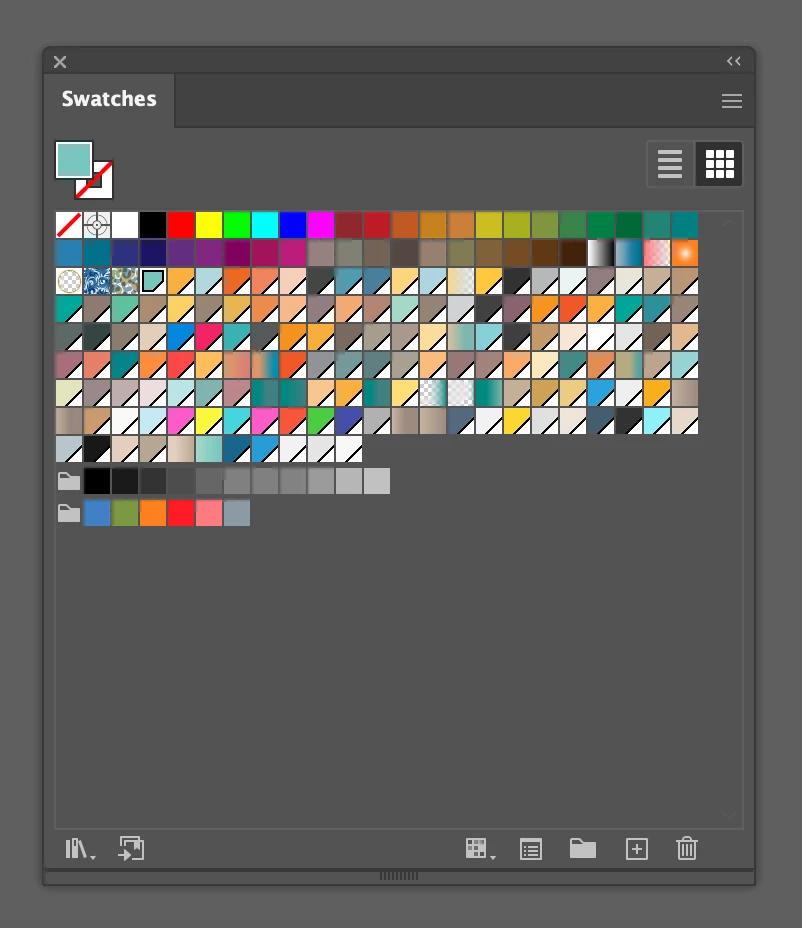
Here's what my swatch panels often look like:
Specs/other info:
-I'm running Illustrator v27.2 on macOS Catalina v10.15.4 (although issue has persisted for years across many versions)
-The swatches above are from an RGB document but I've experienced the issue with CMYK as well
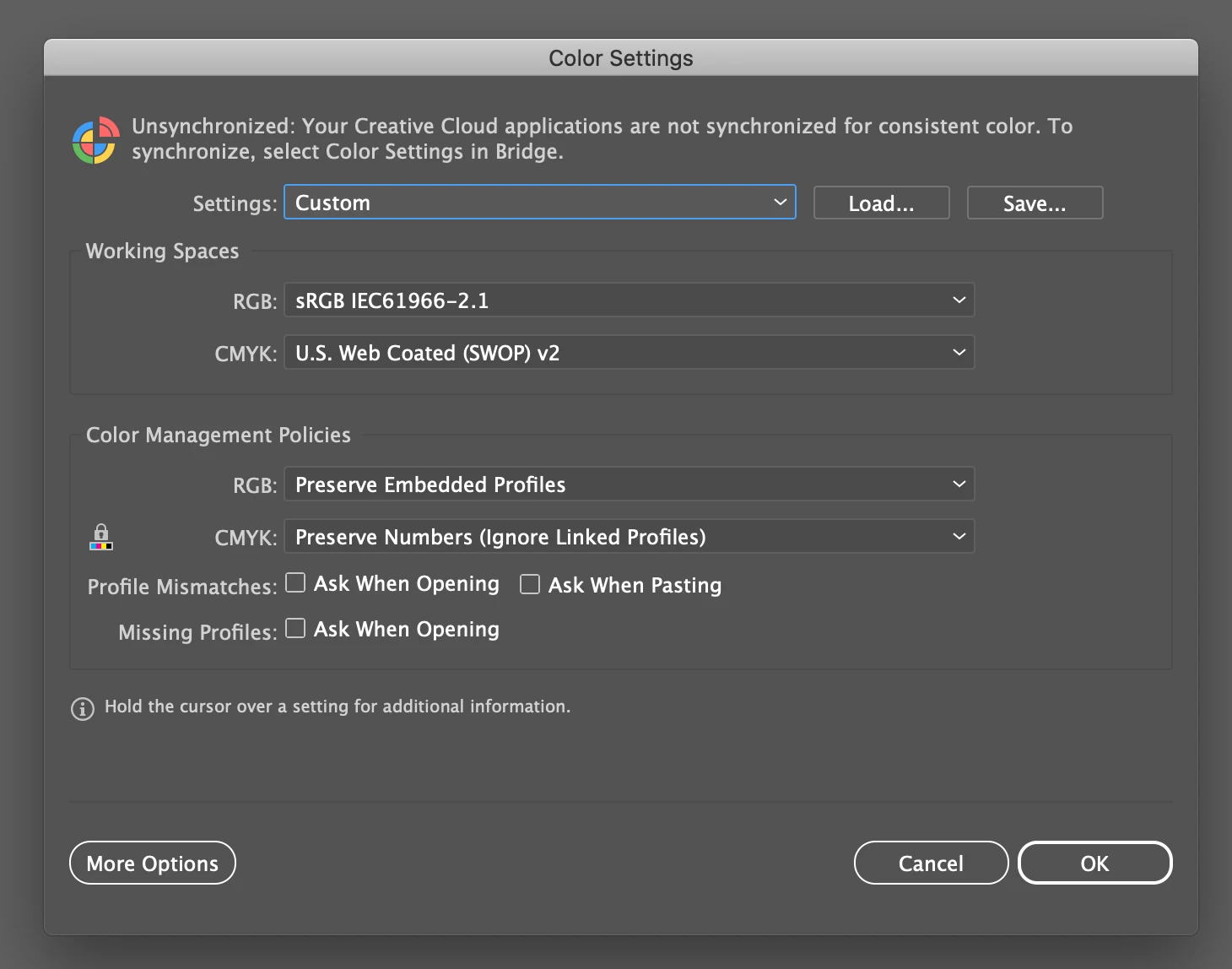
-Here is a screenshot of my color settings:
Let me know what more info I can provide.
As a carreer designer with many longstanding projects its a truly debilitating issue and I've seen it posted a handful of times with no solution in sight, just commenters aggreeing and support members saying to "start a new thread." So here's mine, please help if you possibly can.
Links to threads of users experiencing seemingly identical issues:
Thanks
 AdChoices