
Colors are appearing lighter than they should
Something is going on with the colors in my Illustrator document. Please help. I have been Googling and tweaking settings for hours.
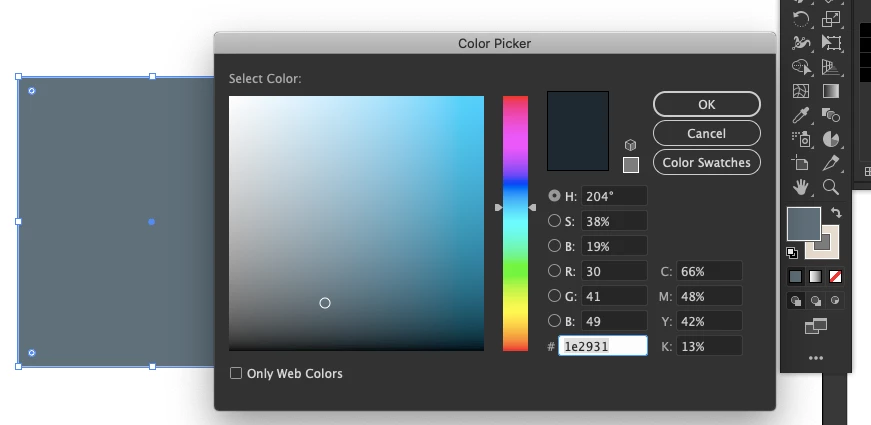
You can see in the color picker than I've chosen a dark gray. However, the actual color in the document appears shades ligher than it should.
I've also noticed in the fill/stroke selection box in the tool bar, that there appears to be a semi-transparent white box over the stroke (possibly the fill as well?)
I have already:
- checked the Color Settings (under Edit Menu) against other documents and it matches (with a caveat, screenshot posted below)
- confirmed the Document Color Settings
- closed the file and reopened it
- closed Illustrator and reopened
- copied everything into a brand new document
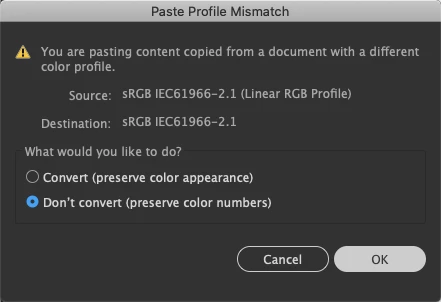
When I copy something from another document into this one with the color problems, I get a warning that could indicate what's happening. 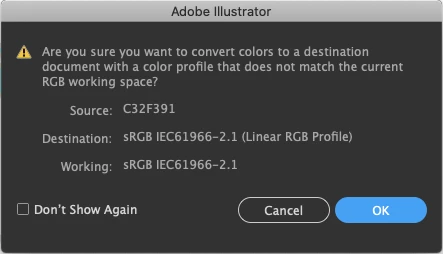
Any ideas on how to fix?
 AdChoices