
Colors of the image are slightly pale in Illustrator
Hey Everyone,
I got this issue for a while now. Following:
Whenever I try to place a picture into Illustrator - all brightness seem to fade away. Whether I am in CMYK or RGB mode. (Mostly work in CMYK for print). It just seems that the whole colour setting is messed up - but my wife uses the same settings and has no problems with it.
Lets take this colourful Giacomo Bagnara Image as an example:
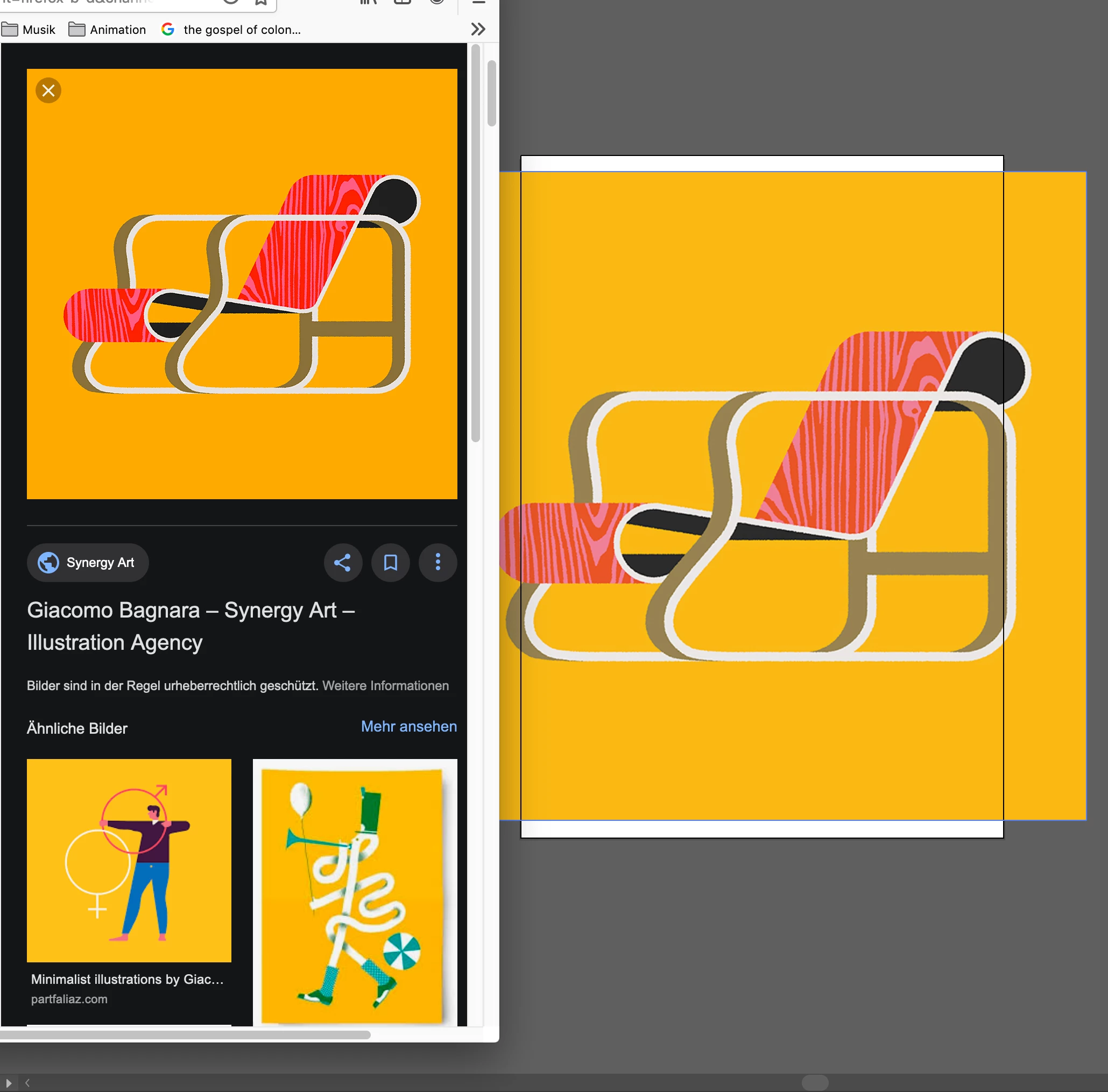
And here some Facts:
Using an iMac (Retina 4K, 21.5-inch, 2017) with Radeon Pro 555 2 GB
Adobe CC
My Monitor settings are also the same as on the Mac of my wife.
And here are the settings. Which is pretty much the default one. (GPU Performace is switched on - And I am in GPU Mode, although CSU Mode does not change a thing).
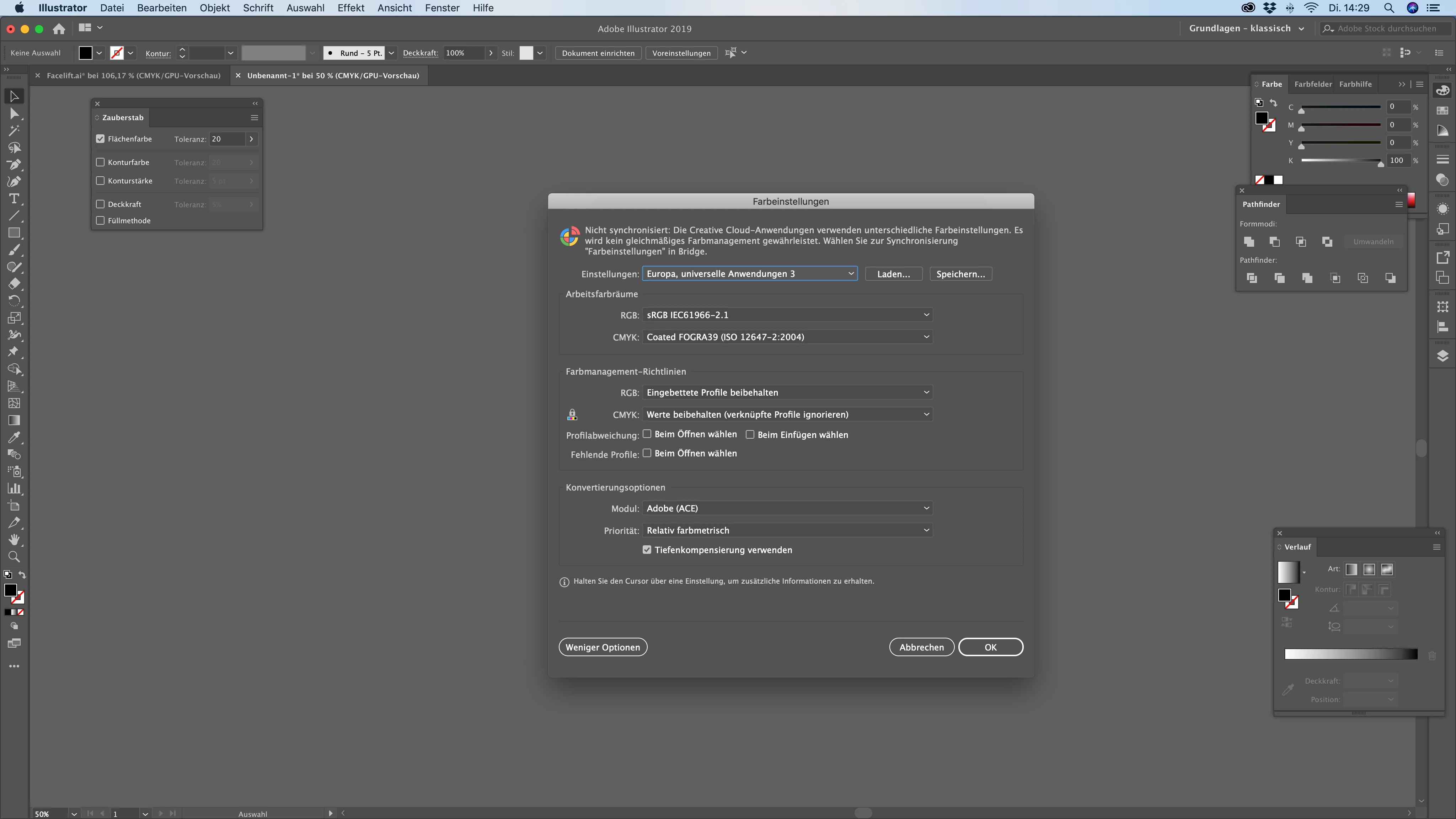
Another issue is, that every export needs the ICC profile embedded, otherwise it loses brightness, too. (I have not had the issue with CS6, but it was on PC)
I appreciate every help.
Thanks very much.
{Renamed by MOD}
 AdChoices