
innovative_moments0D4D
Participating Frequently
December 19, 2017
Answered

Colour Percentage Value

  • December 19, 2017
  • 3 replies
  • 6237 views

Pardon my English.

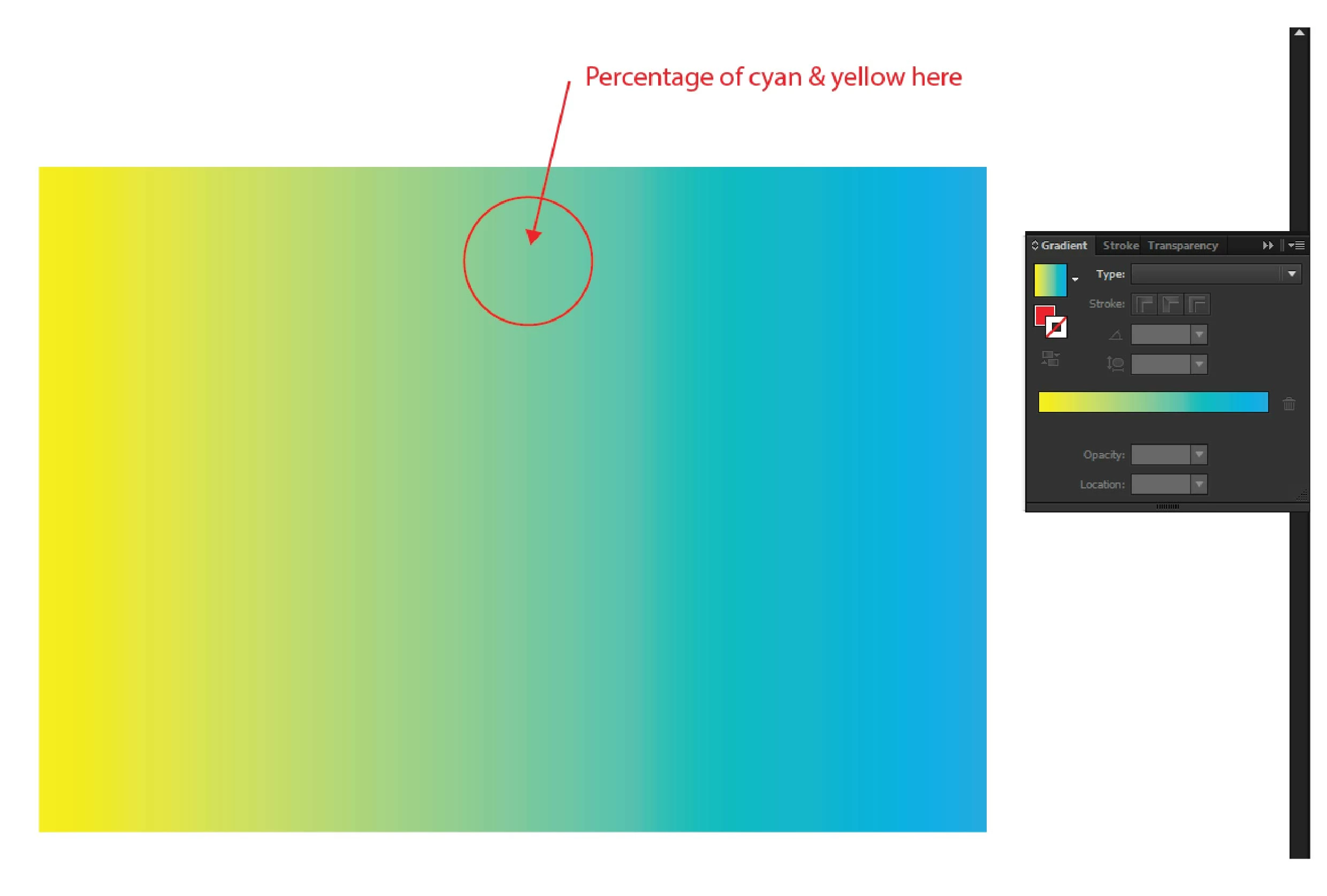
I'm just wondering if there is a way in Illustrator to know the percentage of the colours when exporting them to a .ps file. Because sometimes i get a raster file or a file with colour gradients and it is a bit inconvenient to keep switching between softwares.

I know that Acrobat and PS can do such things, i'm just hoping there is a way in Illustrator to do that.

Please refer to attached photo in case my question is not clear enough.
This topic has been closed for replies.
Correct answer Ton Frederiks

In case of an object filled with a gradient, the color picker picks up a screen preview and not the color that makes up the gradient.

You can check the color in the Gradient panel (as suggested above by jdanek).

But if you really want to pick up the color on screen, you can rasterize a copy of the object filled with the gradient and Shift click with the Eyedropper.

3 replies

innovative_moments0D4D
Participating Frequently
December 20, 2017

That clears it.

Thanks guys

Inspiring
December 19, 2017

Have your Gradient palette and your Color Palette open.  Select your gradient and examine the Gradient in your Gradient palette.  There should be a color anchor halfway between the ends of the gradient.  Click on that anchor and it will give you the color percentages in the Color palette.  If you want a specific area in the gradient, just click in the Gradient palette and a new anchor will be created that gives you the percentages in the Color palette.

tromboniator
Community Expert
Community Expert
December 19, 2017

Open the Color Panel.

Select the Eyedropper Tool.

Hold down the Shift Key and click inside the path with the gradient.

The Color Panel will show the color percentages at your chosen location.

innovative_moments0D4D
Participating Frequently
December 19, 2017

Thank you for replying. It works quite okay although i noticed that the colour percentages are not accurate.

And somehow it doesn't work with black colour. When i select a gradient of white and black, the colour panel shows CMY percentages instead of black.

Is that because of my settings or it just works that way?

Ton Frederiks
Community Expert
Community Expert
December 19, 2017

If you pick up colors from an image, embed the image to pick correct percentages.

Linked files only give colors from the preview.