

Colour Picker preview is very inaccurate
Hi...
Am / have been having a problem with the colour picker palette. Effectively, it means that the preview does not reflect the selection. Below is a screen shot take in AI: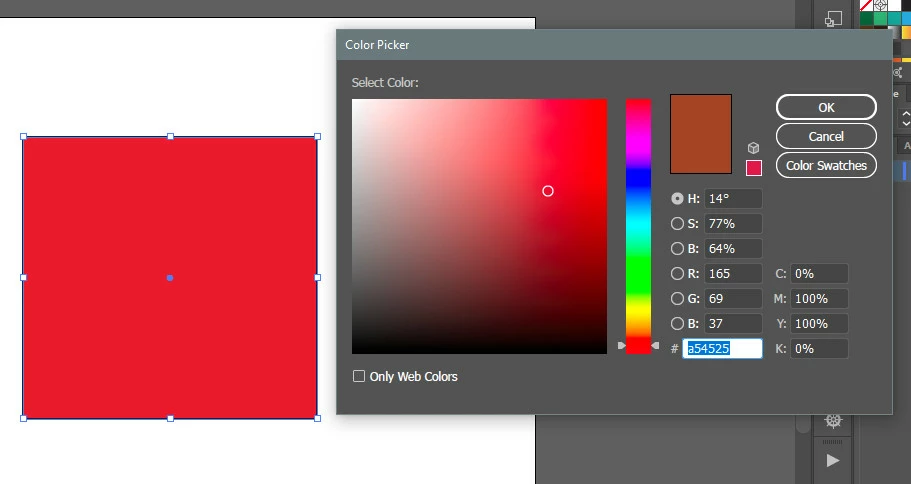
As you can see, the colour preview is very much darker and 'muddier' - looks positively brown! (This image was saved out directly from the screen capture program.) BTW, the colour indicator in the Tools Palette shows the correct colour.
This is a screen-shot of the same image pasted into PS and saved out from there.
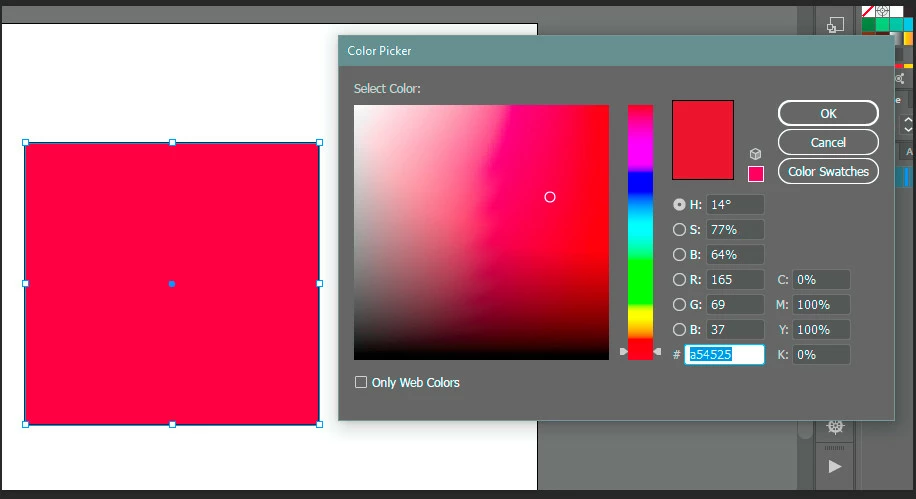
As is evident, all looks ok in PS and saves out correctly.
Can't figure out what the problem is.
OS: Win 10
AI and PS: CC2018
Colour management settings are synced as follows:
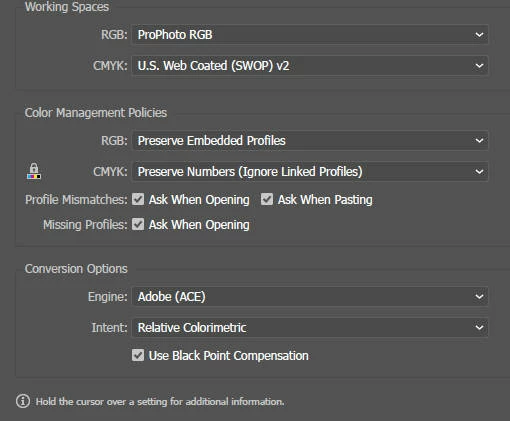
I gather that a workaround is to use the Color Palette instead of the Color Picker. But generally, the Color Picker is a lot more convenient and - if working properly - offers at least an instant comparison.
Grateful for any help!
Many thanks...
ON.
 AdChoices